BenimPOS Desktop 4.0 · New release

Free barcode POS and inventory software Desktop 4.0

With or without internet, your sales are saved on your computer and sync automatically with your BenimPOS web and mobile account once you are back online. You just use it; it takes care of the rest.

Download Desktop 4.0
Windows 7, 8, 10, 11
Free · 5 languages · Installs in minutes
Works offline Syncs with web and mobile First device free
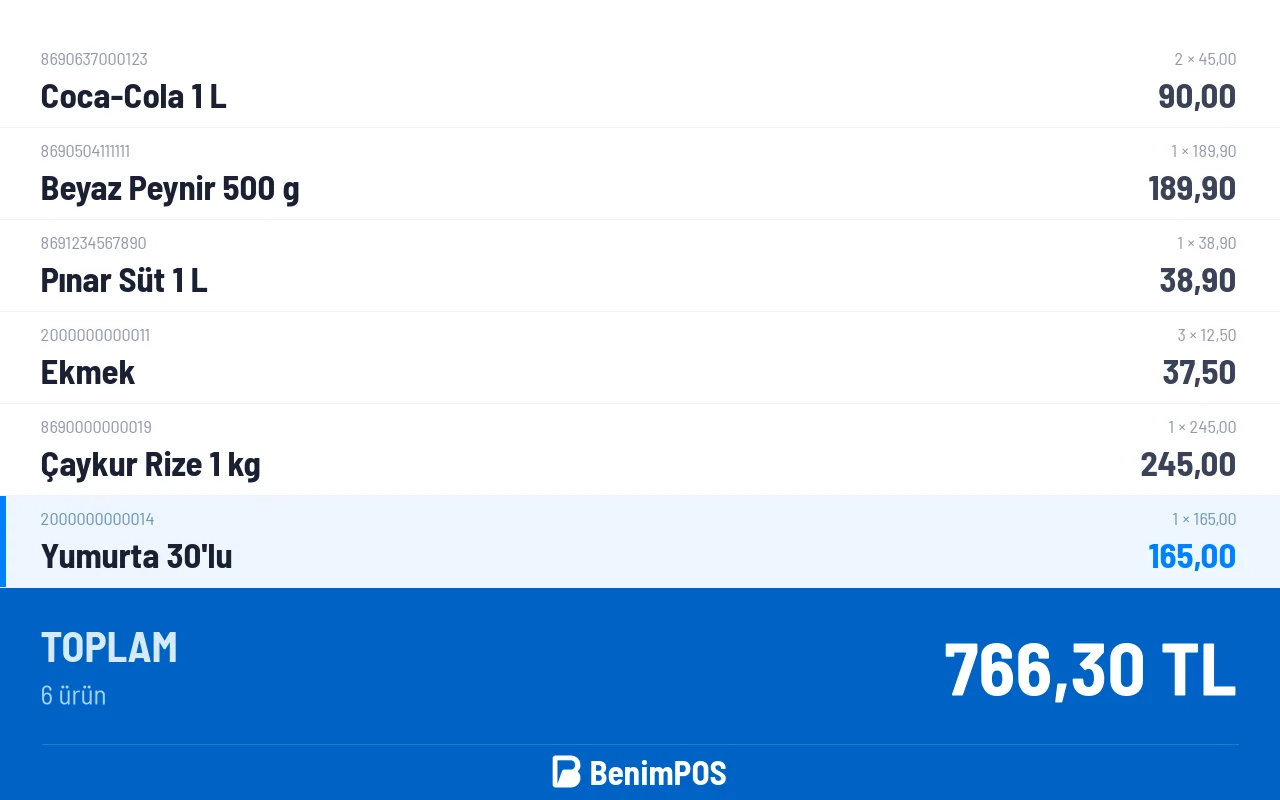
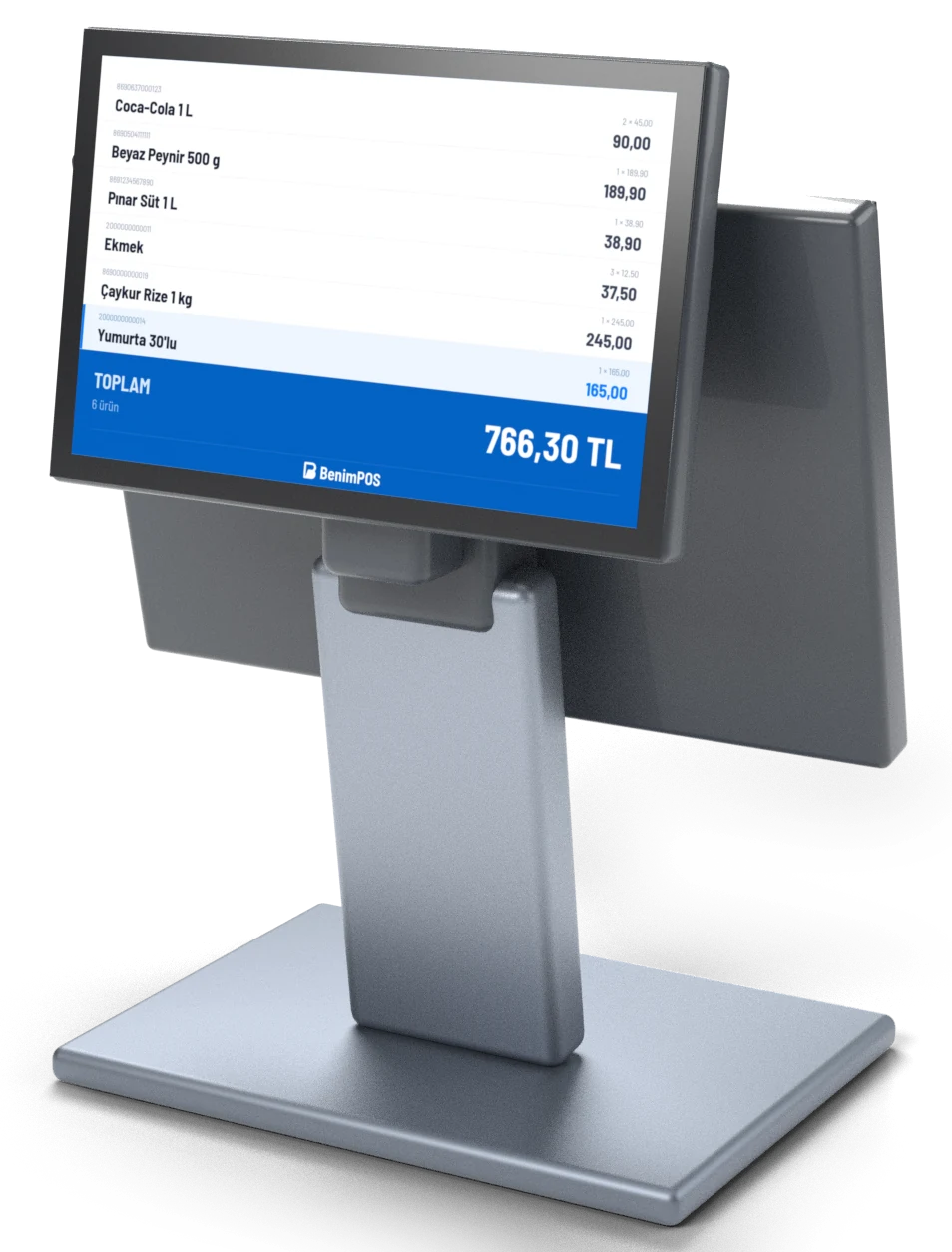
Customer display: items in the cart and the total
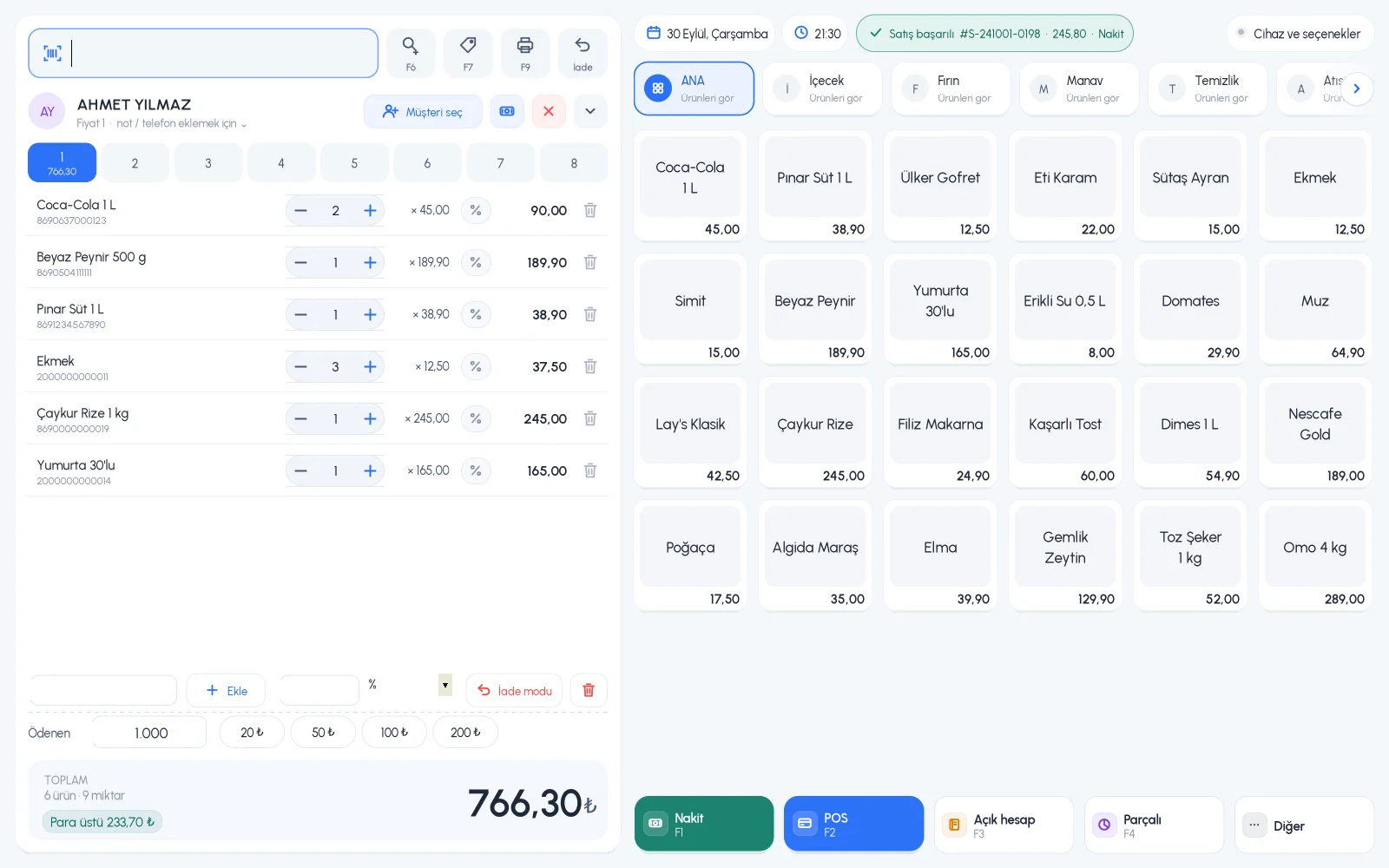
BenimPOS Desktop 4.0 sales screen
New sales screen8 customer carts
Sync completeWeb and mobile up to date
No internet?Sales continue
What's new in 4.0?

A completely redesigned desktop experience

New design, new sales screen, new reports. Everything you're used to is still there, just much faster and easier.

All-new design

A clean, spacious, touch-friendly interface. Pages open in tabs so you can switch between them instantly.

Faster sales screen

8 customer carts, quick items, customer selection, discounts, split payments and collecting payments right from the sales screen.

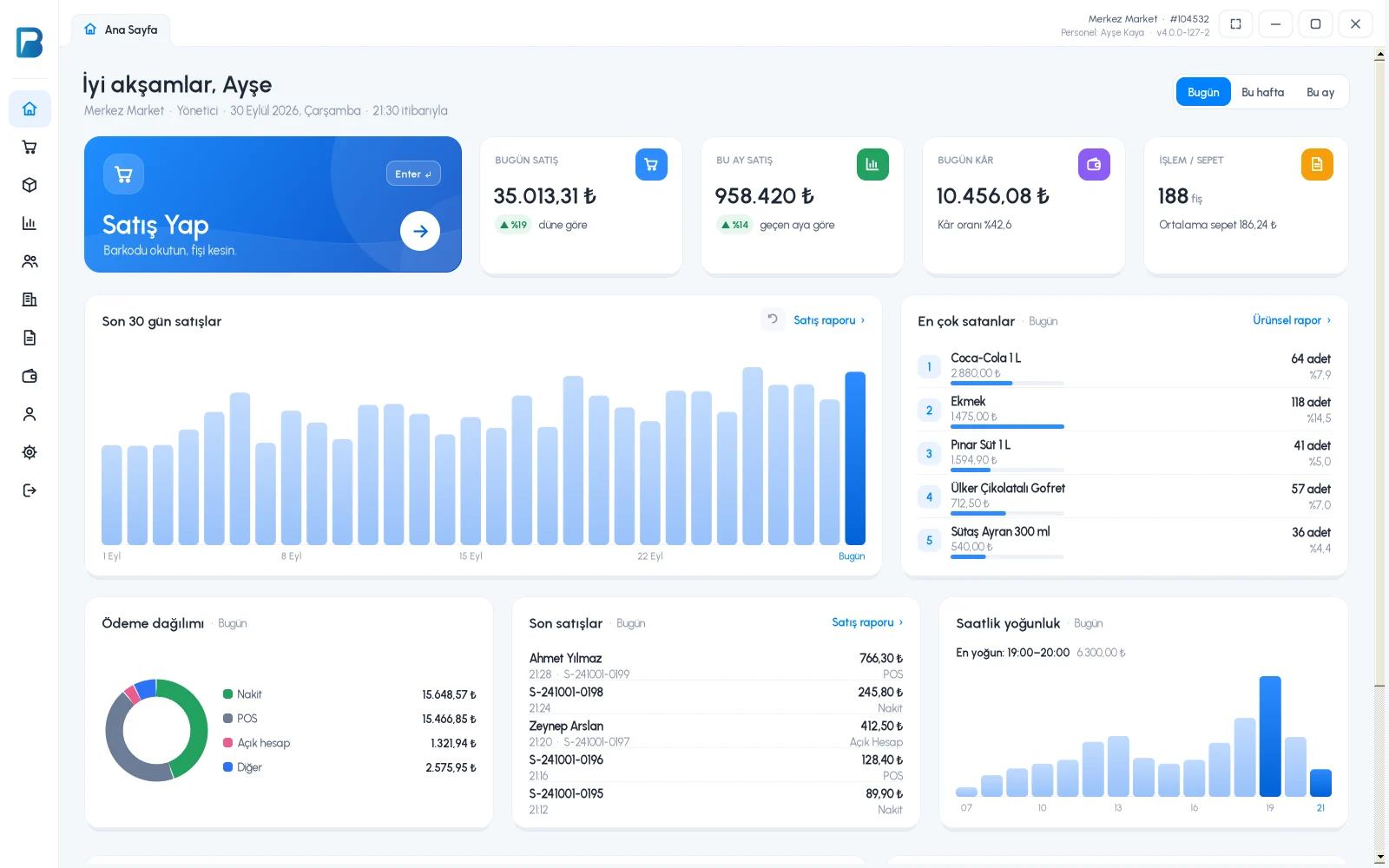
New home screen

Summaries for today, this week and this month, plus a 30-day chart, best sellers, busiest hours and payment breakdown.

Smart reports

Filter by staff, sale type and time range, see cancelled sales and export to Excel with a summary.

Stock control

Low-stock and slow-moving product lists, with product group, stock and search filters that work together.

Warnings you can't miss

When you're selling on a different date or on behalf of another staff member, it's clearly shown on screen and can be cleared with one click.

Customer display

Show your customer the cart, total and change live on a second screen.

Fiscal registers and scales

Ingenico, Beko, Hugin, Inpos, Paygo, Propay, Pavo and Ödeal integrations, plus barcode scale support.

Readable and scalable

Increase the font size and stay sharp on high-resolution screens; amounts are shown with thousands separators and ₺.


Screenshots

See for yourself

Desktop 4.0 sales screen
Sales screenBarcode, cart and payment on one screen
Desktop 4.0 home screen
HomeToday's summary, charts and recent sales
Customer display

The cashier rings up the sale, the customer sees every item instantly

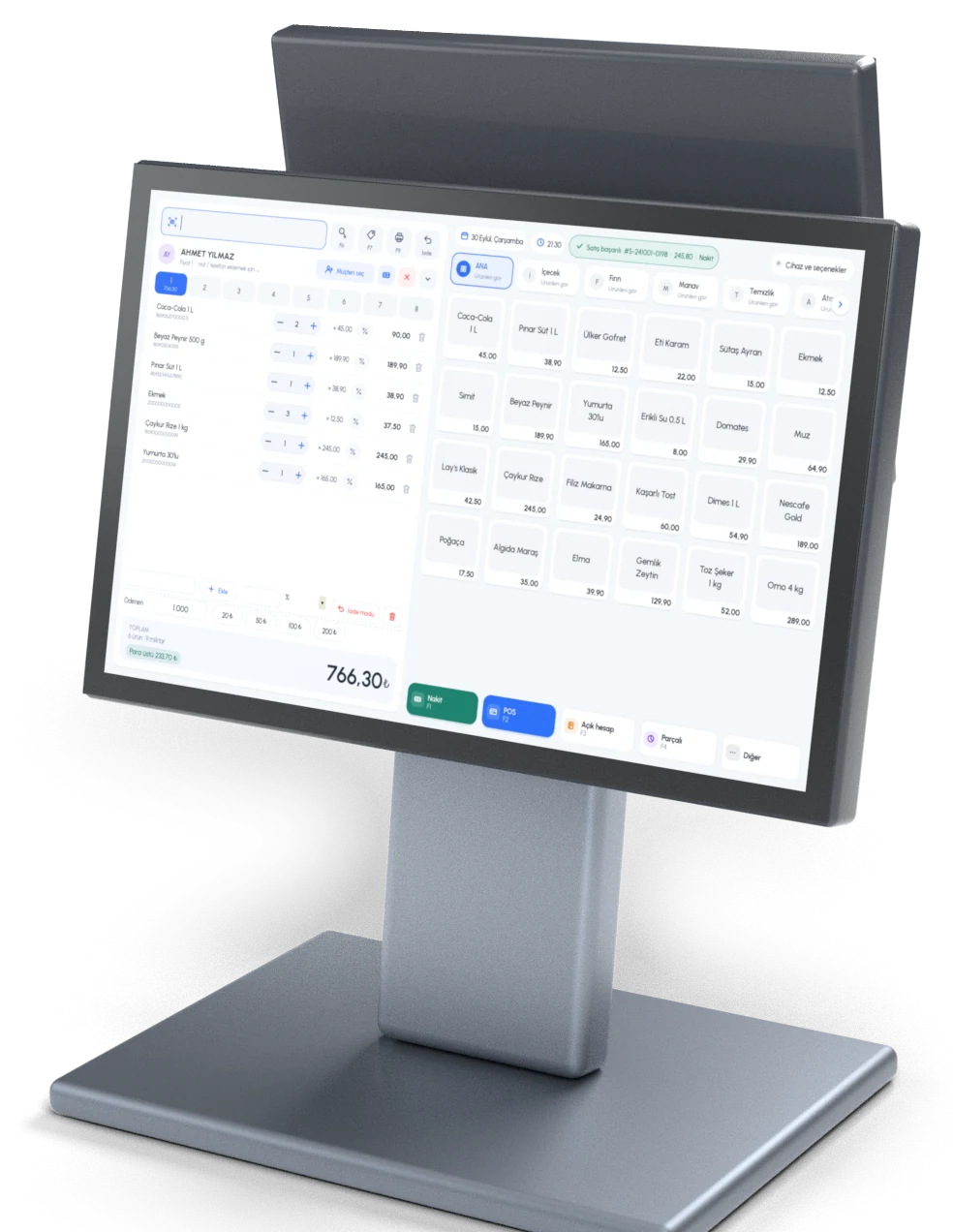
On dual-screen POS terminals, the second screen faces the customer. Scanned items, quantities, prices and the total are right in front of them, and you open it from the sales screen with one click.

Dual-screen POS terminal, cashier side: BenimPOS Desktop 4.0 sales screen
Cashier sideBarcode, cart and payment on one screen
Dual-screen POS terminal, customer side: items in the cart and the total
Customer sideItems and the total appear instantly

The customer display is available with the annual license and the lifetime desktop license.

Works even without internet

Outages, slow connections — no problem

Let BenimPOS Desktop worry about whether the internet is up or the connection is slow. It saves your sales to your computer and sends them to your web and mobile account.

Offline salesThe register never stops
Automatic syncAutomatically when you reconnect
Double backupOn your computer and in the cloud
Multiple registersAll registers share the same data
BenimPOS Cloud Desktop register Web & Mobile Offline · sales continue Syncs when back online
Free and Pro

Start free, upgrade to Pro as you grow

The free version fully records your sales, stock and customers. Pro unlocks all reports, staff features and stock analysis.

FeatureFreeProAnnual or lifetime desktop
Barcode sales, receipts, returns
Product and stock tracking, customers and credit sales
Offline mode and cloud sync
Fiscal register integration
Sales reportLast 7 daysFull history
Profit, cost and Excel export
Product and group reports
Weekly and monthly summaries, 30-day chart
Staff and permissions
Suppliers, purchase invoices and product groups
Low-stock and slow-moving product lists
Automatic receipts, customer display, back-dated sales

See license options

Installation

Start selling in three steps

Download and installRun the installer. Required components are installed automatically during setup.
Log inSign in with your BenimPOS account. If you don't have one, create it from the Sign Up page in the app or on our website. The first sign-in requires an internet connection.
Start sellingYour products download from the cloud, so just scan and sell. After that, it works even without internet.
Having trouble installing?
BenimPOS Desktop requires Microsoft .NET Framework and SQL Server 2014 Local Database; both are installed automatically during setup. If the automatic installation fails, you can download and install them here:
  • Microsoft .NET Framework 4.8: Download · If your internet connection is weak, use the Offline installer option on the same page. Windows 7 requires SP1.
  • SQL Server 2014 Local Database 32 bit: Download
  • SQL Server 2014 Local Database 64 bit: Download
I need remote support
Download the remote connection app here, then message our WhatsApp support line at +90 312 911 2233 or email [email protected].
Frequently asked questions

Common questions

What is BenimPOS Desktop?
BenimPOS Desktop is a sales and inventory program for Windows computers that works together with the BenimPOS web and mobile apps.
Why should I use the desktop app?
Because the desktop app can work offline, you can keep working without interruption even if your business often has internet or power outages or a slow connection. When the internet is back, the app syncs itself with the cloud, so your data is always up to date.
How many devices can I use it on?
You can use the desktop app on several computers at the same time. Your data is shared across all your devices: anything done on one device goes both to the cloud and to your other desktop devices. That way, multiple registers in your store keep working even when offline.
Is there a per-device charge?
You can use the BenimPOS web and mobile apps on unlimited devices. The desktop app includes your first device for free; to use it on more computers, you need to purchase a device license for each additional device.
What's in the free version, and what does Pro unlock?
The free version includes sales, receipts, returns, product and stock tracking, customers and credit sales, fiscal register integration and a sales report for the last 7 days. The annual license or the lifetime desktop license unlocks everything, including full report history, profit and cost, product and group reports, staff, suppliers and purchase invoices, and stock analysis. See pricing
How is my data backed up?
Your data is stored on your computer and, whenever you have internet access, in the cloud as well. Even if your computer fails, you can always access your data and download it to your computer again.

Download Desktop 4.0 now

Install it for free, sign in with your BenimPOS account and start selling. No account yet? Create one in 2 minutes.