Supermarket software

Your supermarket's checkout, stock and reports in one program

Don't let queues build up at the till during busy hours. Scan the barcode, take the payment, move on to the next customer. Let BenimPOS track the stock, profit and supplier debts of thousands of products.

All features open for the first month. No credit card required.
BenimPOS web sales screen
BenimPOS mobile app: daily sales summary
  • Staple foods
  • Dairy and breakfast
  • Bakery
  • Fruit and vegetables
  • Beverages
  • Cleaning

The hard part of running a supermarket is not at the till, it is behind the shelves.

In a supermarket, hundreds of products change hands every day. Prices go up, labels change, the wholesaler's invoice arrives; some products run out, others sit on the shelf for months. Along with a fast checkout, BenimPOS keeps all of this in one place.

Checkout

No queues, even when it's busy

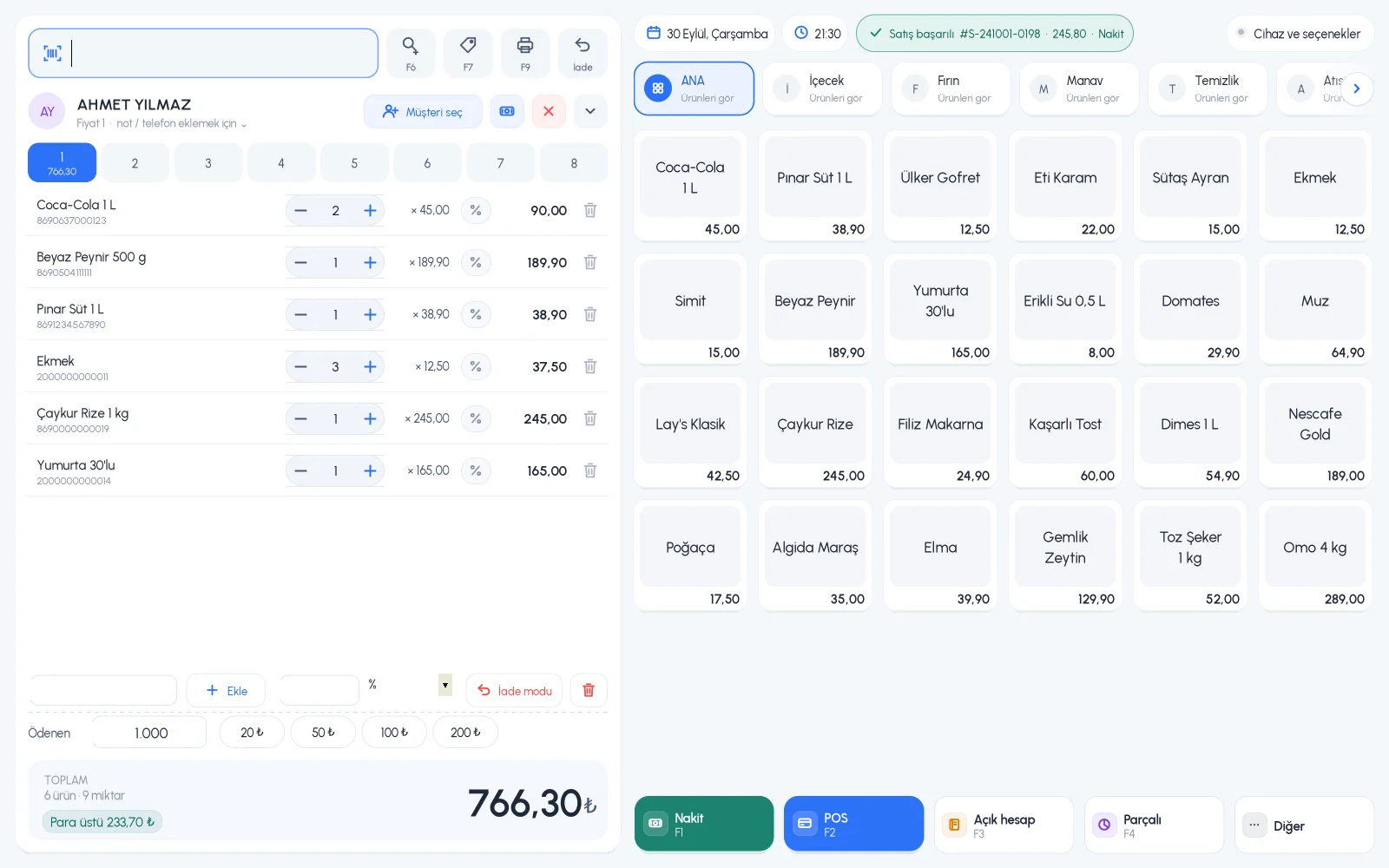
Scan the barcode, check the basket, take the payment. Open a new basket for the customer waiting in line and switch between baskets with one click.

  • 8 separate customer baskets on desktop
  • Cash, card, on account and split payment
  • Quick item buttons and categories for products without barcodes
BenimPOS desktop sales screen
Products and prices

Adding a new product is as easy as scanning a barcode

Don't bother typing product names when adding new products to the shelf. The ready-made product catalog has more than 3.2 million barcoded products; to add one from the catalog, just scan the barcode and enter only your price and stock.

  • Define a product that isn't in the catalog once, then always sell it by scanning
  • A product can have three different prices and more than one barcode
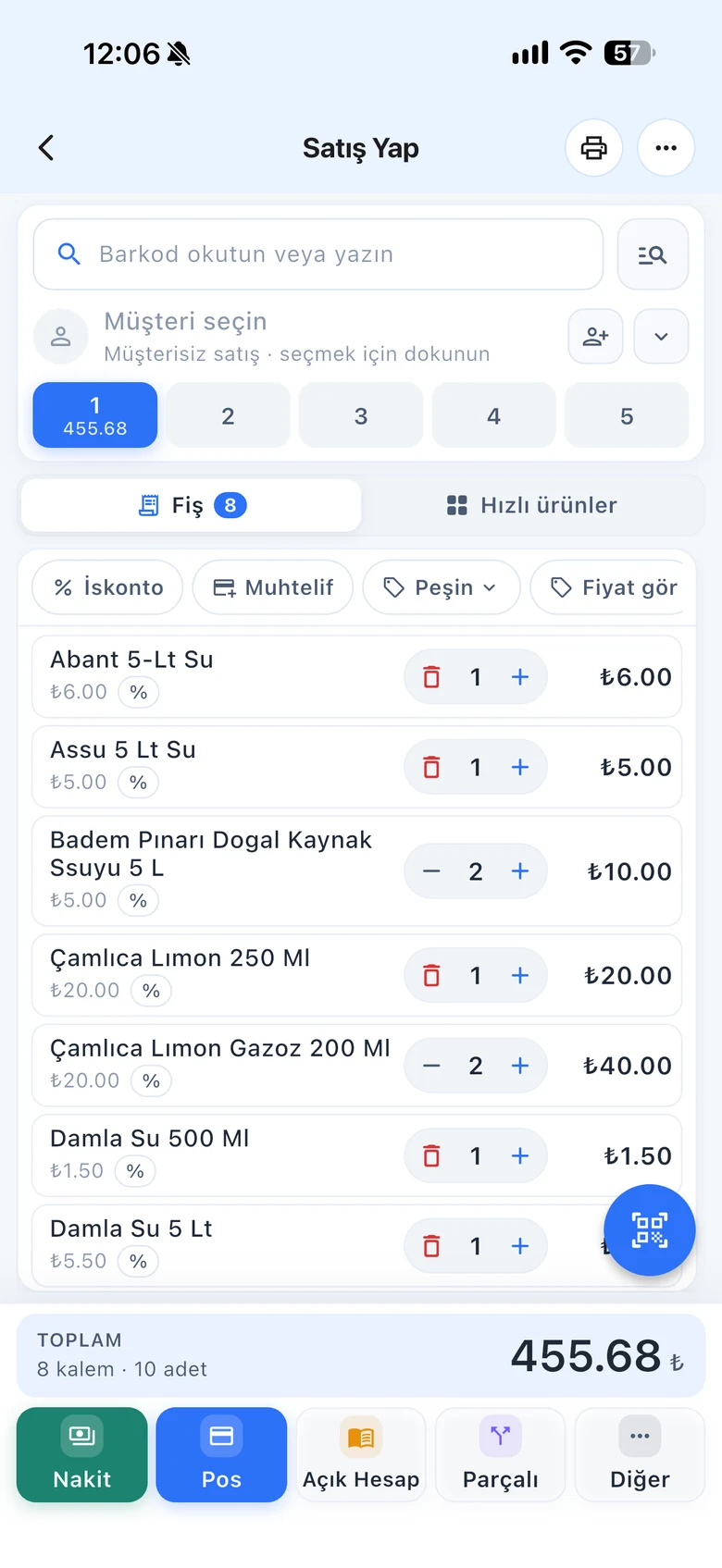
  • You can also scan barcodes with your phone camera
BenimPOS mobile app: adding a product by barcode
Stock

Notice a product has run out before your customer does

In a supermarket, the most expensive product is the one that isn't on the shelf. See products that have dropped to low stock and slow-moving products that haven't sold for a long time in separate lists. Several people can do a stock count at the same time with their phone cameras.

  • Low stock and slow-moving product lists
  • Simultaneous stock counts with phones
  • Batch-by-batch tracking for products with expiry dates
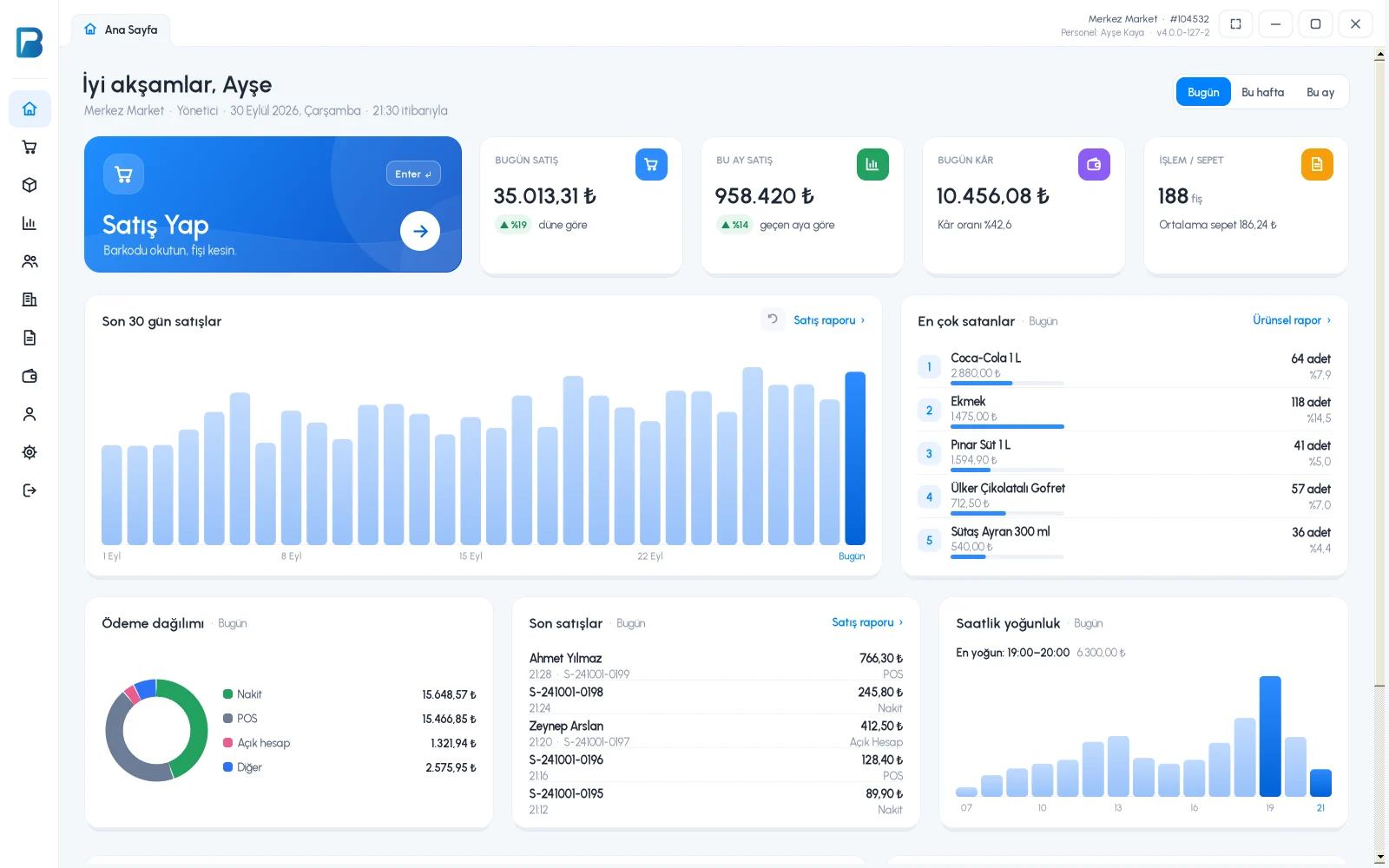
BenimPOS desktop home page: stock and sales summary
Wholesalers

Enter purchase invoices, know what you owe suppliers

Goods and invoices from the wholesaler are half the picture. When you enter a purchase invoice, stock goes up automatically and your debt to the supplier is recorded. If you use e-invoices (Turkey), turn an incoming invoice into a purchase invoice with one click.

  • Debt, payment and invoice tracking per supplier
  • Payments with upcoming due dates
  • Purchase history by wholesaler
BenimPOS web: purchase invoices and suppliers
Reports

Know what you sold and what you earned at the end of the day

Revenue can look high, but the real question is profit. Daily revenue, profit and the breakdown by payment type are ready every evening; product and product group reports show you what makes money.

  • Sales by staff member and time range, with cancelled sales listed separately
  • Profit report by product and by group
  • Export to Excel with tables and summaries
BenimPOS reports: revenue, profit and payment breakdown

A computer at the till, a tablet at home, a phone on the go. All the same account.

Desktop

Installs on a Windows computer; sales continue even if the internet goes down. Works with scales, fiscal cash registers (Turkey) and customer displays.

Web

No installation needed. Manage your products, invoices and reports from any computer.

Mobile

Scan barcodes with your phone camera to make sales or count stock. See the day's sales and profit from anywhere.

Questions from supermarket owners

If you can't find the answer to your question, message our WhatsApp support line: +90 312 911 22 33

Can I use it on more than one till?
Yes. You can use the desktop app on several computers in your store at the same time. Sales and stock movements on one till are passed to the other tills and to your web account. The web and mobile apps have no device limit.
Can I limit what my staff can do?
Yes. You create a separate user for each staff member and use permissions to set which pages they can see and which actions they can take. You see each staff member's sales and cancellations separately in the reports.
Do I have to enter products one by one?
For products in the ready-made product catalog, just scan the barcode and the product name fills in automatically. Products that aren't in the catalog are defined once, then you always sell them by scanning.
Do sales stop if the internet goes down?
No. The desktop app works offline. Sales are first saved on your computer, then synced automatically with your web and mobile account when the connection returns.
Does it work with fiscal cash registers and e-invoices?
Yes, in Turkey. It works with Ingenico, Beko, Hugin, Inpos, Paygo and Propay fiscal cash registers, Ödeal and Pavo e-invoice POS devices, and the MySoft, eLogo, EDM and E-Dönüştür e-invoice integrators. The integrations are free on the BenimPOS side.
Is it paid? How do I start?
You use all features free for the first month after signing up, and no credit card is required. After that you can continue with the free desktop version or buy a license. Profit and cost reports, the low stock list, staff permissions and money points are available in the licensed plan. See pricing.

Open an account for your supermarket today

Signing up takes two minutes. All features are open for the first month; if you get stuck during setup, our WhatsApp support line will help.