Receipts and e-receipts

Print the receipt or send it via WhatsApp

Receipts from a thermal printer, A4 printouts, exchange receipts without prices. For customers who don't want paper, send their receipt as an e-receipt link via WhatsApp or SMS; the customer sees the full receipt on their phone.

All features open for the first month. No credit card required.
BenimPOS screenshot
BenimPOS mobile app

Your receipt is your business card.

Your logo at the top of the receipt, your note at the bottom, and the customer's remaining balance if needed. In BenimPOS you customize the receipt template, print automatically after every sale and send it digitally to anyone who asks.

Printing

Thermal or A4, automatic or manual

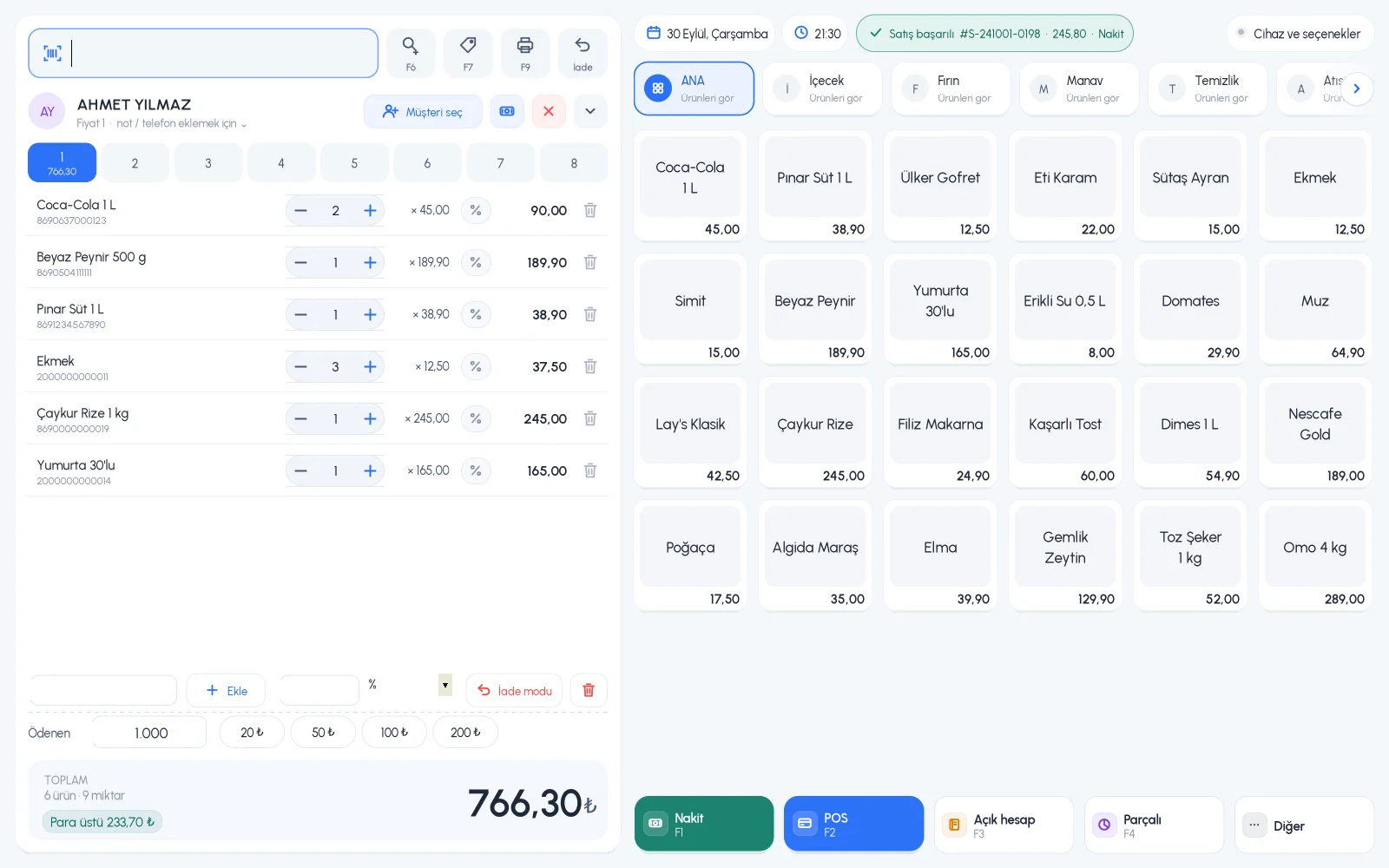
Print the last sale's receipt with one key, or turn on automatic printing after every sale. Reprint an old sale's receipt from the sale details.

  • Thermal and A4 printouts
  • Automatic printing after every sale
  • Reprint an old sale's receipt
Step by step in the Help Center
BenimPOS desktop sales screen
Template

Customize your receipt

Set the receipt logo, receipt width, receipt note, and VAT and customer balance on the receipt once. Change the look with the receipt design template.

  • Logo and receipt note
  • Receipt width setting
  • Customer balance and VAT on the receipt
Step by step in the Help Center
BenimPOS web: receipt settings
E-receipt

Send the receipt via WhatsApp or SMS

When the sale is complete, press Share; a WhatsApp message opens ready with the e-receipt link. You can also send old sales from the sale details. If you have an SMS package, the receipt can go by SMS as soon as the sale is done.

  • E-receipt link via WhatsApp
  • Send by SMS (Turkish numbers)
  • Share as PDF on mobile
Step by step in the Help Center
BenimPOS mobile app: sharing a receipt

Receipts from any device.

Desktop

Thermal and A4 receipts, automatic printing, exchange receipts. Sending via WhatsApp on web and mobile.

Web

Receipt template and settings, thermal and A4 printouts, e-receipts via WhatsApp and SMS.

Mobile

Receipts from a Bluetooth printer, share the receipt link or PDF.

Frequently asked questions

If you can't find the answer to your question, check the Help Center or message our WhatsApp support line: +90 312 911 22 33

Which receipt printers work?
Thermal receipt printers and A4 printers installed on Windows work. On mobile you can use a Bluetooth receipt printer. The models we recommend are on the hardware recommendations page.
Does an e-receipt replace a fiscal receipt?
No. The e-receipt link shows your customer a breakdown of their purchase. For fiscal receipts in Turkey, use the fiscal cash register or e-invoice POS integration.
Can I add my logo to the receipt?
Yes. Upload your logo in Receipt Settings; you set the receipt note and width in the same place.

Receipts that suit your business

Signing up takes two minutes. All features are open for the first month; if you get stuck during setup, our WhatsApp support line will help.