Auto parts software

The right part and the right stock in your parts store

The manufacturer code, your own code and the equivalent part of the same item. In BenimPOS, define more than one barcode per part, sell to mechanics and repair shops at a special price, and track their accounts.

All features open for the first month. No credit card required.
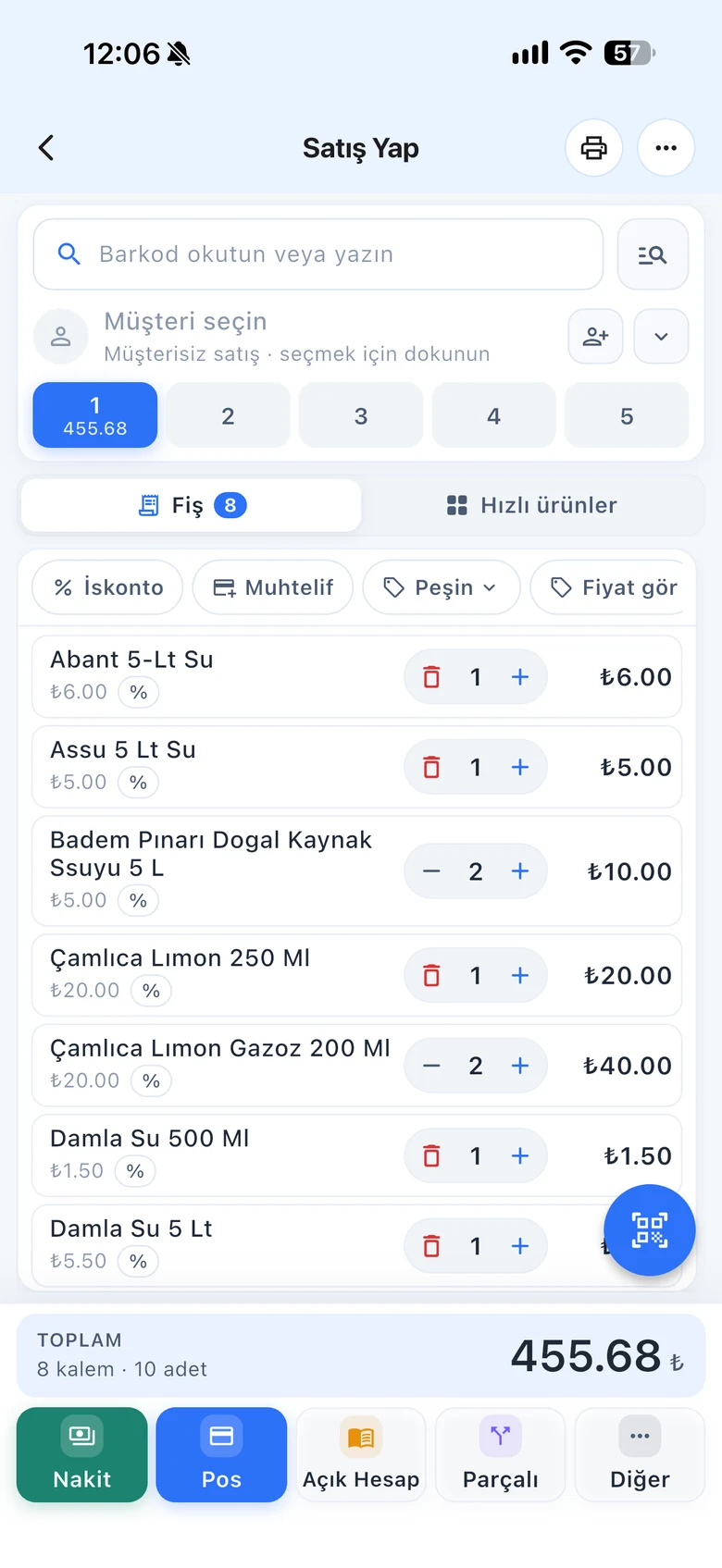
BenimPOS web sales screen
BenimPOS mobile app: daily sales summary
  • Cars
  • Engine parts
  • Tires and wheels
  • Batteries
  • Oils and fluids
  • Accessories

In a parts store, codes matter more than product names.

Customers usually ask for a part by its code. The same part can have different codes and shelf labels. Repair shops and mechanics work on account, and expensive parts tie up money while they sit on the shelf. BenimPOS fits this way of working.

Additional barcodes

More than one barcode per part

Define additional barcodes on the product card; scan the manufacturer barcode, your own code or the equivalent part's code and always get the same part.

  • More than one barcode per product
  • Create a new barcode from the product card
  • Search by barcode, name or code
BenimPOS mobile app: product card and barcodes
Prices

One price for repair shops, another for retail

Define three different prices for a product; choose the price level by customer on the sales screen.

  • Retail, repair shop and wholesale prices
  • Line and basket discounts
  • Print quotations (web sales screen)
BenimPOS web sales screen: choosing the price level
Repair shop accounts

On-account balances of repair shops and mechanics

See the parts bought and payments made by the repair shops you work with regularly on the customer card. On-account sales are recorded on the customer's card, and payments are deducted from the balance when they come in.

  • Debt, payment and purchase history per customer
  • Credit limit and due date per customer
  • Add payments without leaving the sales screen
BenimPOS: customer card and on-account sales
Stock

Don't let expensive parts sit on the shelf

With spare parts, excess stock is as costly as a shortage. See products that have dropped to low stock and slow-moving products that haven't sold for a long time in separate lists. Several people can do a stock count at the same time with their phone cameras.

  • Low stock and slow-moving product lists
  • Simultaneous stock counts with phones
  • Batch-by-batch tracking for products with expiry dates
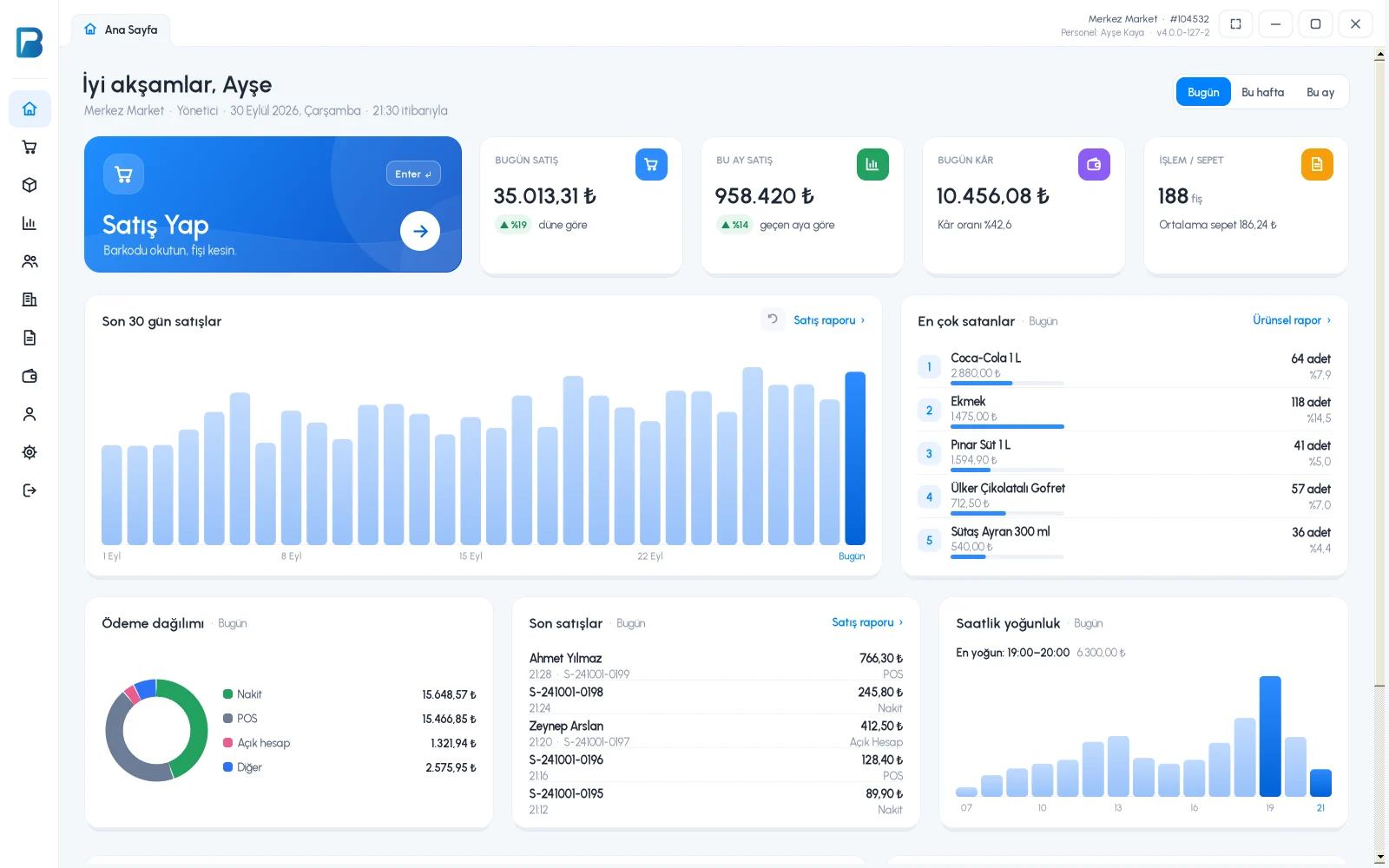
BenimPOS desktop home page: stock and sales summary
Suppliers

Purchase invoices and supplier debts

Most parts come from several different suppliers. When you enter a purchase invoice, stock goes up automatically and your debt to the supplier is recorded. If you use e-invoices (Turkey), turn an incoming invoice into a purchase invoice with one click.

  • Debt, payment and invoice tracking per supplier
  • Payments with upcoming due dates
  • Purchase history by wholesaler
BenimPOS web: purchase invoices and suppliers

A computer at the till, a tablet at home, a phone on the go. All the same account.

Desktop

Installs on a Windows computer; sales continue even if the internet goes down. Works with scales, fiscal cash registers (Turkey) and customer displays.

Web

No installation needed. Manage your products, invoices and reports from any computer.

Mobile

Scan barcodes with your phone camera to make sales or count stock. See the day's sales and profit from anywhere.

Questions from auto parts sellers

If you can't find the answer to your question, message our WhatsApp support line: +90 312 911 22 33

Can a part have more than one barcode?
Yes. You define additional barcodes on the product card; whichever barcode you scan, the same product comes up.
Can I give repair shops a different price?
Yes. You define three different prices for a product and choose the price level on the sales screen; the repair shop's on-account balance is kept on the customer card.
Do sales stop if the internet goes down?
No. The desktop app works offline. Sales are first saved on your computer, then synced automatically with your web and mobile account when the connection returns.
Does it work with fiscal cash registers and e-invoices?
Yes, in Turkey. It works with Ingenico, Beko, Hugin, Inpos, Paygo and Propay fiscal cash registers, Ödeal and Pavo e-invoice POS devices, and the MySoft, eLogo, EDM and E-Dönüştür e-invoice integrators. The integrations are free on the BenimPOS side.
Is it paid? How do I start?
You use all features free for the first month after signing up, and no credit card is required. After that you can continue with the free desktop version or buy a license. Profit and cost reports, the low stock list, staff permissions and money points are available in the licensed plan. See pricing.

Open an account for your shop today

Signing up takes two minutes. All features are open for the first month; if you get stuck during setup, our WhatsApp support line will help.