Shoe and bag store software

In your shoe store, every size shows in stock

Sizes 36 to 45 of one model, several colors, boxes stacked in the stockroom. See how many pairs of each size are left without checking the boxes, and handle exchanges and returns without mix-ups.

All features open for the first month. No credit card required.
BenimPOS web sales screen
BenimPOS mobile app: daily sales summary
  • Shoes
  • Bags
  • Wallets and leather goods
  • Socks
  • Care products

In shoes, a sale starts with finding the right size.

The customer sees the model on the shelf and asks for their size; the answer is hidden in the boxes in the stockroom. Bags are tracked by color, shoes by size and color together. BenimPOS keeps each size and color as separate stock.

Size and color

How many pairs of each size are left?

Define shoes with variants by size and color, and bags by color. See all sizes of a model and their stock in one table.

  • Scan one barcode with the variant label and sell the right option
  • Products with and without variants in the same list
  • Sold-out sizes stand out right away
BenimPOS web: stock of products with variants
Exchanges

A size exchange in two minutes

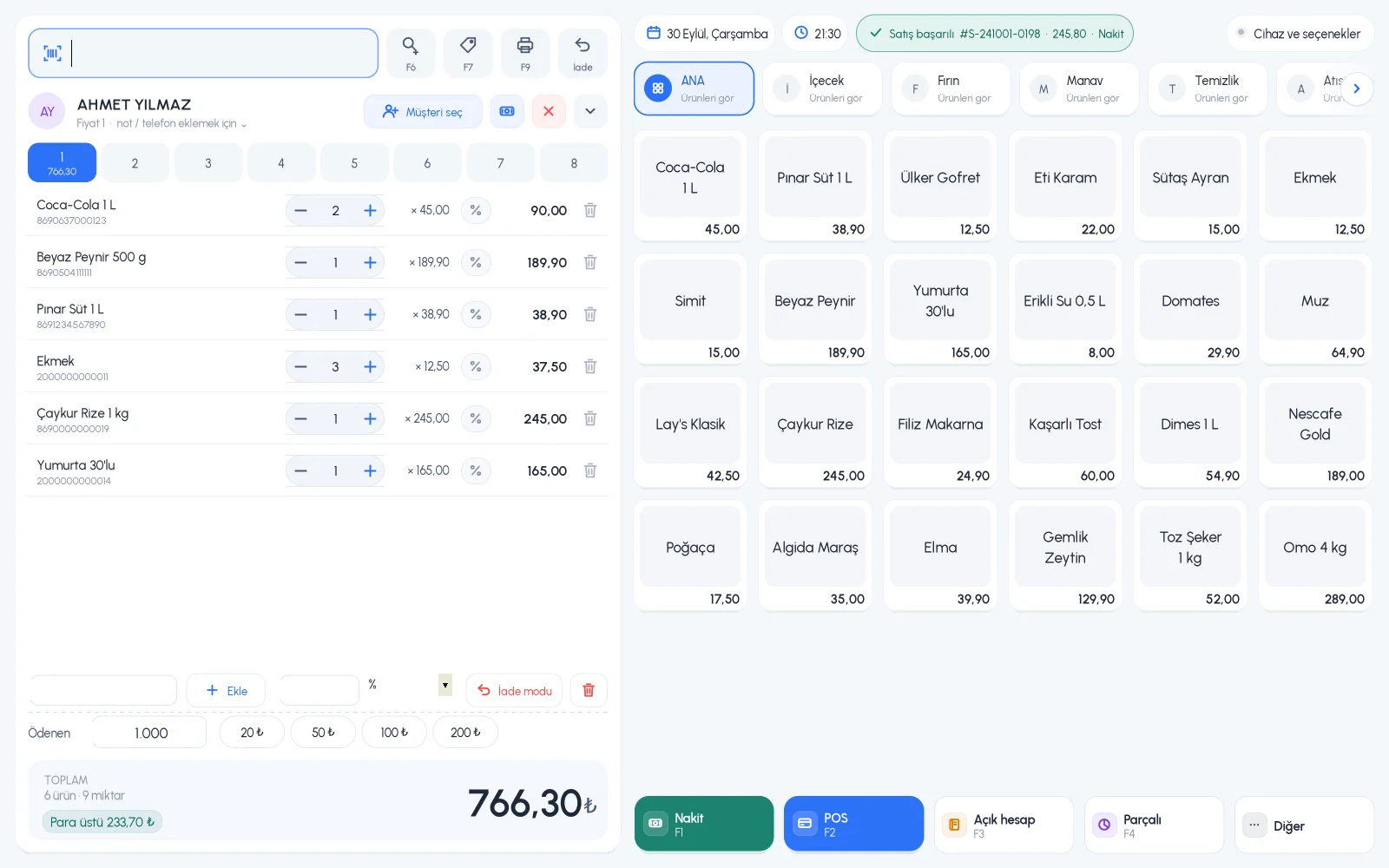
When a customer comes to exchange a size, take the old pair back in return mode and sell the new one. Stock stays correct for both sizes.

  • Return mode on the sales screen
  • Cash, card and split payment
  • Purchase history on the customer card
BenimPOS desktop sales screen
Sales

Which model and which size sells?

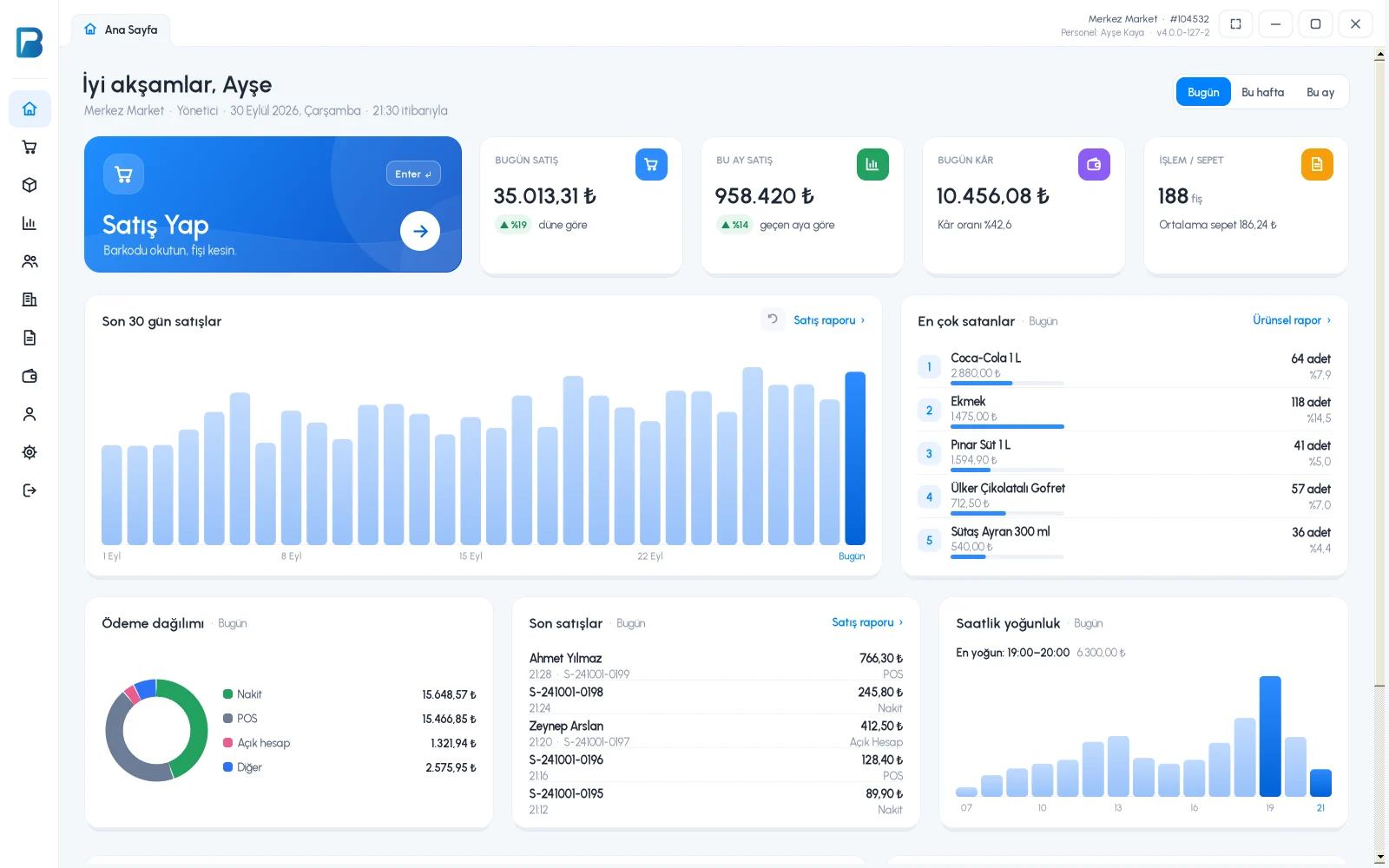
Last season's sales tell you how many pairs of each size to order. Daily revenue, profit and the breakdown by payment type are ready every evening; product and product group reports show you what makes money.

  • Sales by staff member and time range, with cancelled sales listed separately
  • Profit report by product and by group
  • Export to Excel with tables and summaries
BenimPOS reports: revenue, profit and payment breakdown
Stockroom

Know your stock without counting boxes

Close the gap between the boxes in the stockroom and the system whenever you want, not once a year. See products that have dropped to low stock and slow-moving products that haven't sold for a long time in separate lists. Several people can do a stock count at the same time with their phone cameras.

  • Low stock and slow-moving product lists
  • Simultaneous stock counts with phones
  • Batch-by-batch tracking for products with expiry dates
BenimPOS desktop home page: stock and sales summary
Loyal customers

Make sure they buy from you next season too

Shoe customers return to the store that knows their fit. Reward every purchase with money points, and let your customer spend them on their next visit.

  • Works with the phone number, no need to print cards
  • You decide which payment types earn points
  • If you have more than one store, points are valid in all of them
BenimPOS mobile app: customer and money points

A computer at the till, a tablet at home, a phone on the go. All the same account.

Desktop

Installs on a Windows computer; sales continue even if the internet goes down. Works with scales, fiscal cash registers (Turkey) and customer displays.

Web

No installation needed. Manage your products, invoices and reports from any computer.

Mobile

Scan barcodes with your phone camera to make sales or count stock. See the day's sales and profit from anywhere.

Questions from shoe and bag store owners

If you can't find the answer to your question, message our WhatsApp support line: +90 312 911 22 33

Do I need a separate barcode for each size?
No. Variants can have their own barcodes, or you can scan one barcode with the variant label and choose the right size and color from the list that opens.
Do sales stop if the internet goes down?
No. The desktop app works offline. Sales are first saved on your computer, then synced automatically with your web and mobile account when the connection returns.
Does it work with fiscal cash registers and e-invoices?
Yes, in Turkey. It works with Ingenico, Beko, Hugin, Inpos, Paygo and Propay fiscal cash registers, Ödeal and Pavo e-invoice POS devices, and the MySoft, eLogo, EDM and E-Dönüştür e-invoice integrators. The integrations are free on the BenimPOS side.
Is it paid? How do I start?
You use all features free for the first month after signing up, and no credit card is required. After that you can continue with the free desktop version or buy a license. Profit and cost reports, the low stock list, staff permissions and money points are available in the licensed plan. See pricing.

Open an account for your store today

Signing up takes two minutes. All features are open for the first month; if you get stuck during setup, our WhatsApp support line will help.