Stationery store software

Don't let the back-to-school season jam your stationery store's till

Notebooks, pens, paints, folders, school lists, photocopies. Make fast sales even in the September rush, track the stock of a wide range of products, and know what's left on the shelf at the end of the season.

All features open for the first month. No credit card required.
BenimPOS web sales screen
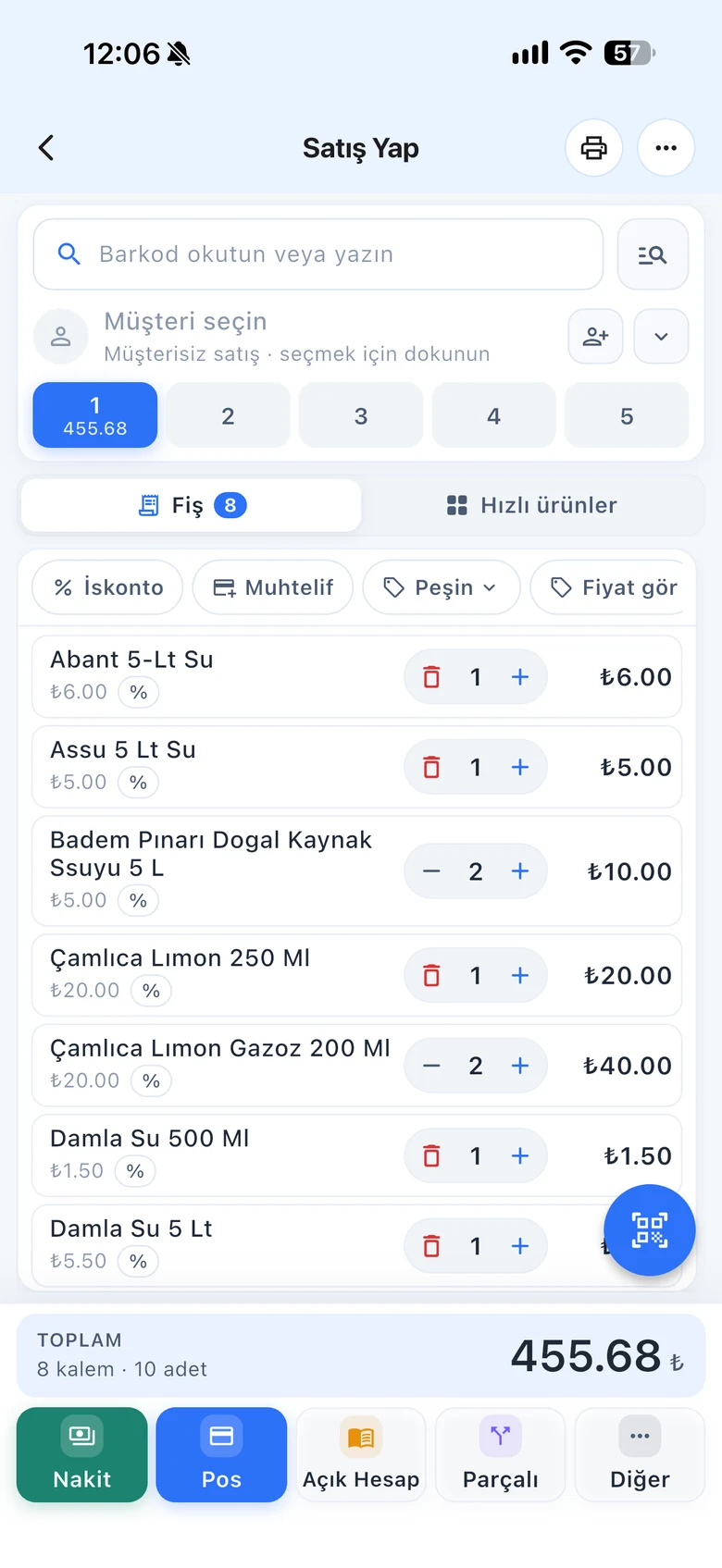
BenimPOS mobile app: daily sales summary
  • Writing supplies
  • Notebooks
  • Books
  • School bags
  • Paints and art supplies
  • Office supplies

A stationery store's year starts in September.

When schools open, the till gets crowded; the rest of the year brings small but steady sales. The range is wide and unit prices are low; services like photocopies and printouts are sold too. BenimPOS sells barcoded products, unbarcoded products and services at the same till.

School season

Don't keep parents with school lists waiting in line

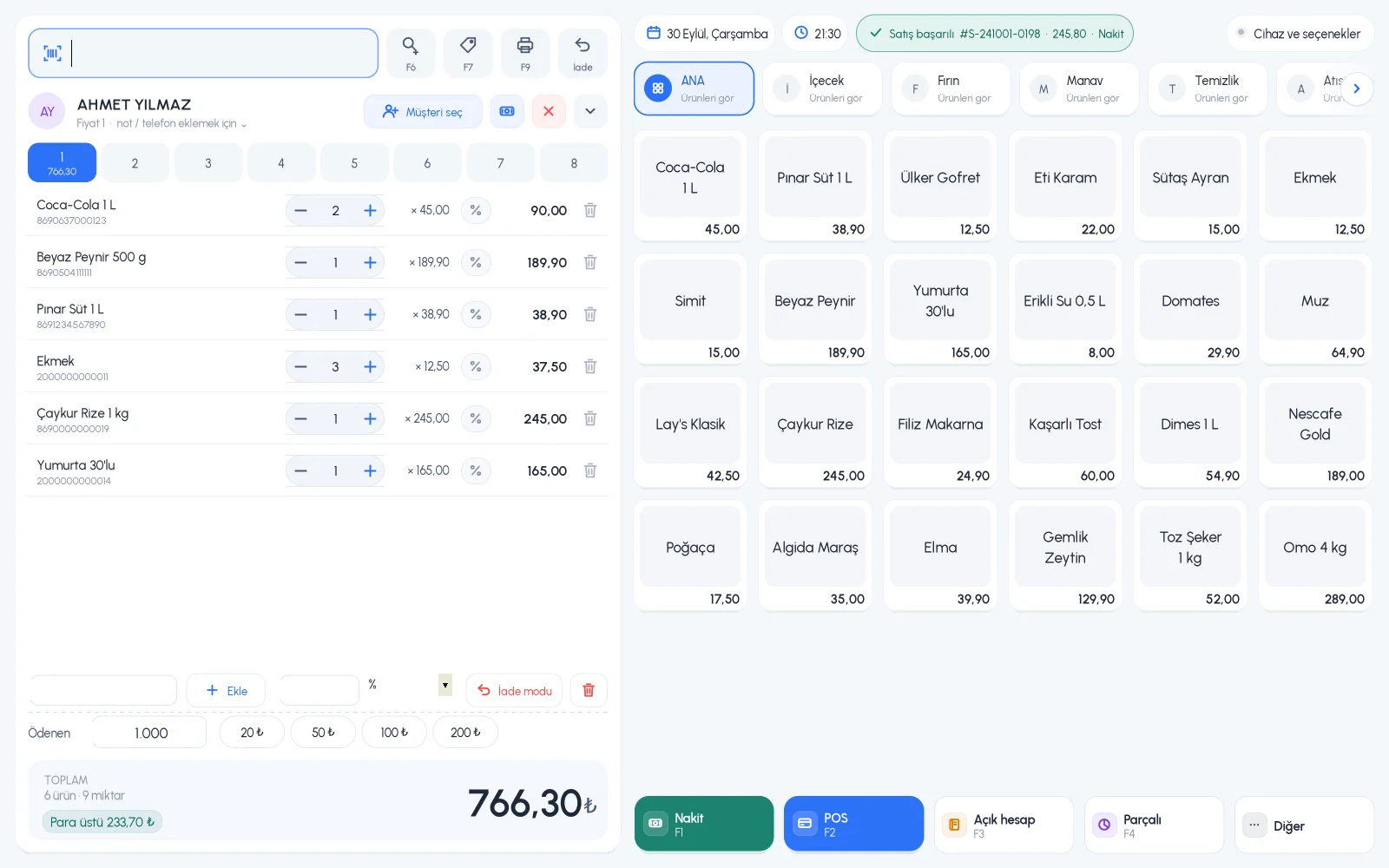
Scan the items on the school list and open a new basket for the next parent. On busy days, open a second till; all tills work with the same stock.

  • 8 separate customer baskets on desktop
  • Sales on several tills at the same time
  • Cash, card and split payment
BenimPOS desktop sales screen
Services

Photocopies and printouts at the till too

Define services like photocopies, printouts, binding and laminating as products without barcodes and add them to quick item buttons. See service income separately at the end of the day.

  • Define products and services without barcodes
  • Quick item buttons
  • Sales report by product group
BenimPOS web sales screen
Products

Don't type in hundreds of items one by one

Most stationery products have barcodes. The ready-made product catalog has more than 3.2 million barcoded products; to add one from the catalog, just scan the barcode and enter only your price and stock.

  • Define a product that isn't in the catalog once, then always sell it by scanning
  • A product can have three different prices and more than one barcode
  • You can also scan barcodes with your phone camera
BenimPOS mobile app: adding a product by barcode
Stock

Know what's left on the rack at the end of the season

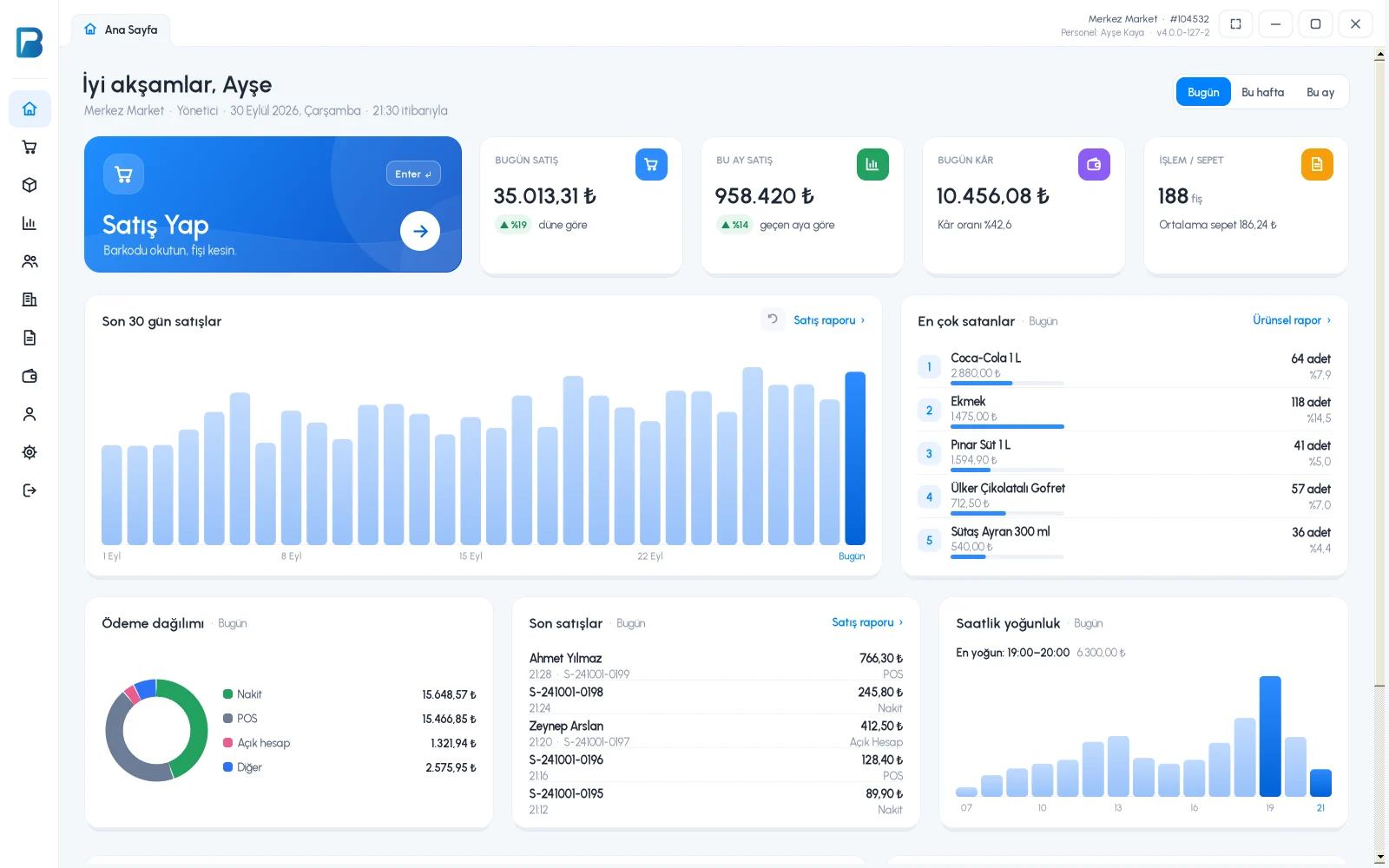
Next September's order is based on what's left this year. See products that have dropped to low stock and slow-moving products that haven't sold for a long time in separate lists. Several people can do a stock count at the same time with their phone cameras.

  • Low stock and slow-moving product lists
  • Simultaneous stock counts with phones
  • Batch-by-batch tracking for products with expiry dates
BenimPOS desktop home page: stock and sales summary
Reports

Which product group makes money?

Stationery, toys, services; each has a different profit. Daily revenue, profit and the breakdown by payment type are ready every evening; product and product group reports show you what makes money.

  • Sales by staff member and time range, with cancelled sales listed separately
  • Profit report by product and by group
  • Export to Excel with tables and summaries
BenimPOS reports: revenue, profit and payment breakdown

A computer at the till, a tablet at home, a phone on the go. All the same account.

Desktop

Installs on a Windows computer; sales continue even if the internet goes down. Works with scales, fiscal cash registers (Turkey) and customer displays.

Web

No installation needed. Manage your products, invoices and reports from any computer.

Mobile

Scan barcodes with your phone camera to make sales or count stock. See the day's sales and profit from anywhere.

Questions from stationery store owners

If you can't find the answer to your question, message our WhatsApp support line: +90 312 911 22 33

How do I sell services like photocopies?
Define the service as a product without a barcode and add it to the quick item buttons; it goes into the basket with one tap on the sales screen.
Do I have to enter products one by one?
For products in the ready-made product catalog, just scan the barcode and the product name fills in automatically. Products that aren't in the catalog are defined once, then you always sell them by scanning.
Do sales stop if the internet goes down?
No. The desktop app works offline. Sales are first saved on your computer, then synced automatically with your web and mobile account when the connection returns.
Does it work with fiscal cash registers and e-invoices?
Yes, in Turkey. It works with Ingenico, Beko, Hugin, Inpos, Paygo and Propay fiscal cash registers, Ödeal and Pavo e-invoice POS devices, and the MySoft, eLogo, EDM and E-Dönüştür e-invoice integrators. The integrations are free on the BenimPOS side.
Is it paid? How do I start?
You use all features free for the first month after signing up, and no credit card is required. After that you can continue with the free desktop version or buy a license. Profit and cost reports, the low stock list, staff permissions and money points are available in the licensed plan. See pricing.

Open an account for your stationery store today

Signing up takes two minutes. All features are open for the first month; if you get stuck during setup, our WhatsApp support line will help.