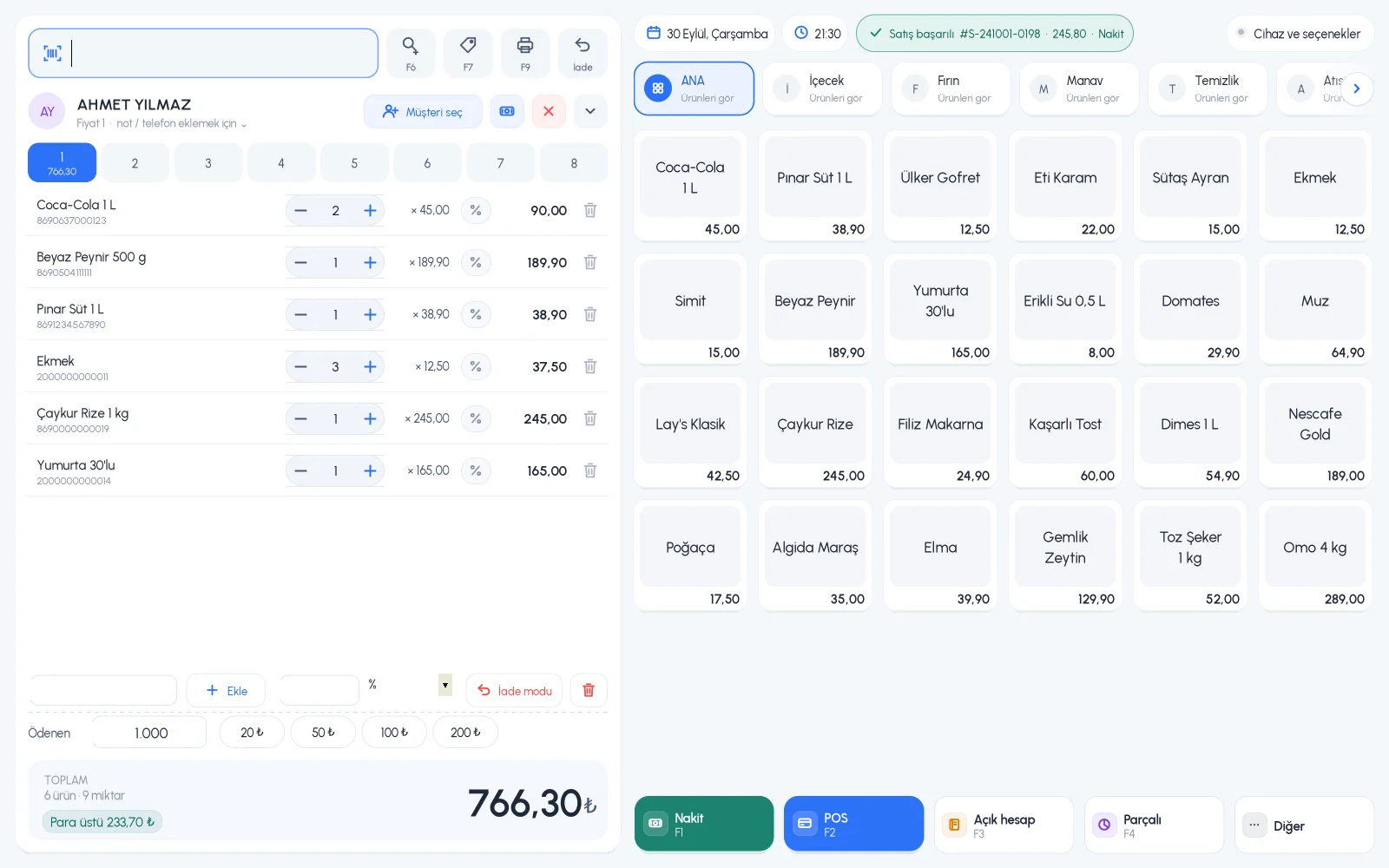
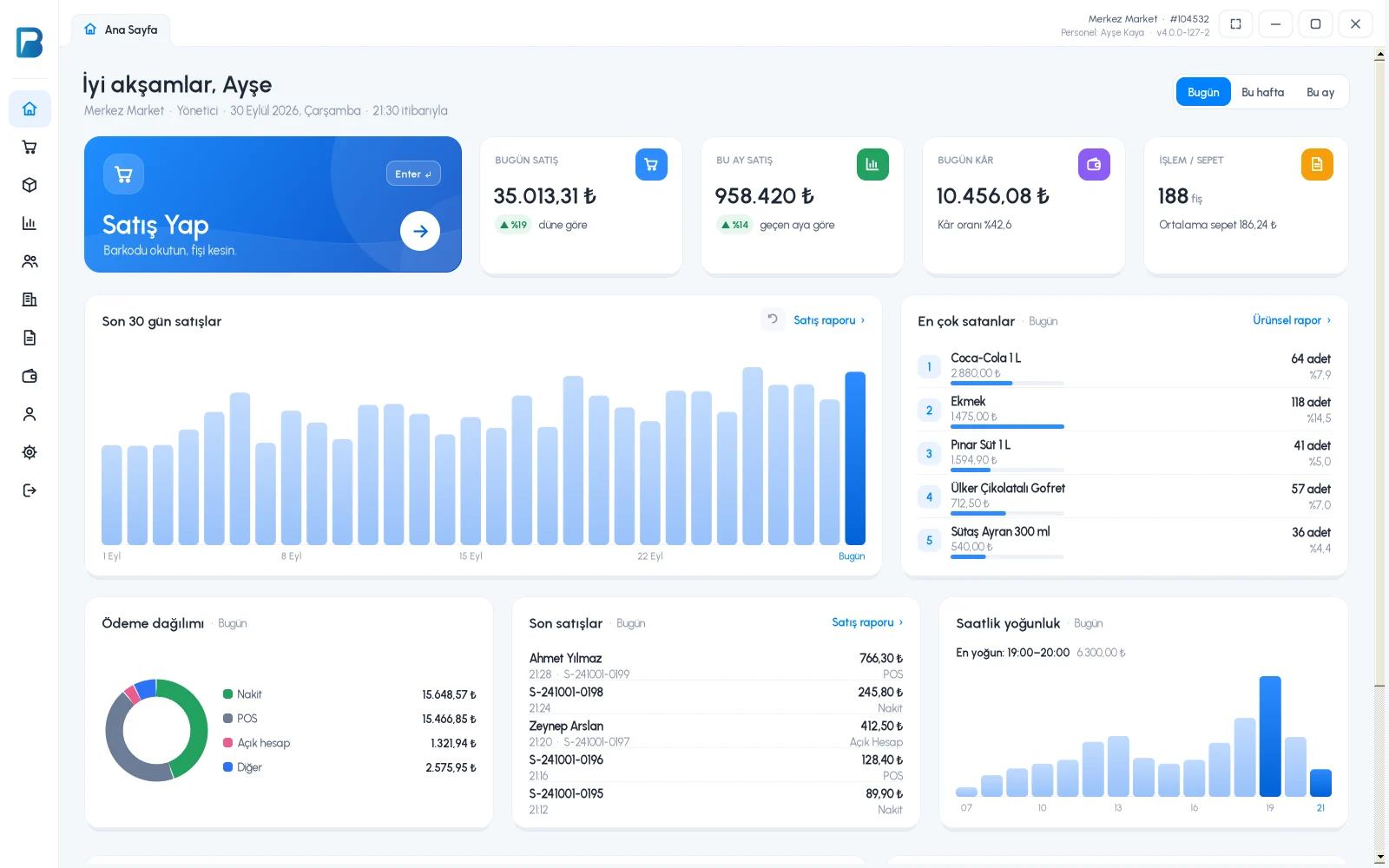
The BenimPOS desktop app saves sales to your computer first. When the internet is down, sales, receipts and stock updates continue; when the connection comes back, everything syncs with your web and mobile account automatically.
All features open for the first month. No credit card required.

A register that only works online misses sales while the modem restarts. The desktop app runs locally on a Windows computer; when the internet is back, it sends data to the cloud at startup and every few minutes, and downloads changes from the cloud.
Make sales, print receipts and accept returns with no internet. Sales are saved on the computer and deducted from stock; they are sent in order when the internet is back.

When online, the app syncs every few minutes. If you do not want to wait, send right away with "Sync now" on the home screen; the same card shows how many records are waiting to be sent.

Sales made on the desktop appear in the web panel and mobile app after syncing. Even when you are not in the shop, you can follow the day's sales, profit and stock from your phone.

Works offline on Windows 7 or later and syncs when the internet is back.
Requires internet; sales made on the desktop appear here after syncing.
Requires internet; follow register sales and stock from your phone.
If you can't find the answer to your question, check the Help Center or message our WhatsApp support line: +90 312 911 22 33
Signing up takes two minutes. All features are open for the first month; if you get stuck during setup, our WhatsApp support line will help.