




Sending the receipt by WhatsApp or SMS
Send your customer the e-receipt link by WhatsApp, SMS or the share menu.
Instead of a paper receipt, you can send your customer an e-receipt link. When the customer opens the link, they see the full receipt on their phone.
Right after the sale
In the window that opens when the sale is complete, press Share; a ready-made WhatsApp message opens.
Sending an older sale
Enter the phone number
The WhatsApp message goes to the number in the sale's Phone field. Type the number in the PHONE field in the details section of the sales screen when making the sale, or add the phone with Edit in the sale details. For a number from another country, choose the country with the flag on the left of the field or type the number starting with +.
Send
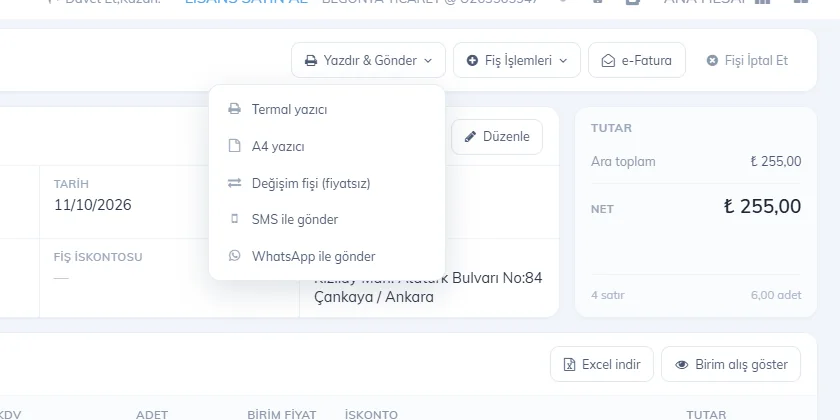
In the sale details choose Print & Send › Send via WhatsApp. WhatsApp opens with the text "Dear customer, thank you for your purchase…" (in the panel's language) and the e-receipt link; press Send.
 1
1
Sending by SMS
Choose Print & Send › Send via SMS and type the number. To send SMS, your account must have an SMS package; SMS is only sent to numbers in Turkey. If the Send SMS after sale switch is on in the details section of the sales screen, the receipt is sent by SMS as soon as the sale is finished.
To send a customer statement (account summary) by WhatsApp, use Other › WhatsApp on the customer card.
This can't be done in the desktop app. To send the receipt by WhatsApp, open the same sale in the web panel or the mobile app (sales are synced).
Sharing the receipt link
Open the share window
After the sale, tap the printer icon (for an older sale: Sale Details › Actions › Print / share receipt).
Share the receipt link
Tap Share receipt link; the phone's share menu opens. Choose WhatsApp (or SMS, email) and pick the contact.
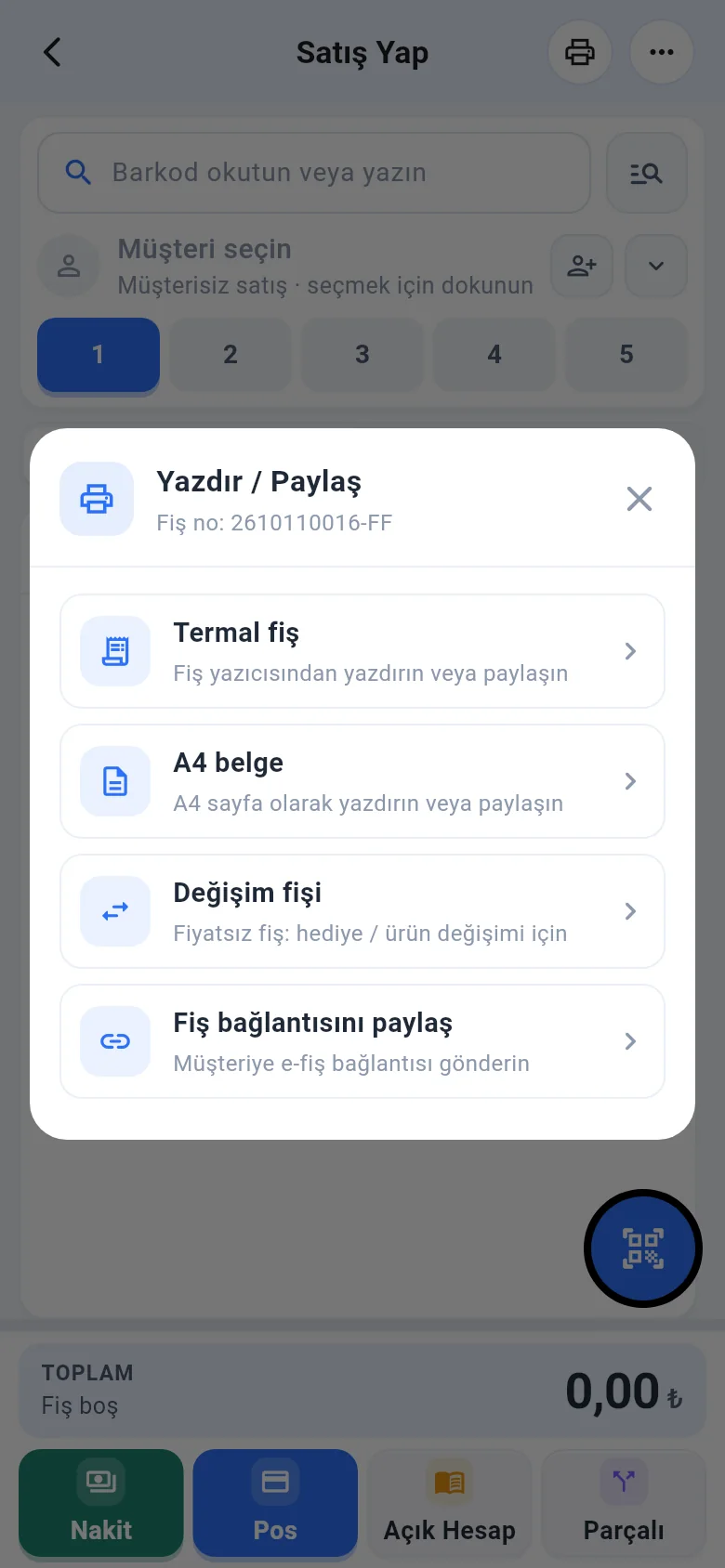
To send the receipt as a PDF, open Thermal receipt and tap Share PDF.