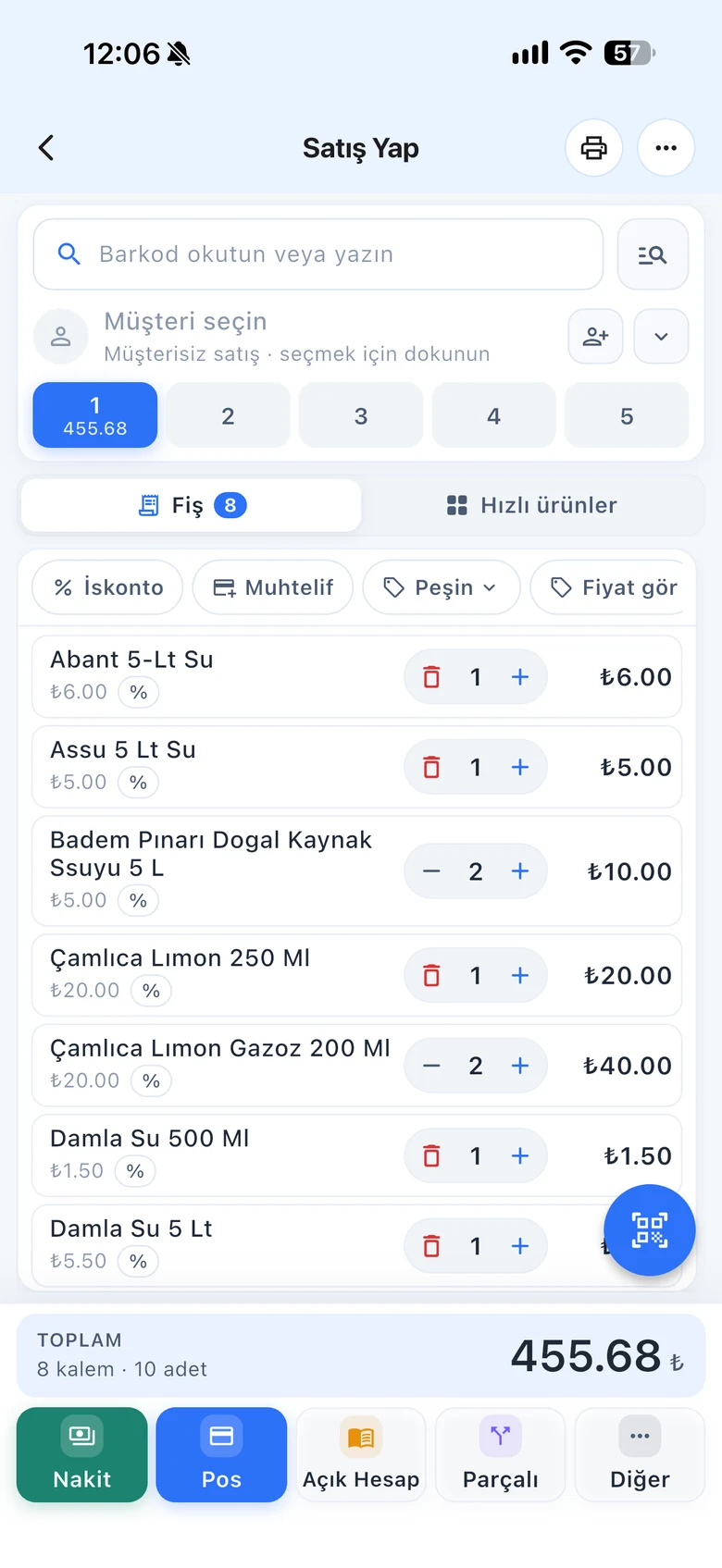
Bread, bagels, vegetables, loose goods. Put the items without barcodes you sell most often in the quick item lists on the sales screen; when a customer asks, tap the card and the item goes on the receipt.
All features open for the first month. No credit card required.

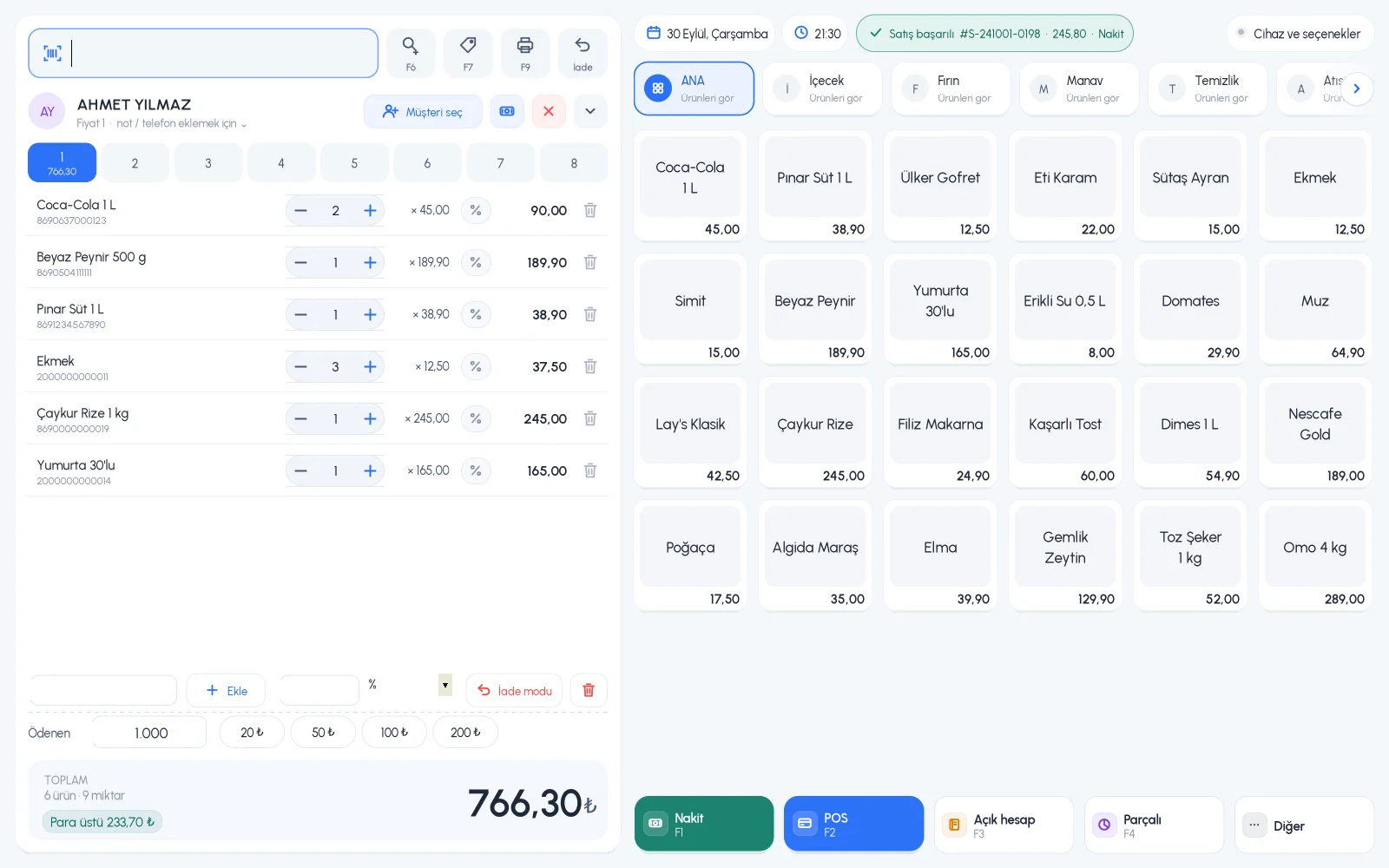
Searching for the product name every time makes the queue longer. Quick items sit as cards on the right of the sales screen; they are split into departments, arranged in the order you want and can show a picture if you like.
On the product card, choose which list the product appears in: Main products or List 1–4. Give the lists your own department names like Bakery, Produce or Drinks; you can also show product groups as tabs.

Give each item a quick item order number; lower numbers come first. Cards can show the product picture instead of text; make cards smaller or larger from the sales screen.

If you need to sell an item that is not in the system, type the amount in the misc. amount box; a "Misc. Item" line is added to the receipt. If you sell an item without a barcode regularly, it is better to create a card for it with a barcode generated by the system.

Department tabs and product cards on the right of the sales screen; suitable for touchscreens.
Quick item lists, department names and order settings.
One-tap sales from the quick items tab, misc. amount chip.
If you can't find the answer to your question, check the Help Center or message our WhatsApp support line: +90 312 911 22 33
Signing up takes two minutes. All features are open for the first month; if you get stuck during setup, our WhatsApp support line will help.