Cheques and notes

Your cheques and notes with their due dates in one place

Enter the cheques and notes you receive from customers and give to suppliers; see at a glance what is in the portfolio, what is at the bank for collection, and what will be collected or paid this week. Documents are posted to customer and supplier accounts automatically.

All features open for the first month. No credit card required.
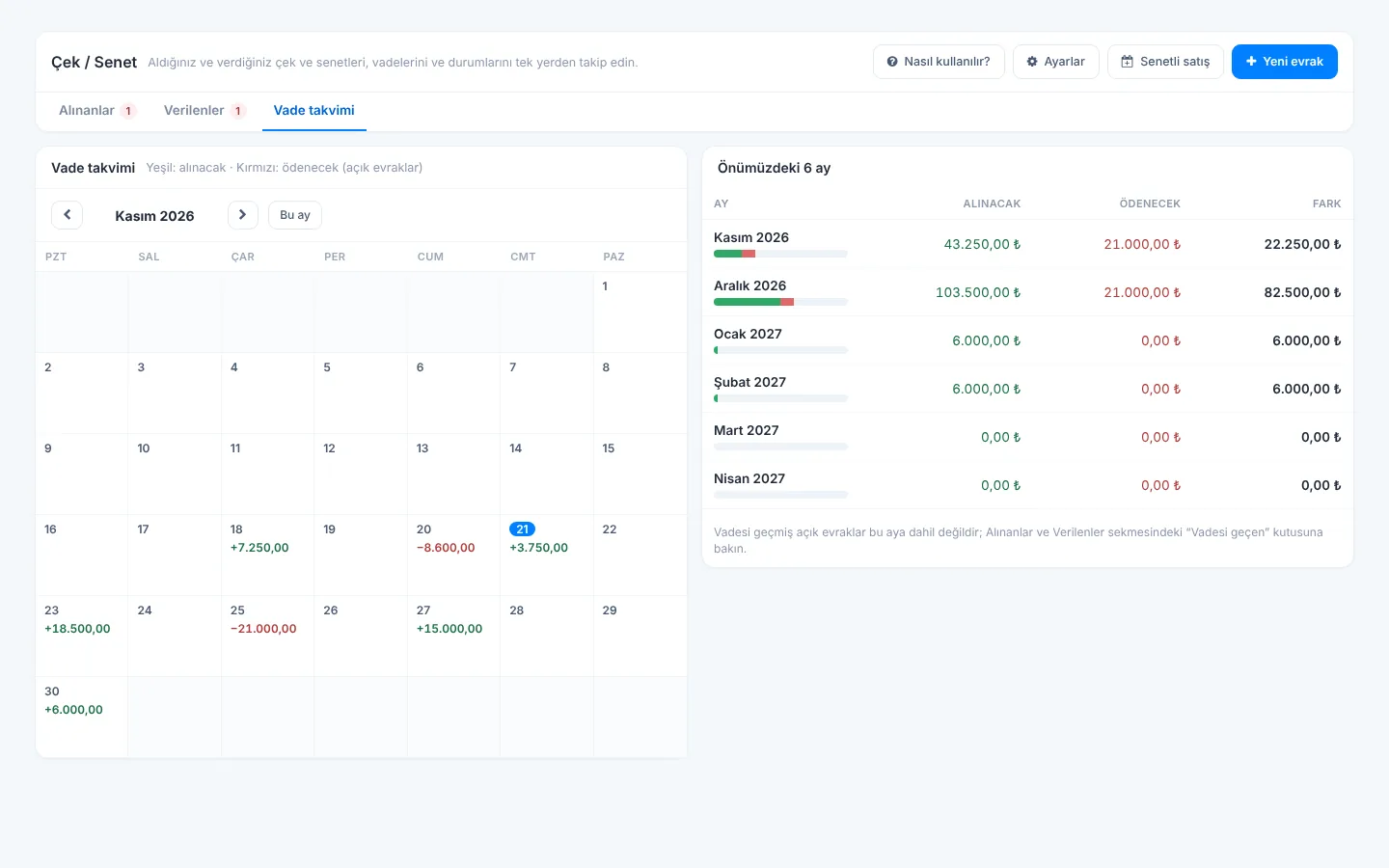
BenimPOS: cheque / note due-date calendar
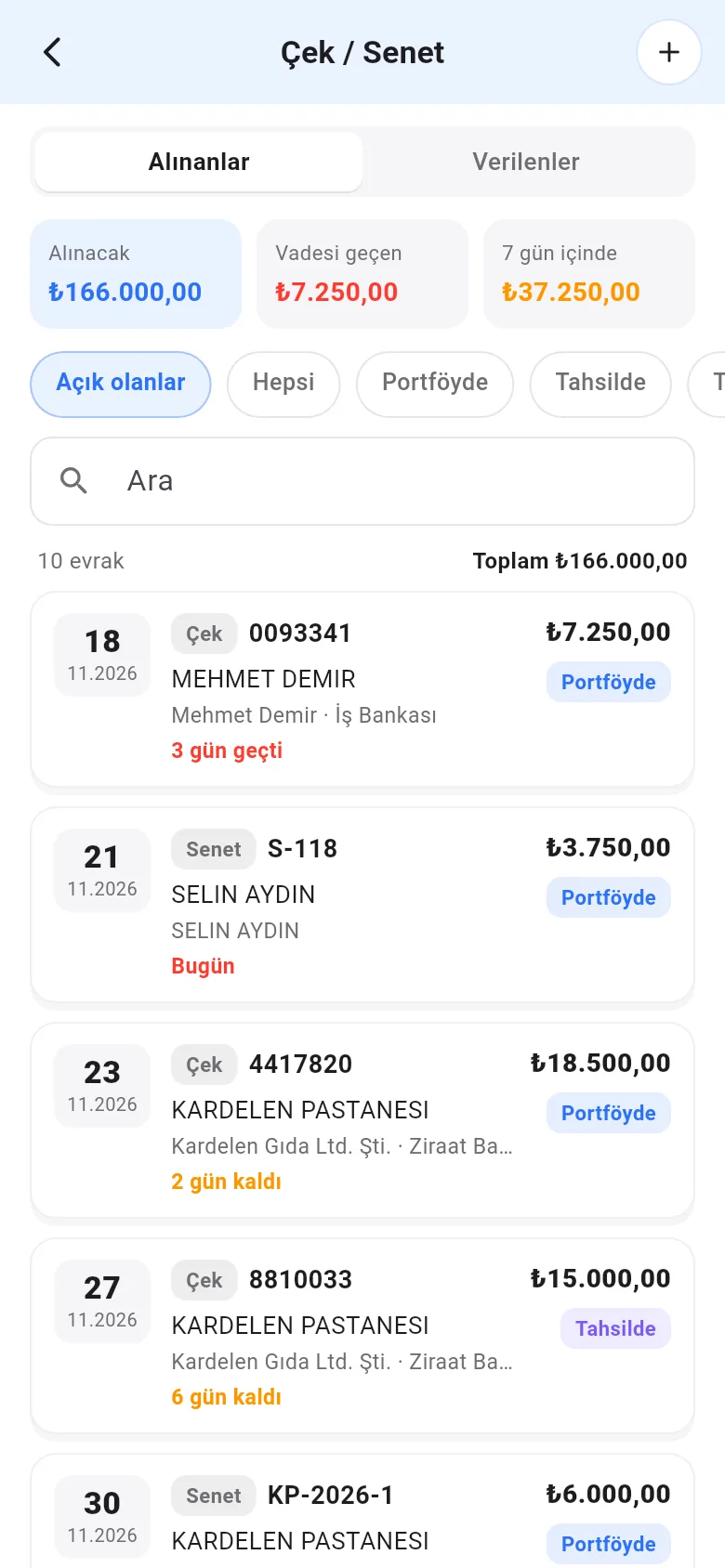
BenimPOS mobile: cheque / note list

No surprises when a cheque falls due.

With a paper ledger, due dates are missed, it gets unclear which cheque was endorsed to whom, and a bounced cheque never gets back onto the customer's account. In BenimPOS every document's status, history and photo are kept; each action, such as collection, endorsement or bouncing, is reflected correctly in customer and supplier balances.

Recording

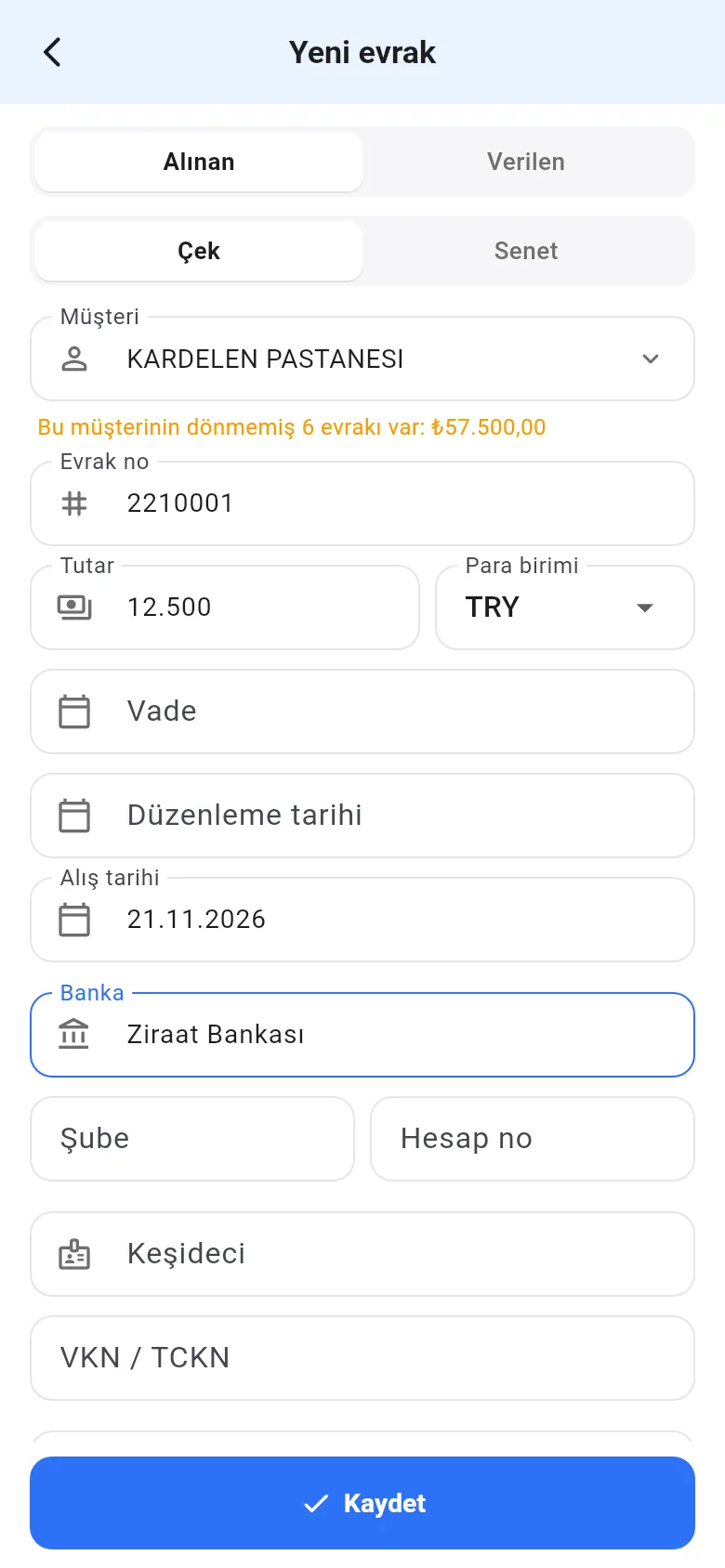
Enter the cheque, add its photo

Select the customer, enter the document number, amount, due date and bank, and add photos of the front and back. On the phone it takes a few seconds with the camera.

  • Received and issued cheques / notes
  • Front and back photos
  • Foreign-currency documents
Step by step in the Help Center
BenimPOS mobile: new cheque
Actions

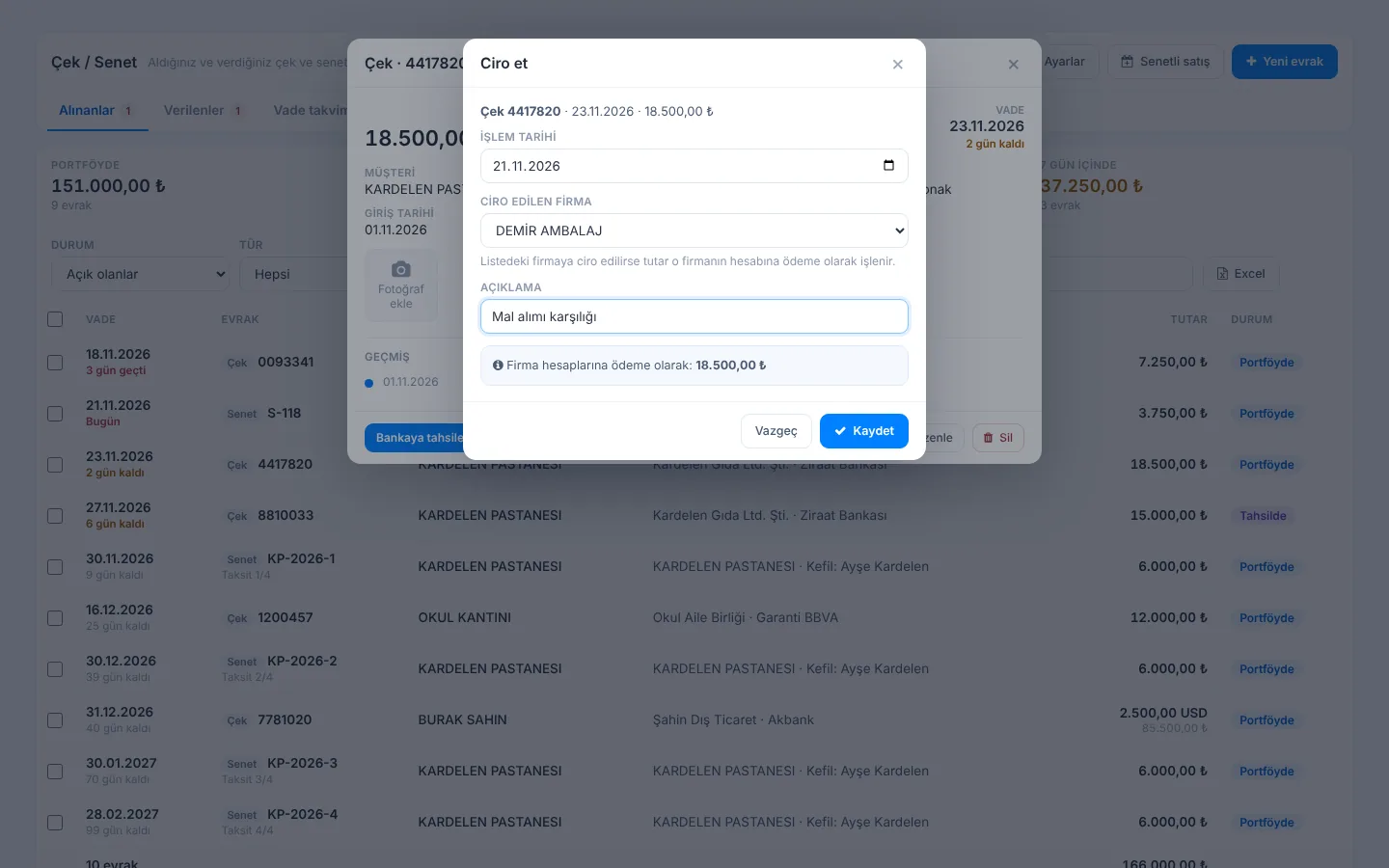
Deposit for collection, endorse, collect

Deposit the document at the bank for collection, mark it collected, endorse it to a supplier or mark it bounced. Record partial collections on notes; when collecting, choose bank or cash in hand.

  • Deposit for collection and collect
  • Endorsement and bounced
  • Partial collection
Step by step in the Help Center
BenimPOS: endorsing a cheque
Due-date calendar

What will be collected and paid on which day?

The due-date calendar shows each day's documents to receive and to pay; you see your net cash flow for the coming months. Documents falling due are reminded on the home screen.

  • Daily and monthly due-date calendar
  • Receivable and payable by month
  • Due-date reminder
Step by step in the Help Center
BenimPOS: cheque / note due-date calendar
Reports

Cash flow and payment plans

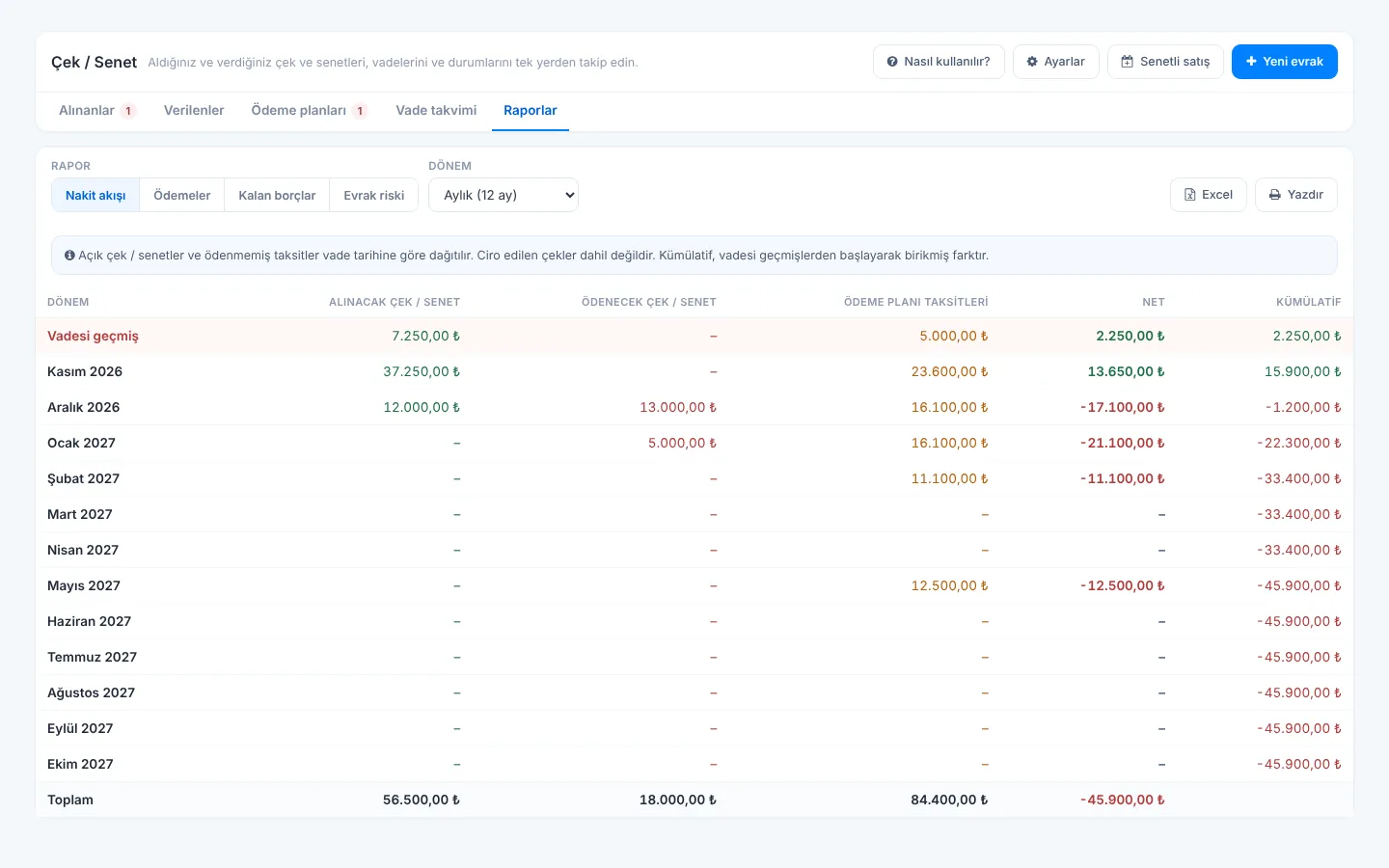
In the Reports tab you see cheques and notes to receive, those to pay and payment plan instalments by month together. Enter loan, tax or borrowing instalments as payment plans and mark them as they are paid.

  • Monthly cash flow
  • Payment plans and instalments
  • Excel and printing
Step by step in the Help Center
BenimPOS: cheque / note report

Cheques / notes on web and mobile, due dates in the desktop calendar.

Desktop

Cheque and note due dates appear in the desktop app's calendar.

Web

Document entry, all actions, due-date calendar, sales with promissory notes, reports and payment plans.

Mobile

Record a cheque with its photo next to the customer, and collect or endorse it from your phone.

Frequently asked questions

If you can't find the answer to your question, check the Help Center or message our WhatsApp support line: +90 312 911 22 33

When is a cheque deducted from the customer's debt?
You choose in the settings: when the document is received or when it is collected. The amount of a bounced or returned document is written back to the customer as debt.
Can I sell with promissory notes (in instalments)?
Yes. You can make the sale as a sale with promissory notes, create the instalment notes and print the notes and the list.
Can my staff handle cheques?
You give separate permissions for viewing, adding, processing and deleting; staff can only do what you allow.
Is there a charge for cheque / note tracking?
Cheque / note tracking is included in licensed accounts at no extra cost. All features are open in the first month. See pricing

Don't miss your cheques' due dates

Signing up takes two minutes. All features are open for the first month; if you get stuck during setup, our WhatsApp support line will help.