Bank and credit card tracking

Know your money in the bank as well as your till

See which of your bank accounts your card sales and the transfers you receive and make go in and out of. POS commission is deducted, the day the money reaches the account is calculated and each account's balance is shown.

All features open for the first month. No credit card required.
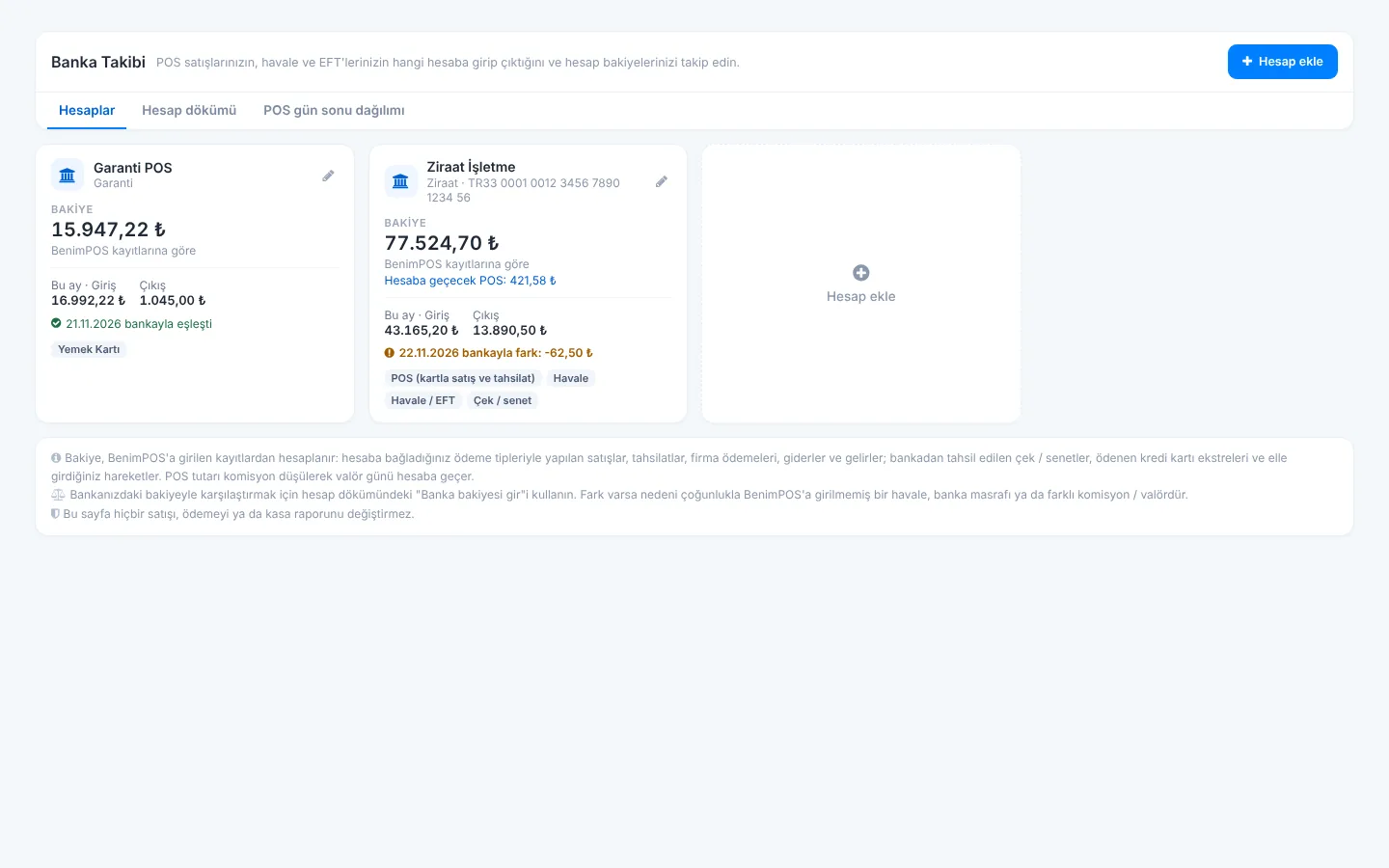
BenimPOS: bank accounts
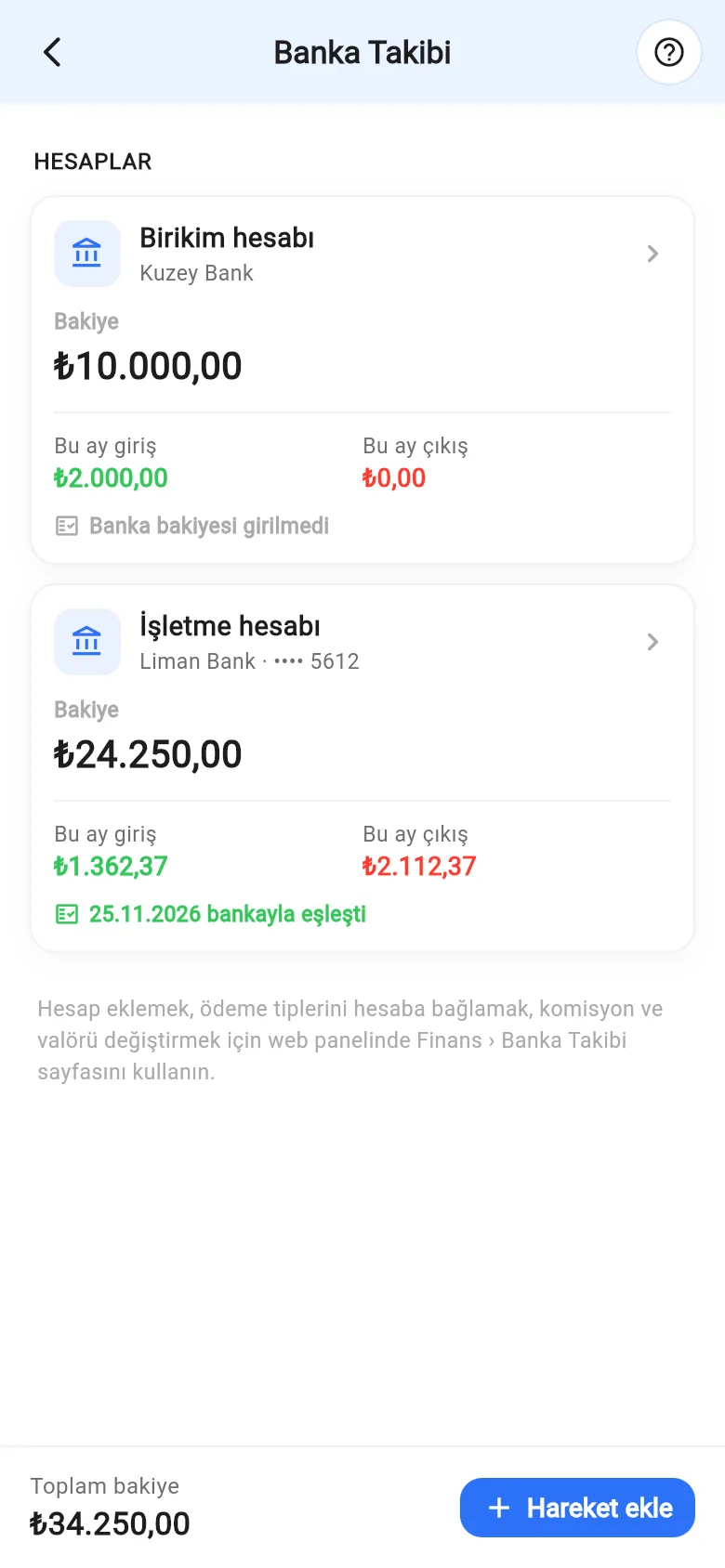
BenimPOS mobile: bank tracking

You don't enter anything extra.

Amounts are calculated from the sales and payment records you already enter in BenimPOS. You link payment types to accounts once; when you cancel a receipt or delete a payment, it is removed from the account too. Bank tracking does not change any sale, payment or cash report.

Accounts

The balance of every bank account

Add the account, link payment types such as POS and transfer, and enter the tracking start date and that day's balance. The account boxes show the balance, this month's in and out, and upcoming POS settlements.

  • Linking payment types to accounts
  • A balance that starts the same as the bank
  • Upcoming POS settlements
Step by step in the Help Center
BenimPOS: bank accounts
Account statement

What came in and went out on which day?

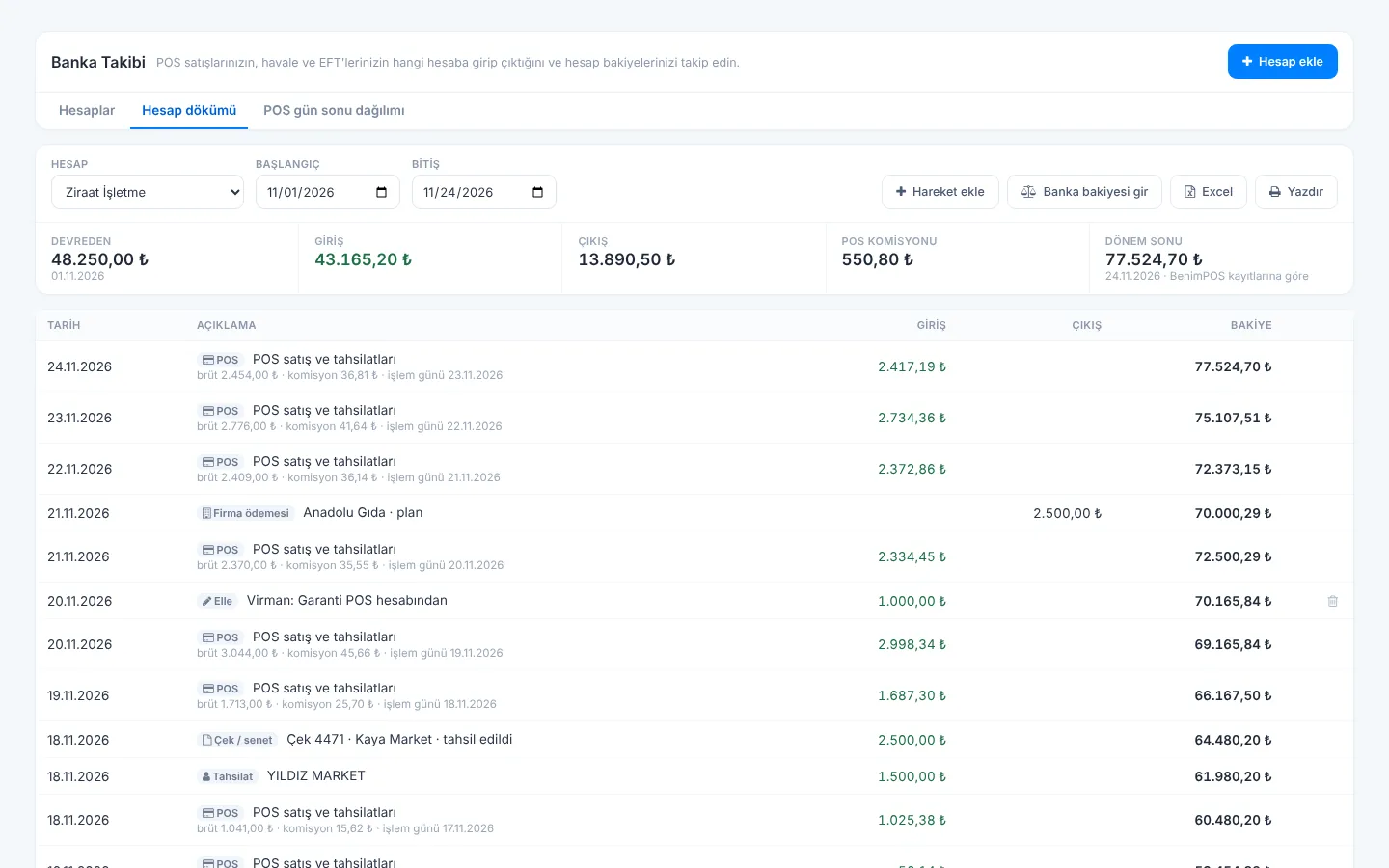
The account statement lists, day by day, each POS day's gross amount, commission and net amount reaching the account, transfers, supplier payments and expenses. Export to Excel or print.

  • POS gross, commission, net
  • Transfer movements
  • Excel and printing
Step by step in the Help Center
BenimPOS: account statement
Reconciliation

Compare with the bank balance

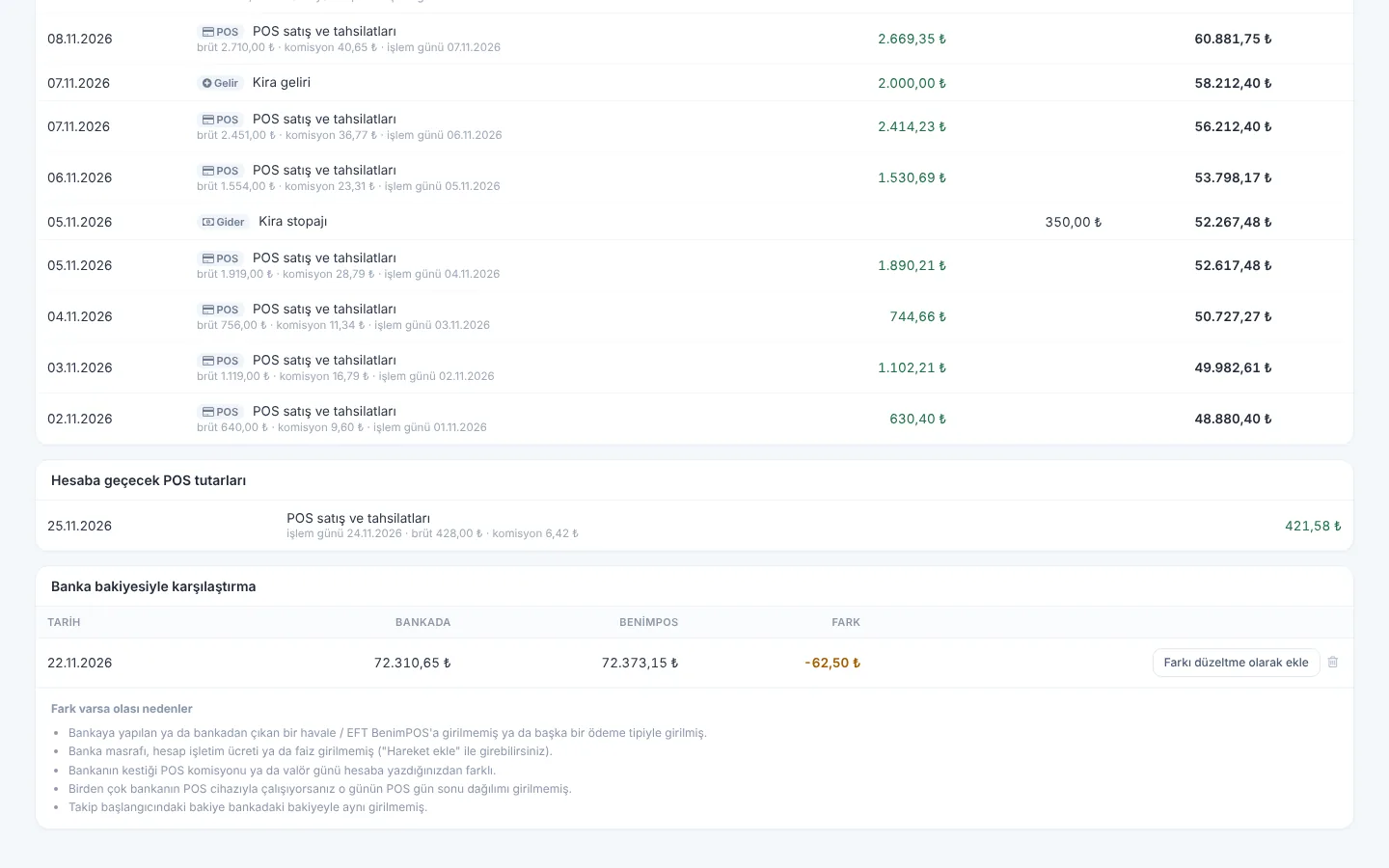
Enter the balance you see at your bank and see whether it matches the balance in BenimPOS. If there is a difference, possible reasons are listed; if you can't find the reason, add the difference as an adjustment to make the two balances equal.

  • Matched with the bank, or difference
  • POS end-of-day split
  • Adding the difference as an adjustment
Step by step in the Help Center
BenimPOS: bank reconciliation
Credit cards

Statements for payments made by card

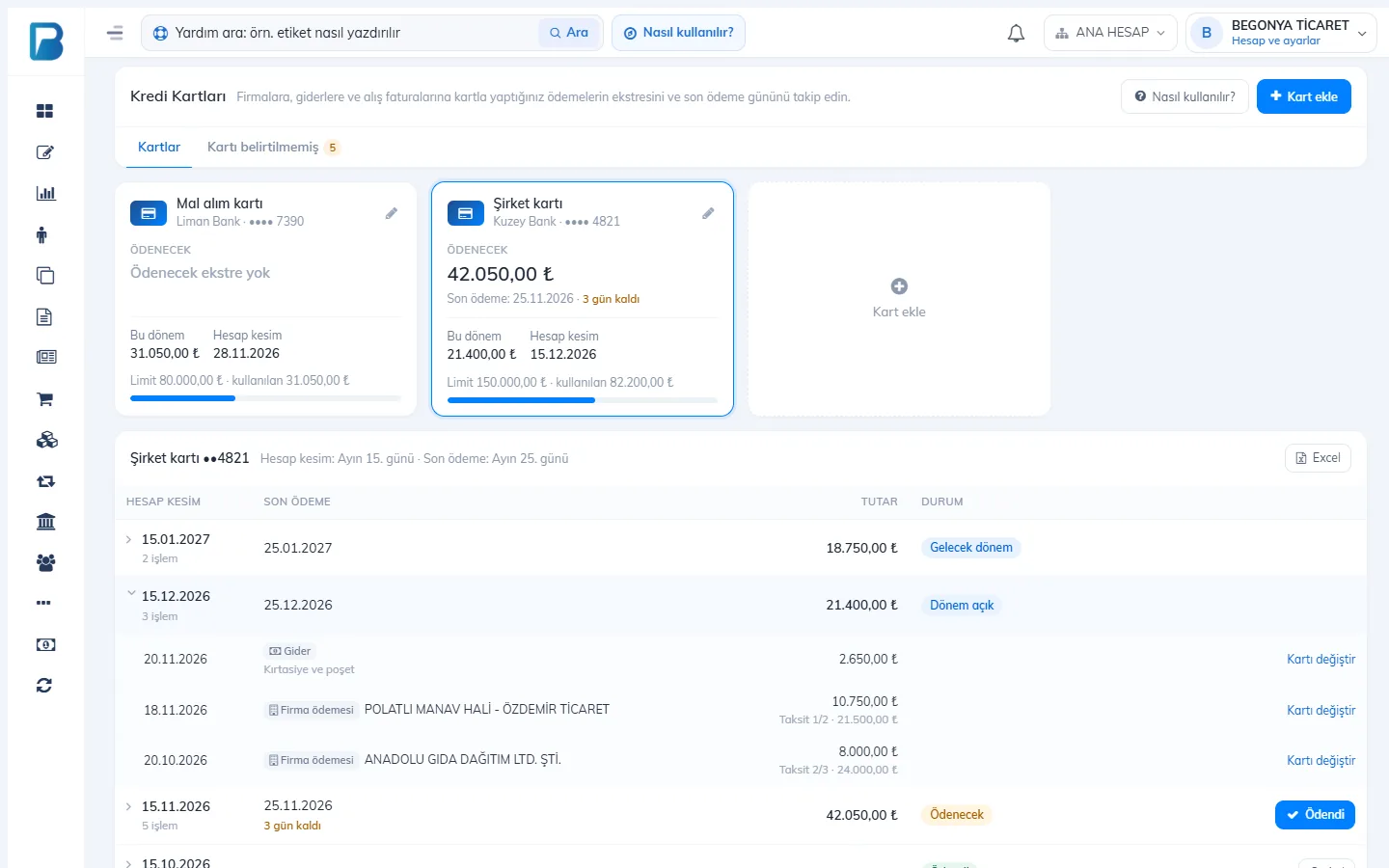
Payments made with your own card to suppliers, expenses and purchase invoices are split into statements by statement closing date; the amount due and the payment due date come to you. Instalment payments are divided across periods.

  • Statement closing and payment due date
  • Instalment payments
  • The card number is not stored
Step by step in the Help Center
BenimPOS: credit cards

Bank tracking on web and mobile.

Desktop

Card sales and payments made on the desktop are written to bank accounts once synced.

Web

Accounts, account statement, POS reconciliation, credit cards and statements.

Mobile

See accounts and statements on your phone, add and edit accounts, add movements.

Frequently asked questions

If you can't find the answer to your question, check the Help Center or message our WhatsApp support line: +90 312 911 22 33

Does it connect to my bank account?
No. BenimPOS doesn't connect to your bank; it calculates amounts from the sales and payment records you enter. You reconcile by comparing the balance with the one at your bank.
How is POS commission calculated?
You enter the POS commission rate and how many days later the money arrives. For example, with 1.5% and 1 day, a card sale of 1,000 reaches the account as 985 the next day.
Do I need to enter my credit card number?
No. You define the card with a name; the bank and last 4 digits are optional. The full card number is never asked for or stored.

Track your money in the bank

Signing up takes two minutes. All features are open for the first month; if you get stuck during setup, our WhatsApp support line will help.