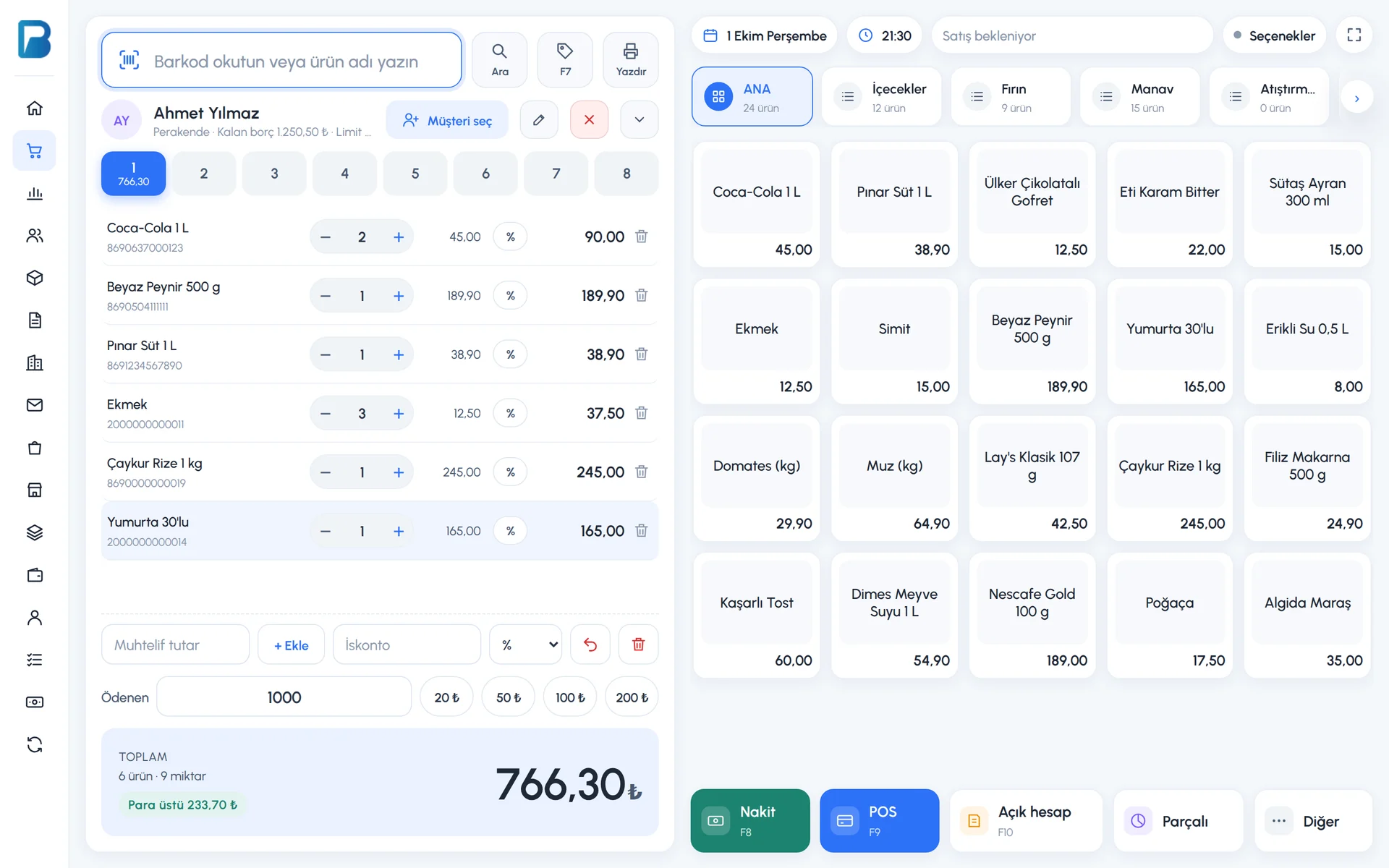
Select products as on the sales screen and save as a quote. The quote is kept with its number, validity date and A4 document; you send it to your customer as a link by WhatsApp, email or any app.
All features open for the first month. No credit card required.

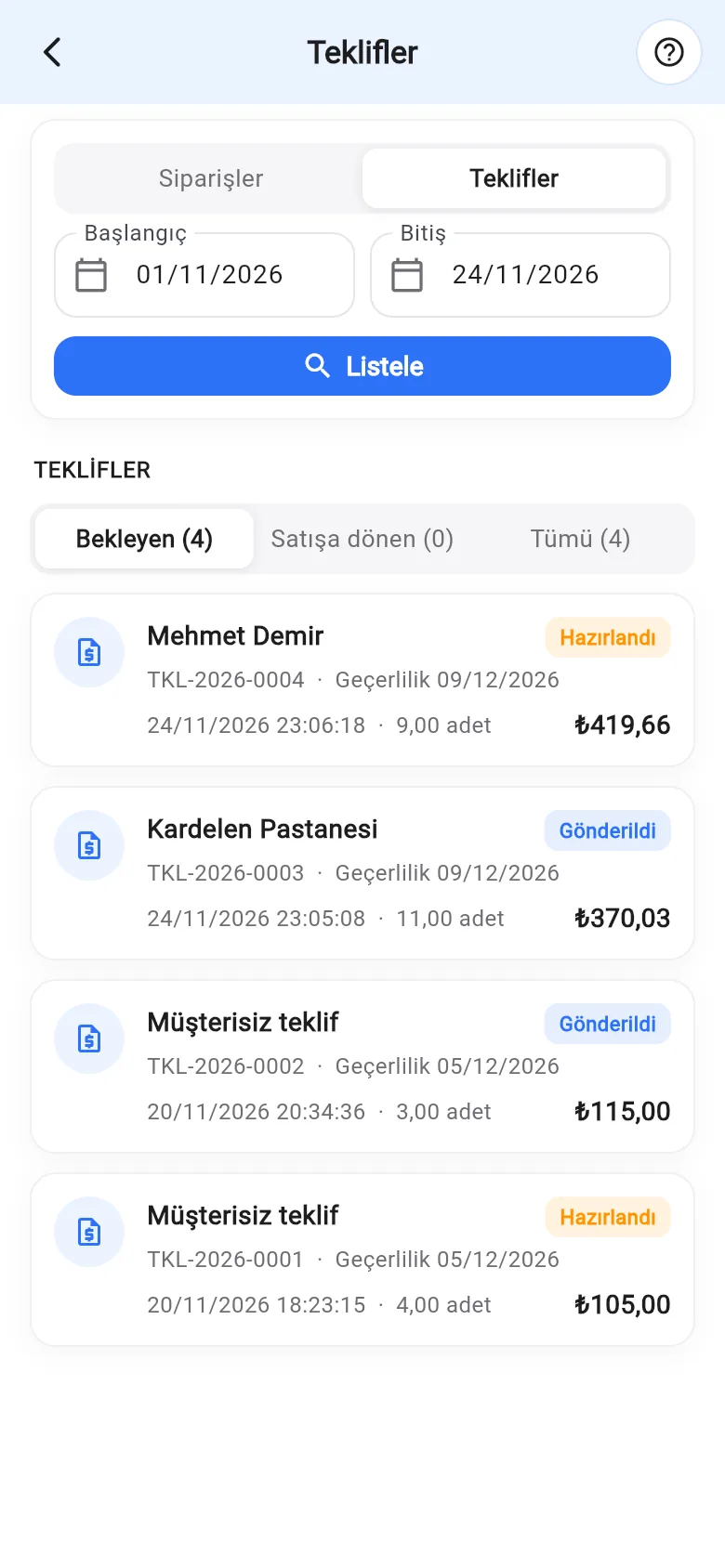
A price given on the phone is forgotten the next day, and a quote prepared in Word can't be found when needed. In BenimPOS a quote is saved without reducing stock; you see in one list which quotes were sent, whether the customer opened them, accepted or rejected them, and which are about to expire.
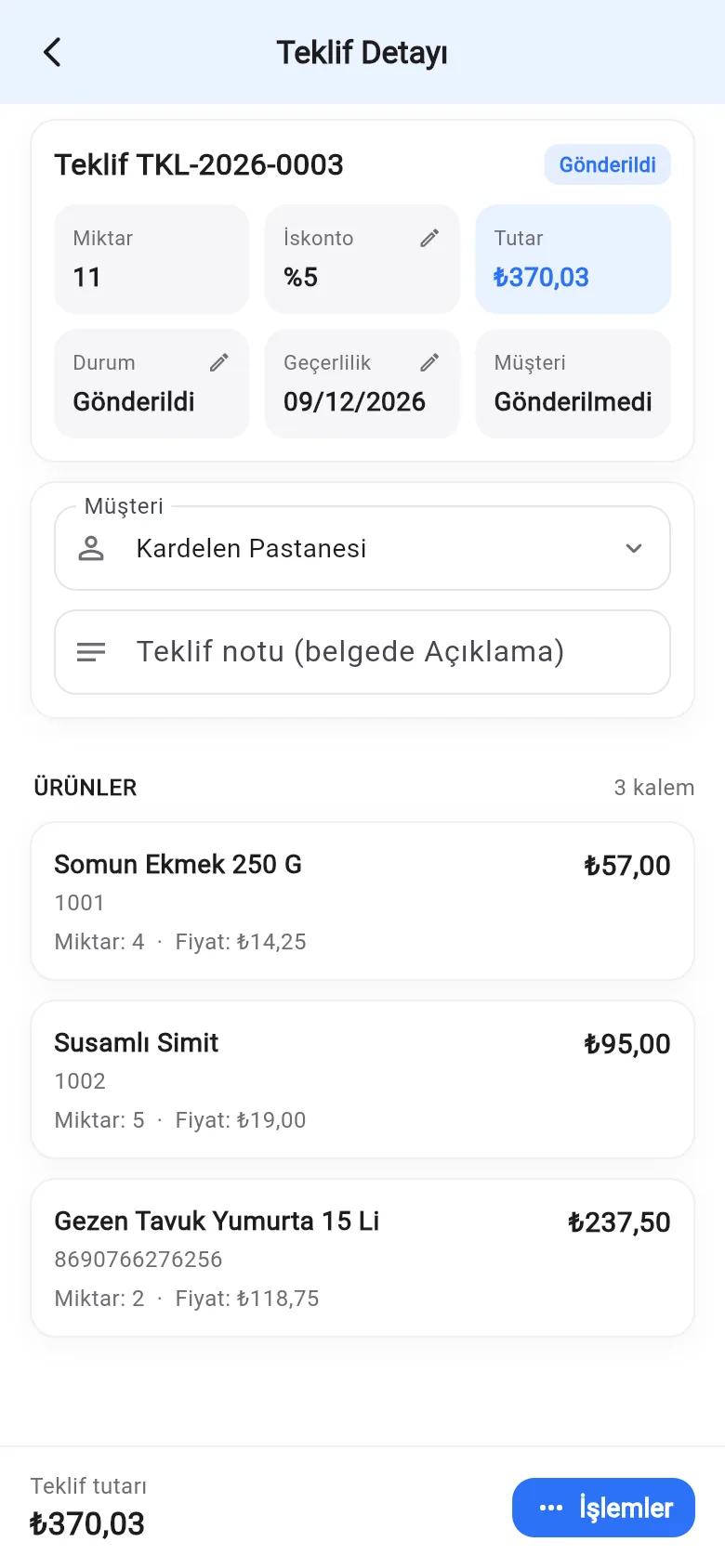
Select the products and the customer, enter a discount if needed and press Save as quote instead of payment. The quote gets a sequential number for the year; details you write in the note, such as delivery time, appear on the document.

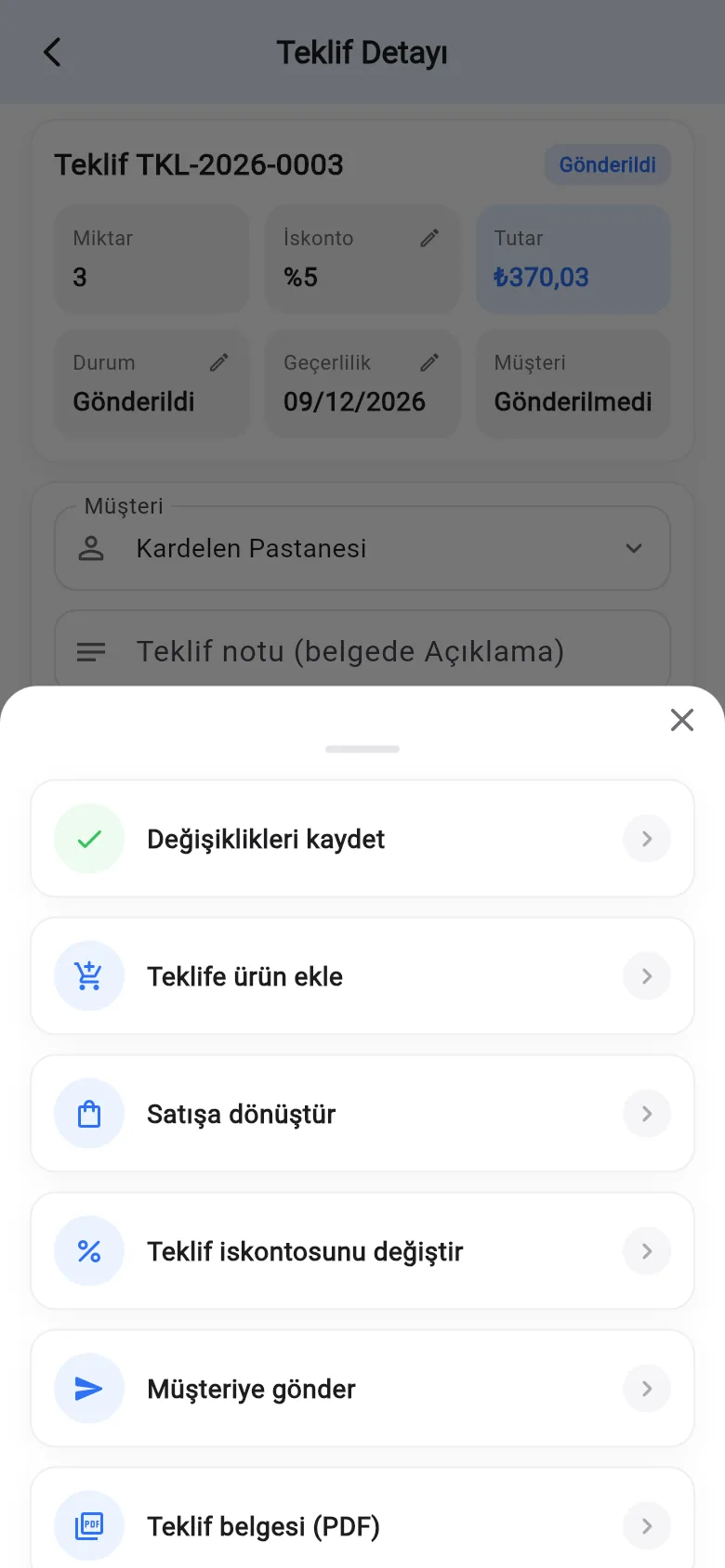
Send the quote as a link by WhatsApp, email or any app. Your customer opens it on their phone and approves or rejects it; you see the status in the list.

List quotes by status: prepared, sent, accepted, rejected, expired. Quotes about to expire are shown separately; your acceptance rate appears above the list.

Convert an accepted quote to an order or a sale with one tap; products, customer and prices come over as they are. Stock goes down at that moment.

Quotes are not prepared in the desktop app; manage them on web or mobile, and a quote converted to a sale syncs to the till.
Quotes from the sales screen, A4 quote document, quote list and settings.
Prepare a quote next to the customer and send the link on WhatsApp right away.
If you can't find the answer to your question, check the Help Center or message our WhatsApp support line: +90 312 911 22 33
Signing up takes two minutes. All features are open for the first month; if you get stuck during setup, our WhatsApp support line will help.