Field sales and route tracking

Your sales rep runs the route from the phone

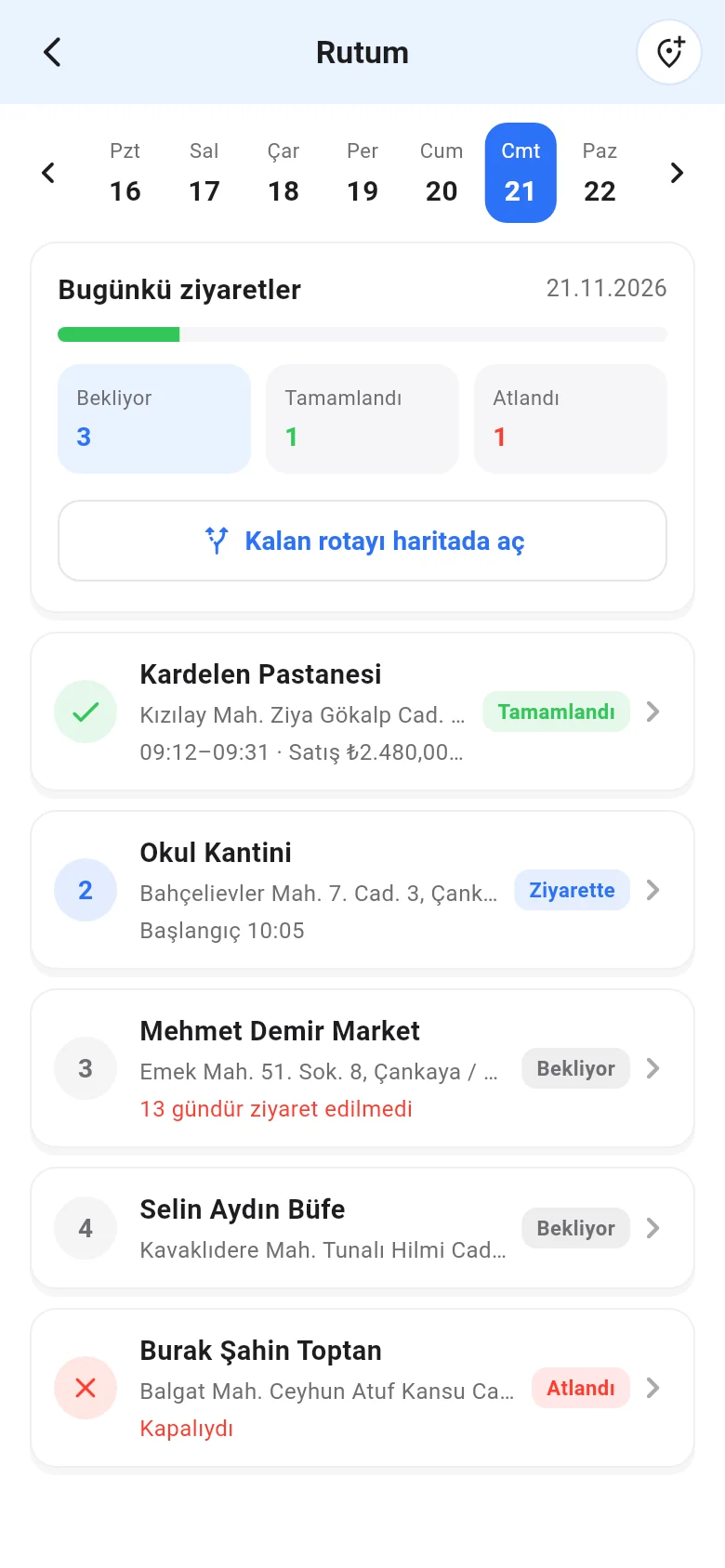
Plan which customers will be visited on which day and in what order. The sales rep sees the day's list in the mobile app, starts the visit and makes sales, takes orders or collects payments; you follow in the web panel who went where and what they sold.

All features open for the first month. No credit card required.
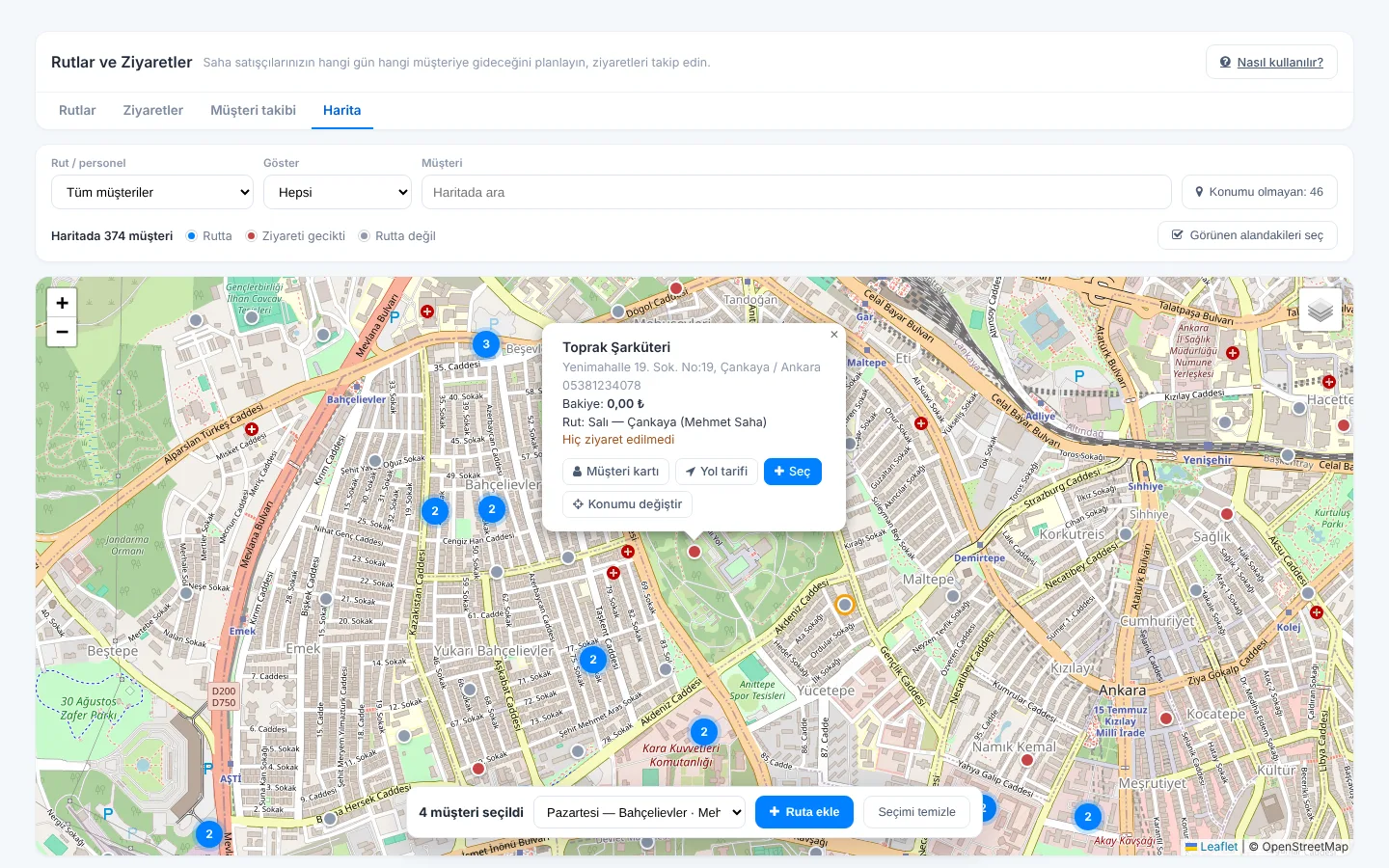
BenimPOS: customer map and route
BenimPOS mobile: My Route

Field sales recorded as well as sales at the till.

With a paper-based sales rep, which customers were visited, which were skipped and what was collected only becomes clear in the evening. In BenimPOS visits come in route order, sales and payments are posted to the customer's account instantly, and the cash to hand over at the end of the day is calculated for you.

Planning

Set up the route once, it repeats every week

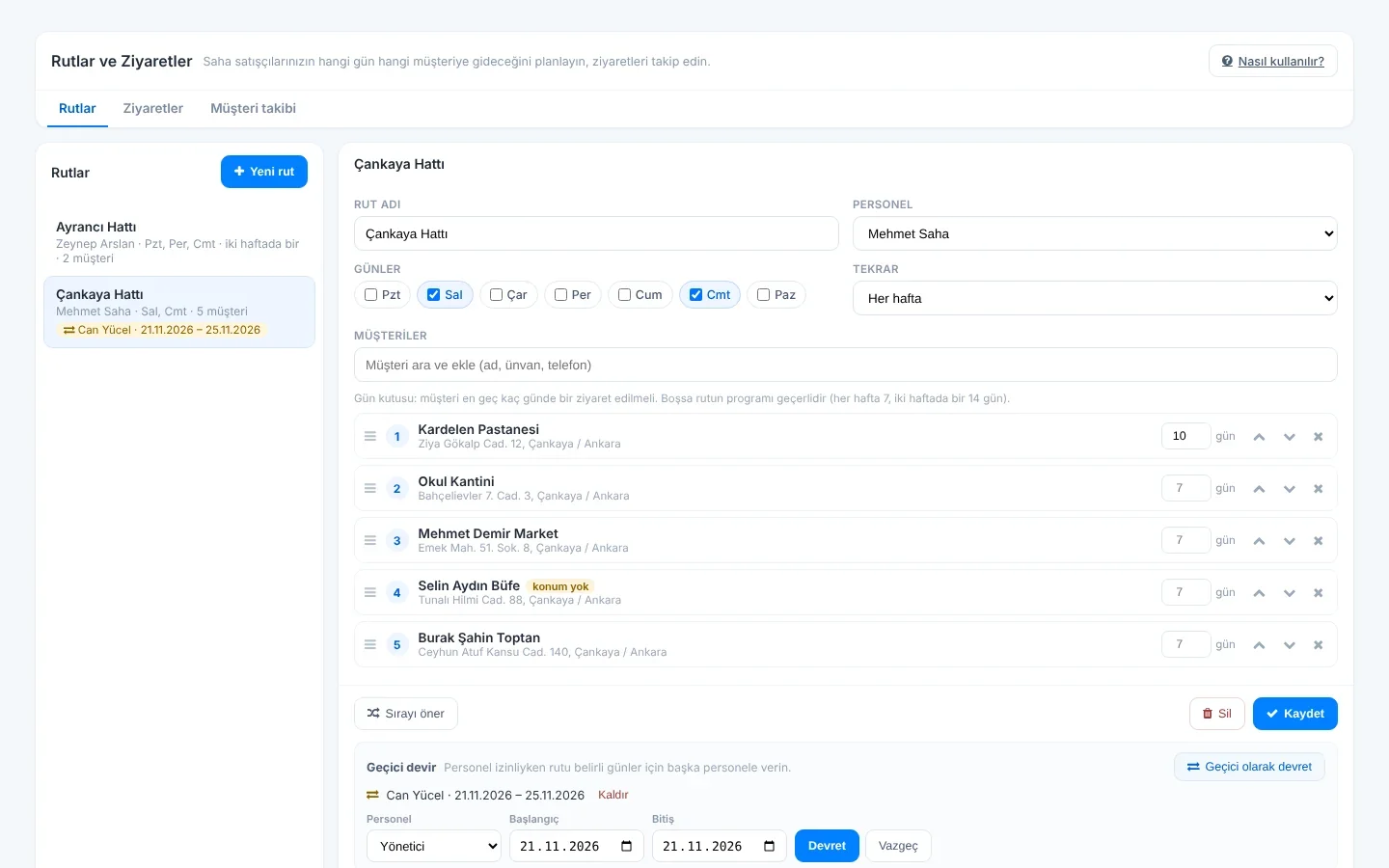
Choose the route name, the sales rep and the days, add customers and arrange the visit order by dragging. It repeats every week or every two weeks; you also set how often each customer should be visited.

  • Route per sales rep
  • Weekly or fortnightly repeat
  • Visit order by dragging
Step by step in the Help Center
BenimPOS: routes
Visit

Sales, orders and payments during the visit

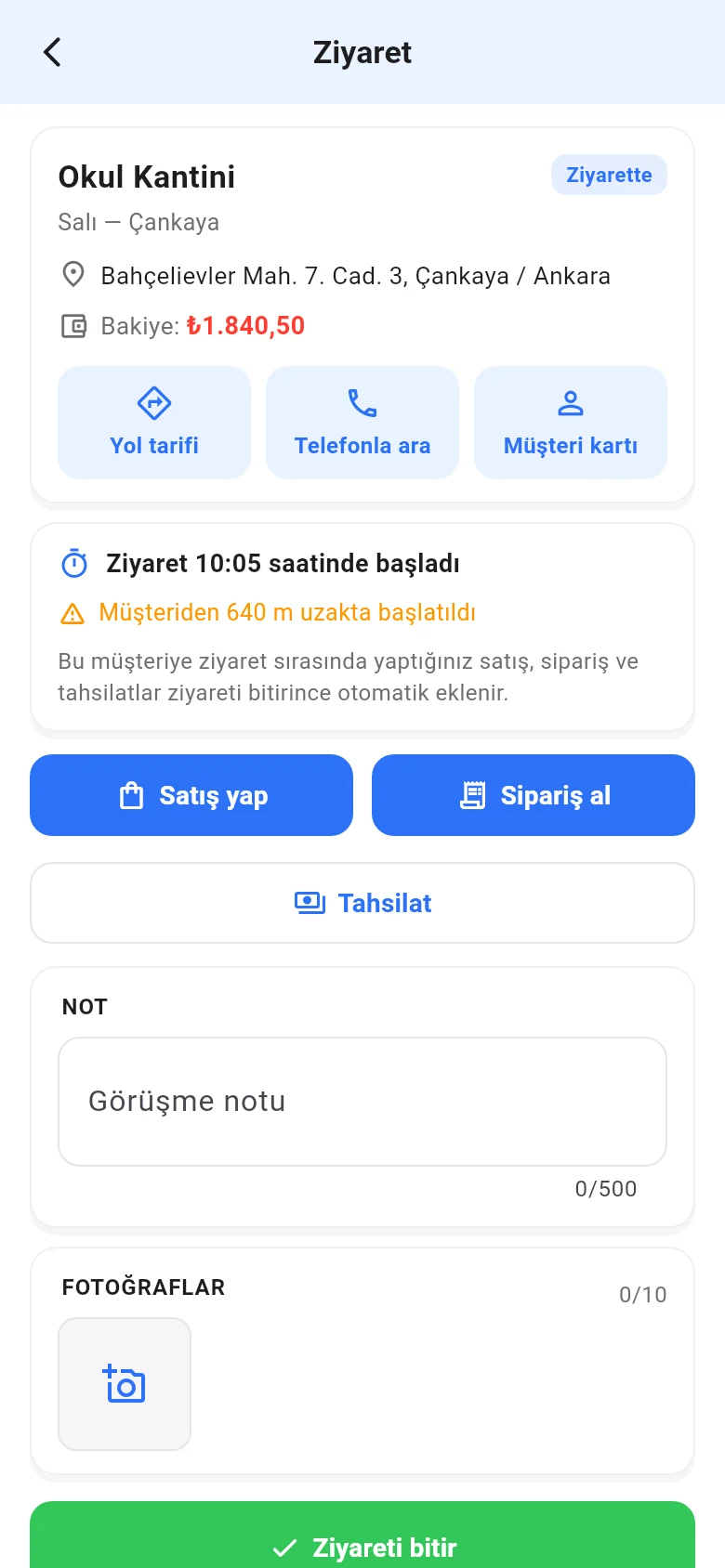
The sales rep starts the visit, sees the customer's balance and previous visit notes, makes a sale, takes an order, collects a payment and adds notes and photos. Directions and calling the customer are one tap away.

  • Balance and previous notes
  • Sale, order, payment
  • Notes and photos
Step by step in the Help Center
BenimPOS mobile: visit
Map

The day's route on the map

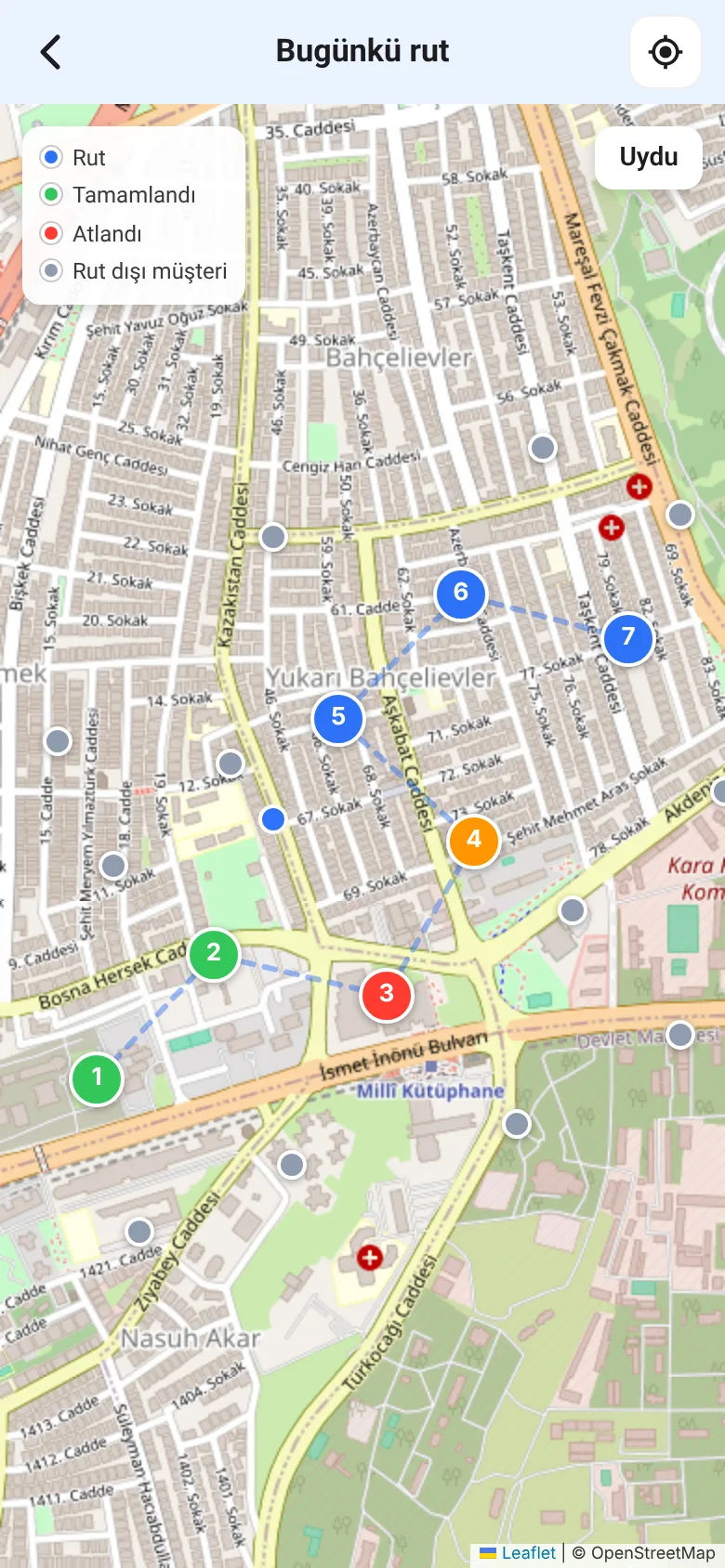
Customers to visit appear on the map in order; open the remaining route in maps with one tap. You can mark the customer's location on the map right at their door.

  • Map in route order
  • Opening the remaining route in maps
  • Picking the location on the map
Step by step in the Help Center
BenimPOS mobile: route map
End of day

The cash to hand over is ready

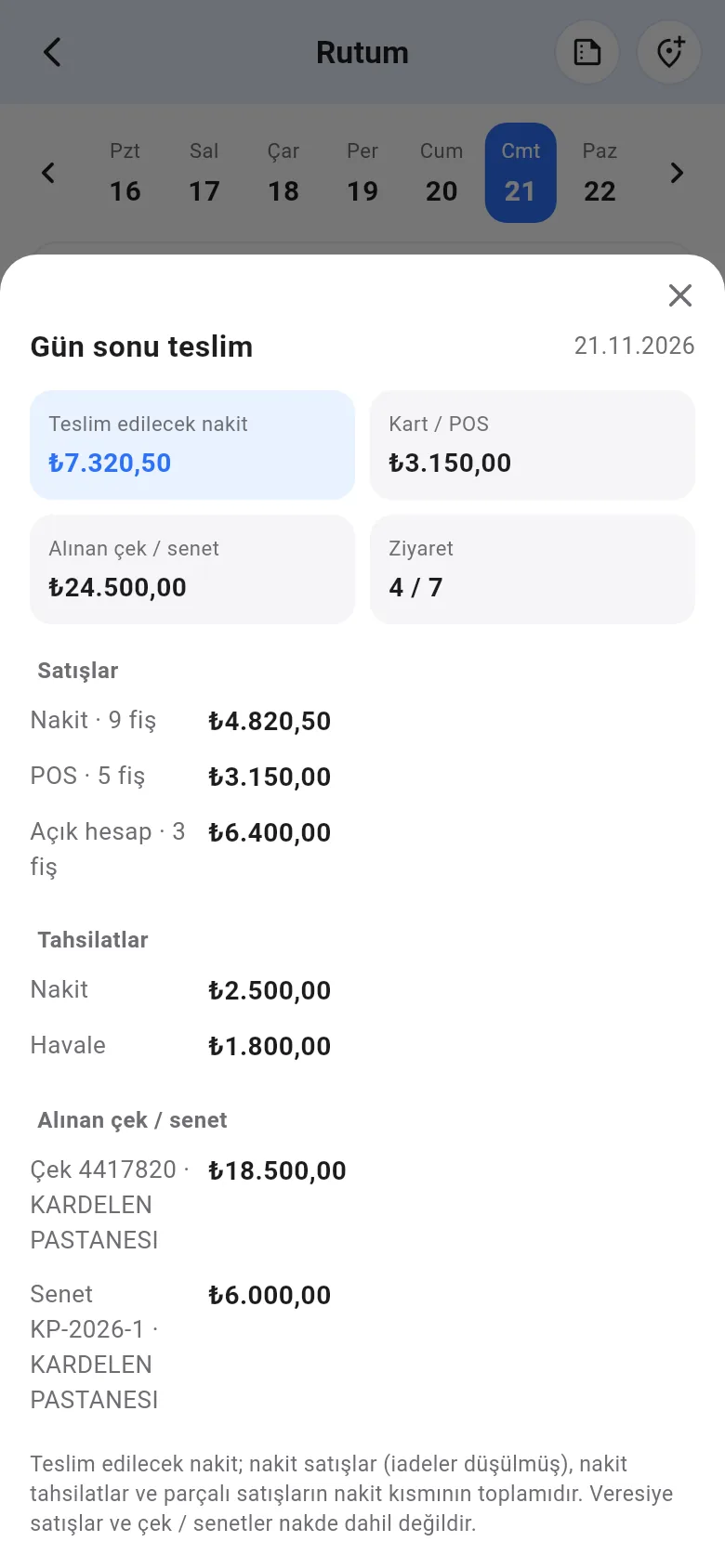
The end-of-day handover report puts together the cash the sales rep will hand over, card sales, payments collected and cheques / notes received on one page; you print it with signature fields.

  • Cash to hand over
  • Sales and payment summary
  • Cheques / notes received
Step by step in the Help Center
BenimPOS mobile: end-of-day handover

Making field work easier

Works offline

The visit continues where there is no coverage; records are sent when the connection returns.

How to
Location only at visits

The location is taken only once, when the sales rep starts a visit; there is no continuous location tracking.

How to
Skipped visits

See customers who were never visited or are overdue in the customer follow-up tab.

How to

Routes are planned in the web panel and run in the field on mobile.

Desktop

Field sales are not used in the desktop app; sales made in the field sync to the till and reports.

Web

Creating routes, customer map, visit list, customer follow-up and end-of-day handover.

Mobile

On the My Route screen: the day's visits, map, sales, orders, payments and end-of-day handover.

Frequently asked questions

If you can't find the answer to your question, check the Help Center or message our WhatsApp support line: +90 312 911 22 33

Is the sales rep's location tracked all the time?
No. The location is taken only once, when the sales rep taps Start visit.
Does it work without internet?
Yes. Visits, sales and notes are kept on the phone and sent when the connection returns.
Does the sales rep see only their own customers?
Staff assigned a route see only their own visits on mobile. Seeing all routes and creating routes are separate permissions.
Is there a charge for route tracking?
Route tracking is included in licensed accounts at no extra cost. All features are open in the first month. See pricing

Get your field sales on record

Signing up takes two minutes. All features are open for the first month; if you get stuck during setup, our WhatsApp support line will help.