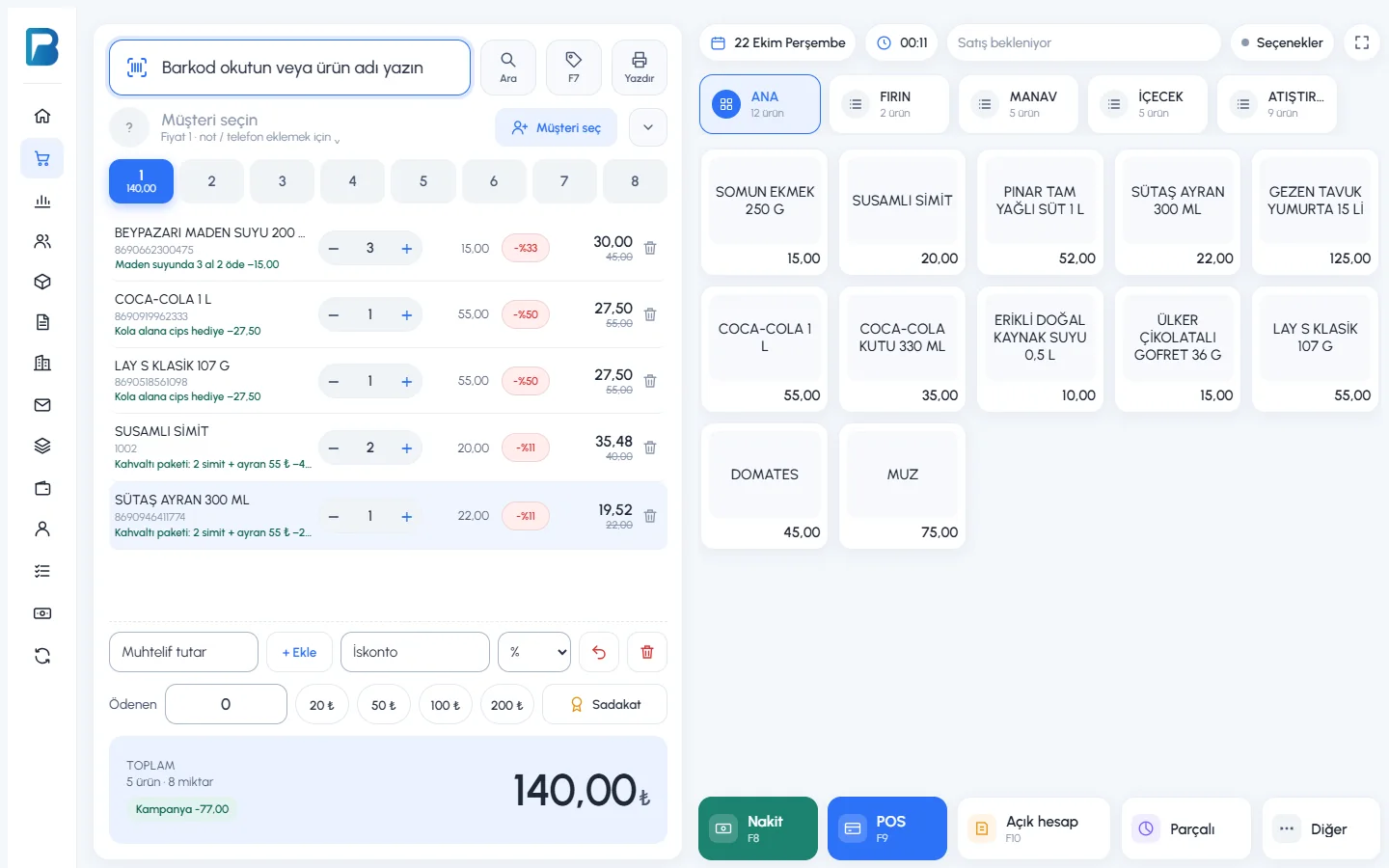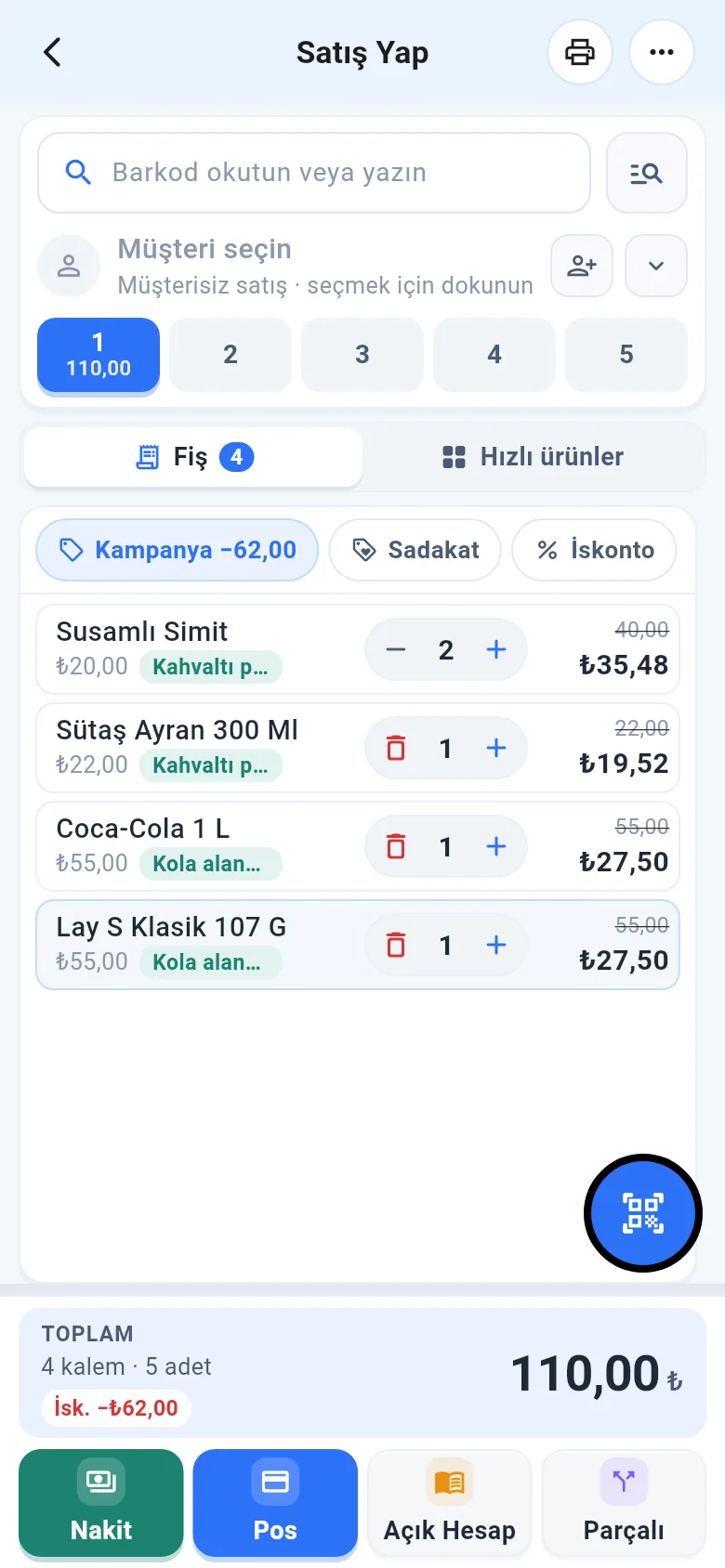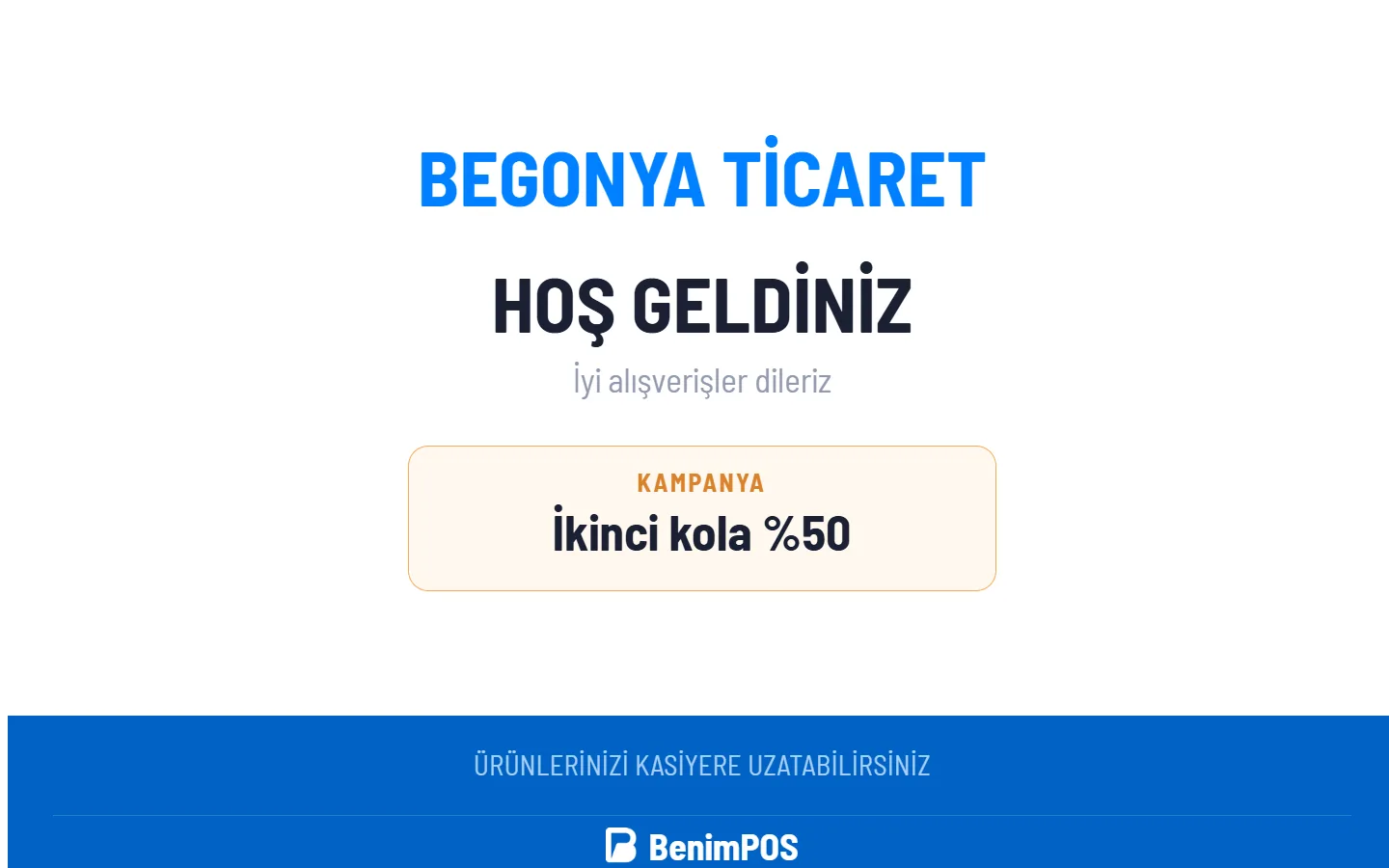
Define the promotion once; when a matching product is scanned, the discount is applied without the cashier doing anything. The promotion name and discount amount appear under the line, so the customer sees what they saved on the receipt.
All features open for the first month. No credit card required.

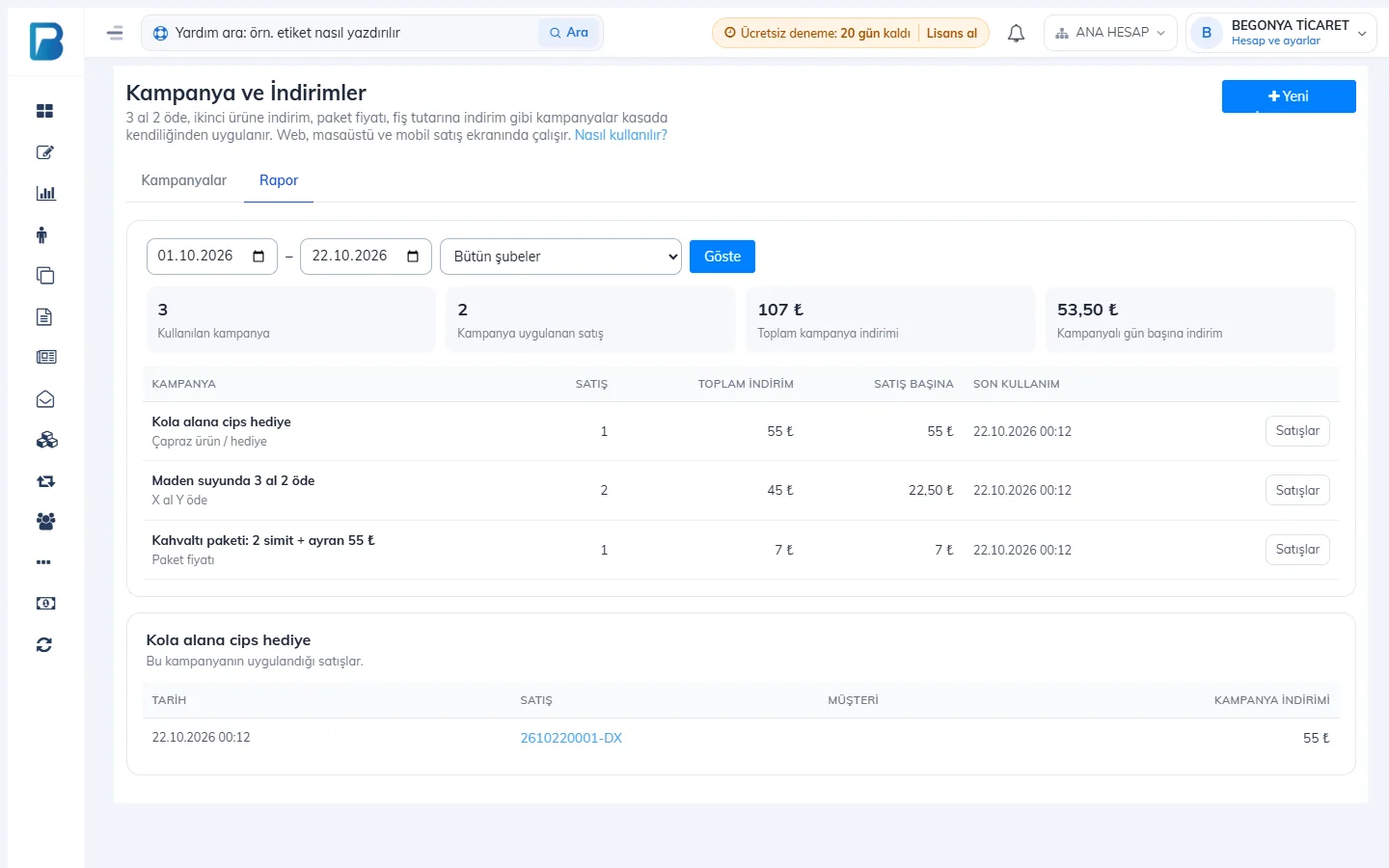
A promotion written on paper gets forgotten at the till, applied wrongly, and at the end of the day nobody knows how much discount was given. In BenimPOS the rule is written once and works the same on the web sales screen, the desktop app and the mobile app. The report shows how many times each promotion was applied and how much discount it gave.
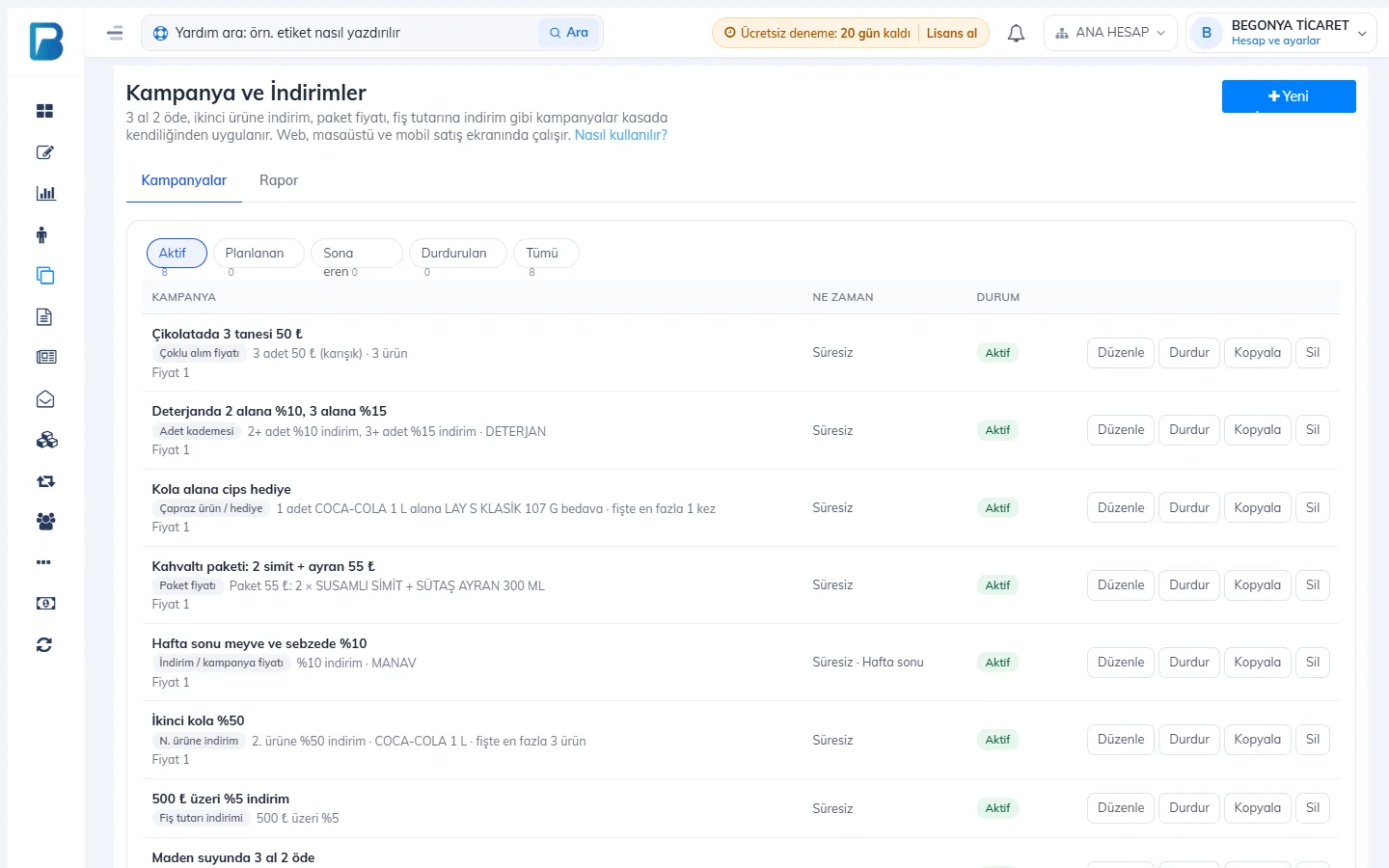
Choose the promotion type, select products or product groups and write the rule. Before saving, a sample receipt shows how the promotion will look at the till.

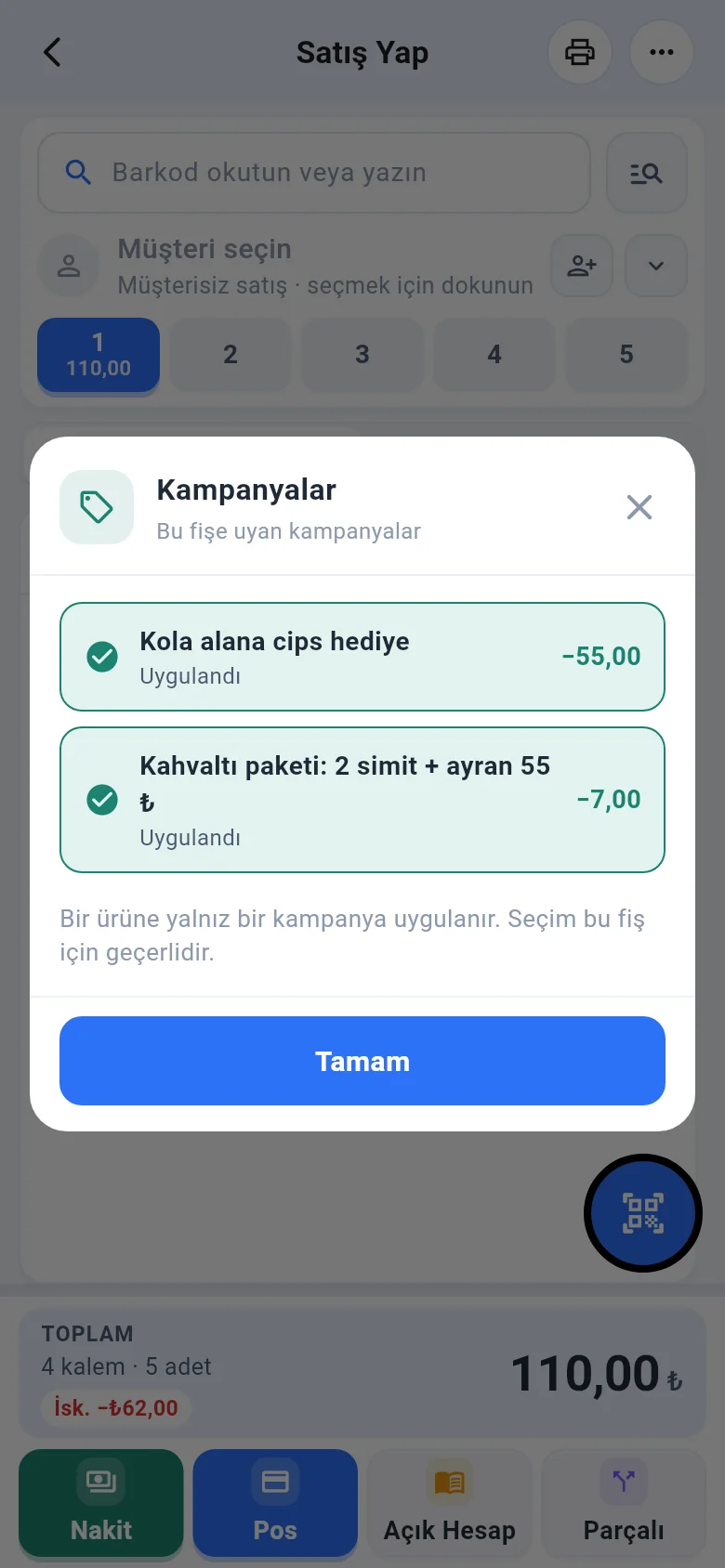
The matching promotion is found and the discount is written under the line with the promotion name. If more than one promotion fits a receipt, the cashier chooses which one applies.

On a dual-screen till, promotion visuals rotate on the customer display while there is no sale. When a product is scanned, the screen switches to the basket and the customer sees the discount.

The promotion report shows, for a date range, how many sales each promotion was applied to and how much discount it gave in total; click a sale to open its receipt.

The desktop app applies promotions even offline; promotion visuals rotate on the customer display.
Define, pause and copy promotions in the web panel; get the report here.
In mobile sales the promotion comes to the receipt by itself; you choose when several fit.
If you can't find the answer to your question, check the Help Center or message our WhatsApp support line: +90 312 911 22 33
Signing up takes two minutes. All features are open for the first month; if you get stuck during setup, our WhatsApp support line will help.