




Adding and editing suppliers
Create a supplier card for each of your suppliers, edit their details and upload them in bulk with Excel.
Suppliers are the businesses you buy goods from. When you create a supplier card, you can link your purchase invoices to the supplier and track what you owe them and the payments you've made. (For your customers, use the customer card.)
New supplier
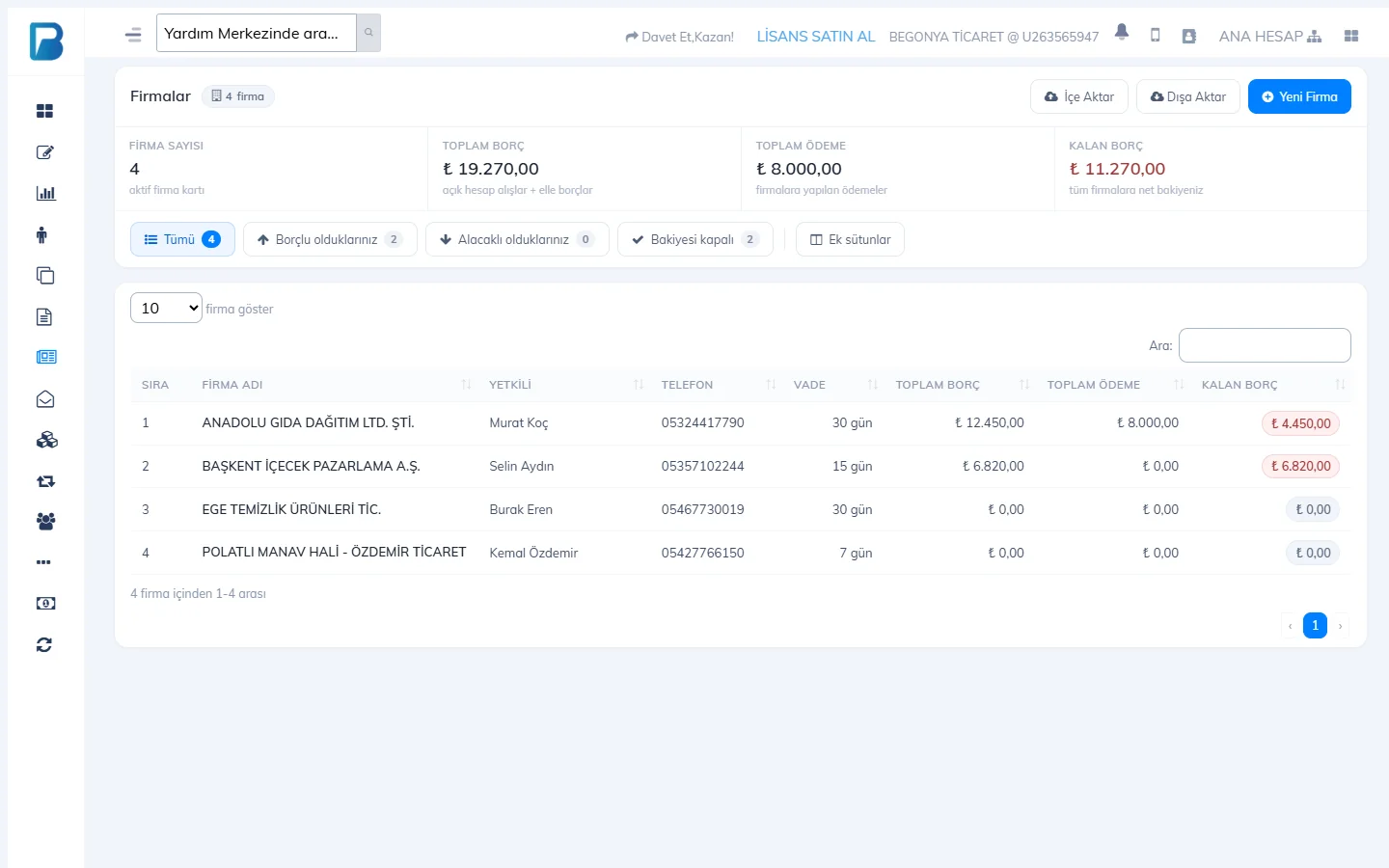
Open the Suppliers page
Click Suppliers in the left menu and press 2 New Supplier.
 12
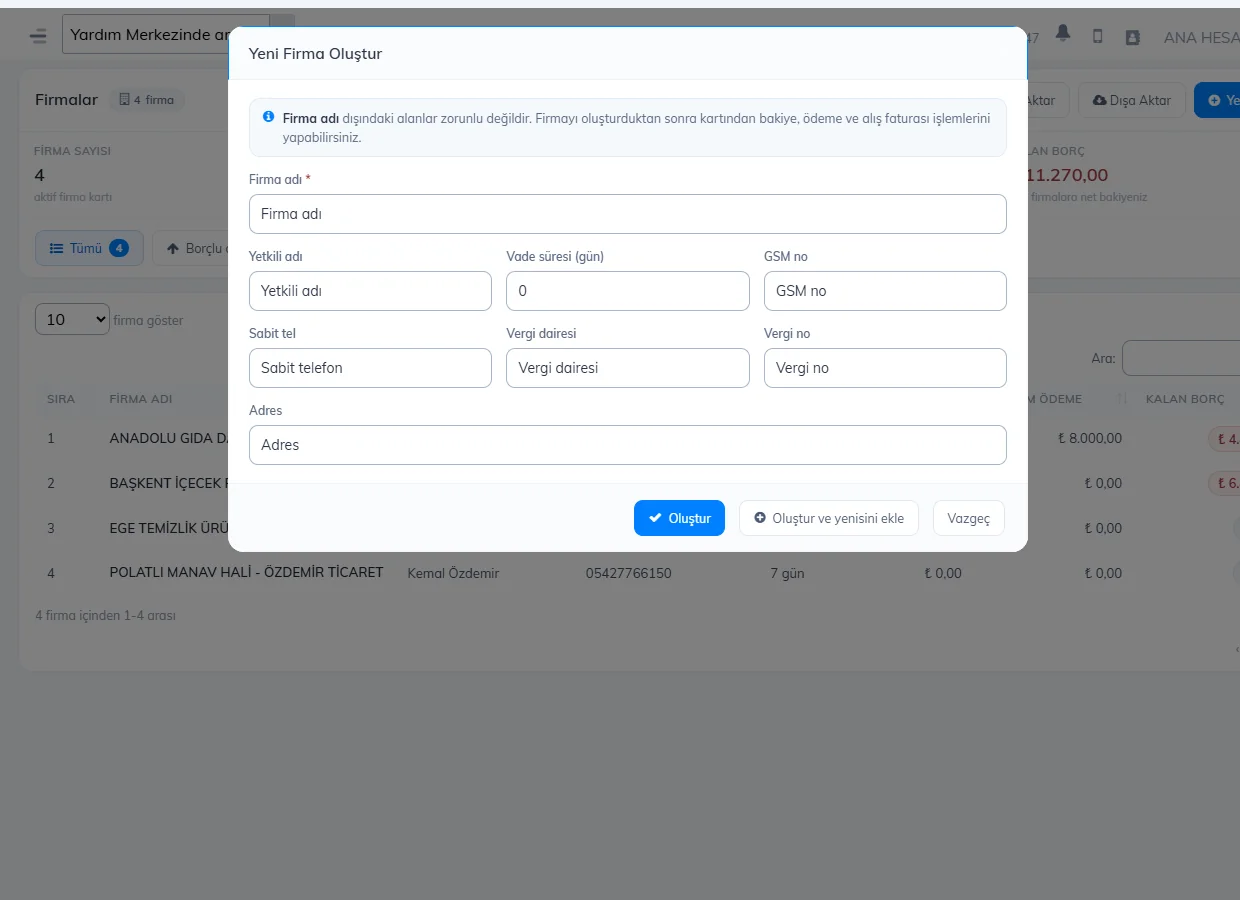
12Enter the details
Supplier name is required. Add the contact name, Payment term (days), mobile and landline numbers, tax office, tax number and address, then press Create.
 12
12The 1 Mobile no. and 2 Landline fields open with the phone country code set under My Profile › Basic settings. For a number from another country, click the flag on the left of the field and search for the country, or type the number starting with +. On accounts outside Turkey, the tax fields are named according to the country (e.g. VÖEN in Azerbaijan).
- You can also create a supplier with + Create new next to the SUPPLIER field while creating a purchase invoice.
- You can upload many suppliers from Excel with 1 Import, and download the list with Export.
- Sort suppliers with the You owe them, They owe you and Settled filters in the list.
- To change a supplier's details, press Supplier Details on the supplier card; you can also add bank and IBAN details here.
When you delete a supplier, the supplier's debt and payment records are deleted, and its invoices remain as "No supplier". This can't be undone.
New supplier
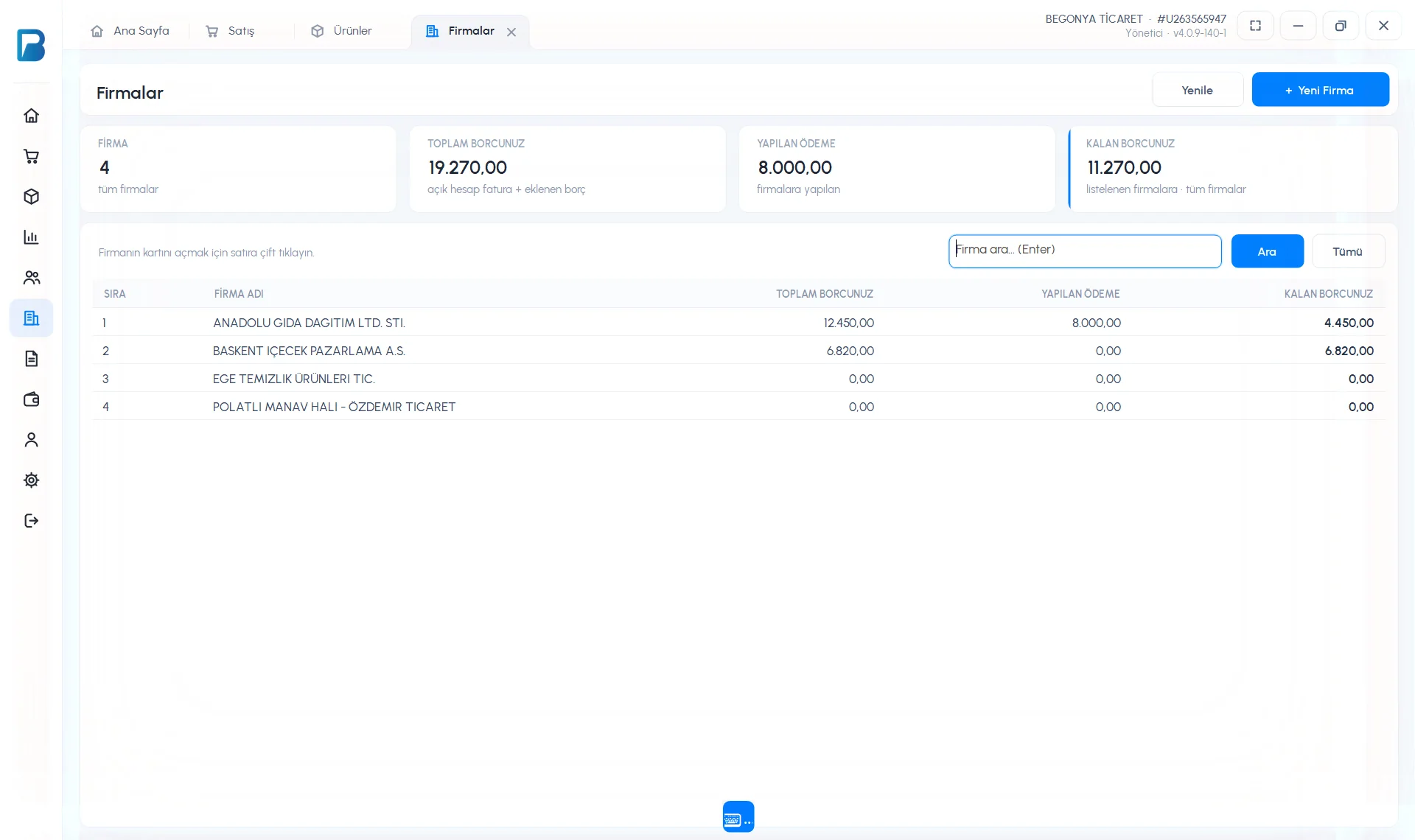
Open the Suppliers page
Click Suppliers in the left menu. The number of suppliers, your total debt, the payments you've made and your remaining debt are shown at the top. Press 1 + New Supplier.
 1
1Enter the details and save
COMPANY NAME is required; CONTACT NAME, LANDLINE, MOBILE NO., TAX OFFICE, TAX NO. and ADDRESS are optional. Press Create Supplier; the supplier card opens.
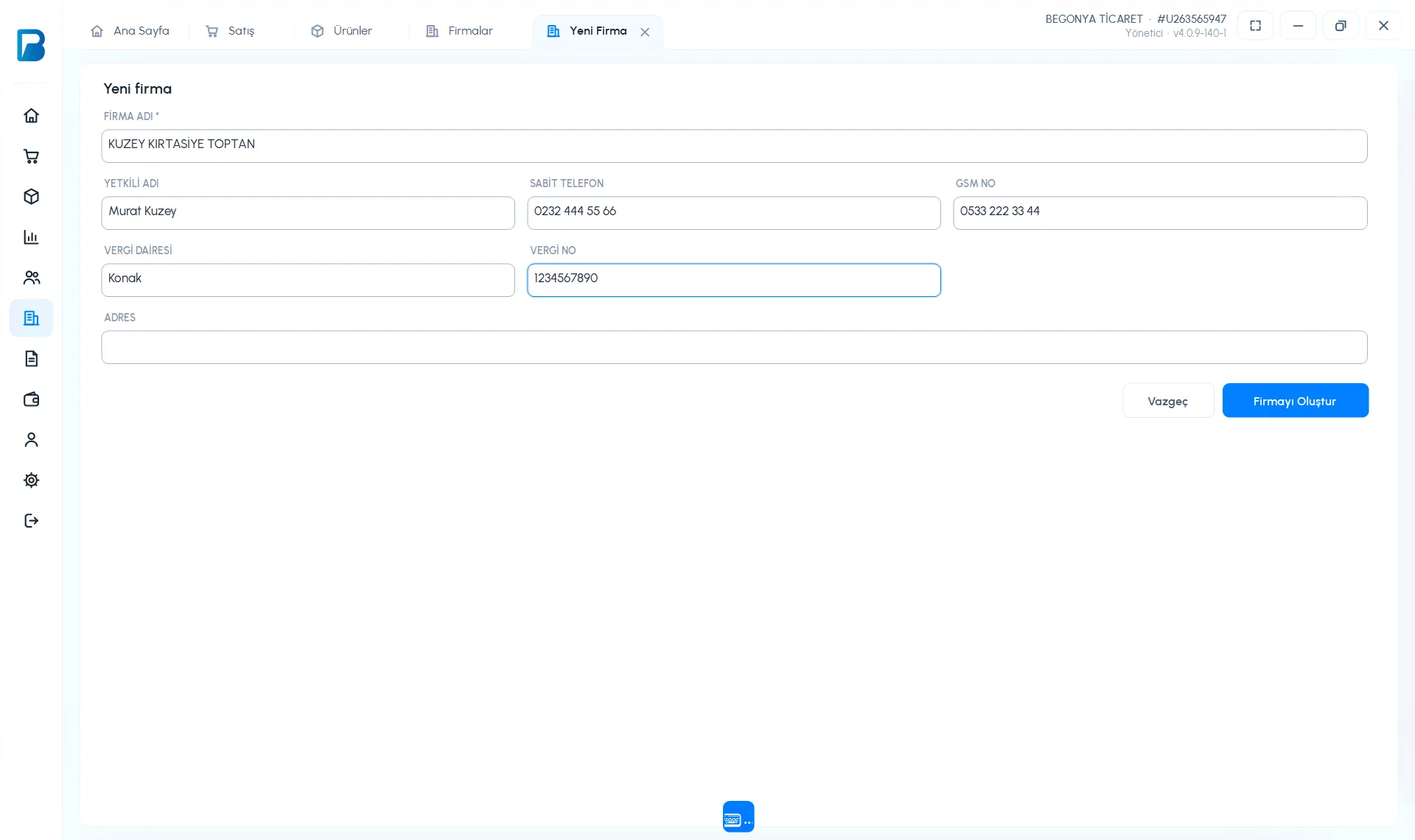
To change a supplier's details, use Edit Details on the supplier card; to delete it, use Delete Supplier. For a phone number from another country, click the country button on the left of the phone field or type the number starting with +. In the free limited version, Suppliers is a PRO feature.
New supplier
On the Menu › Suppliers page, tap New supplier at the bottom, type the Supplier name and tap Create supplier. For tax, address, phone and IBAN details, use Actions › Edit details on the supplier card. For a phone number from another country, tap the flag on the left of the phone field and search for the country.
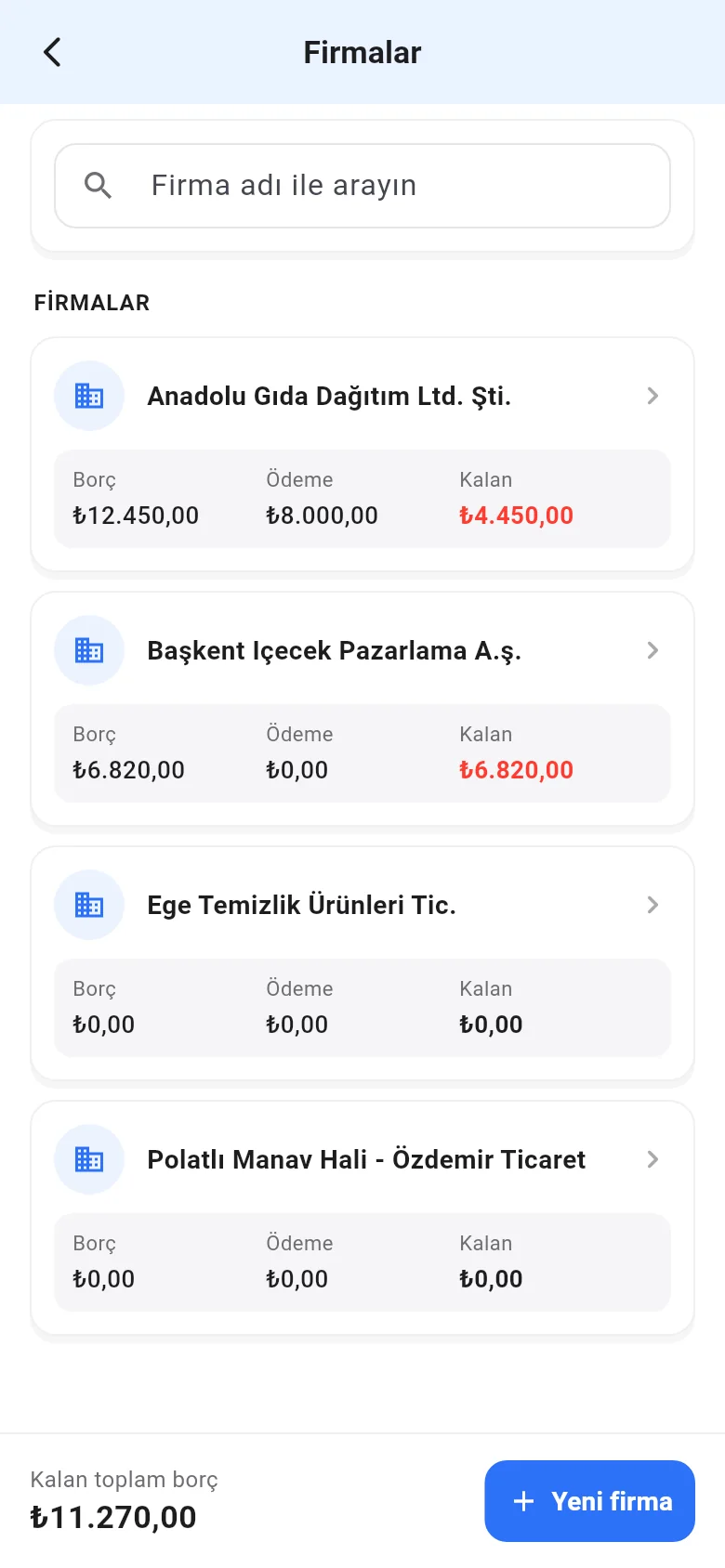 1
1