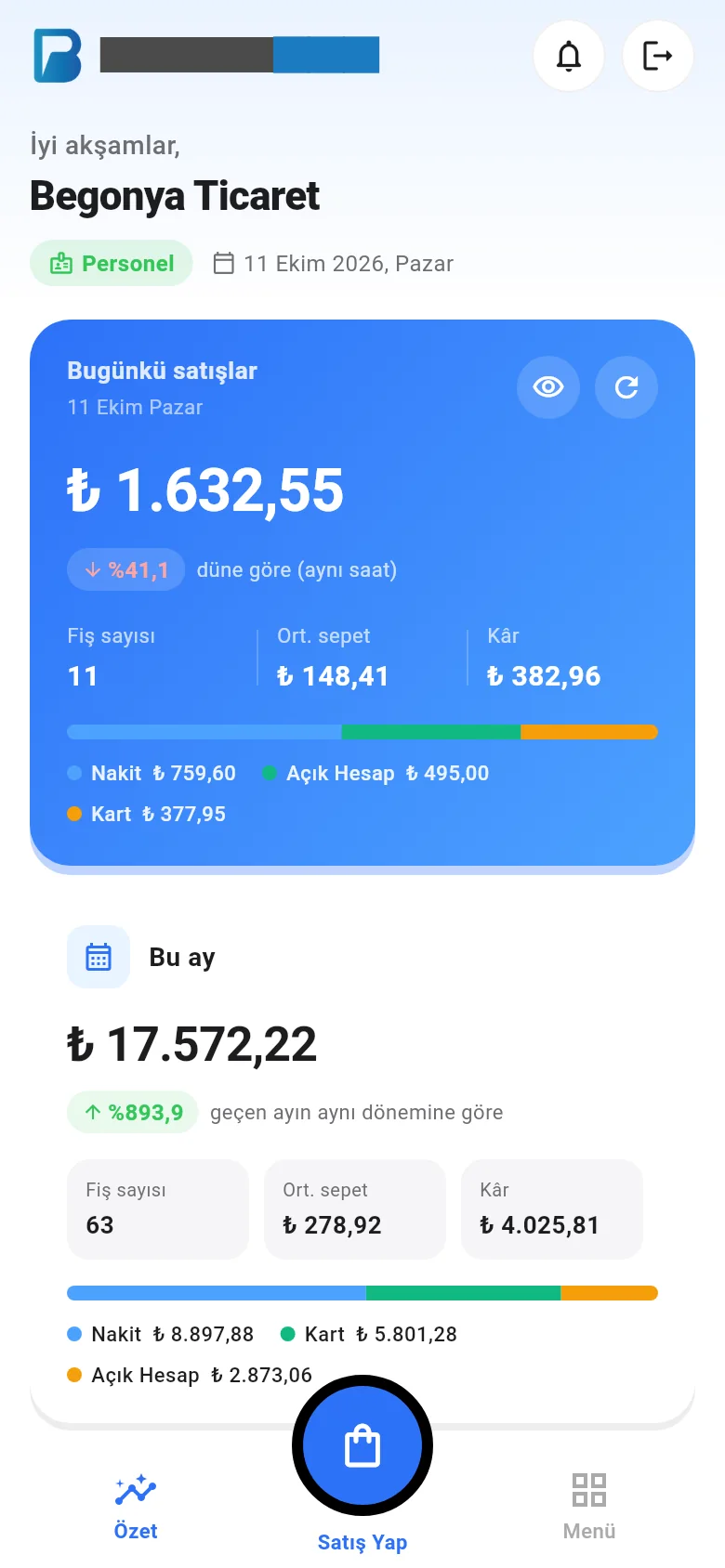
Home page (summary) cards
Get to know the sales, profit, payment breakdown, sales by hour and best sellers cards on the home page.
The home page (summary screen) shows the current state of your business at a glance: the day's sales, profit, payment breakdown, sales by hour, best-selling products and customers with upcoming due dates.
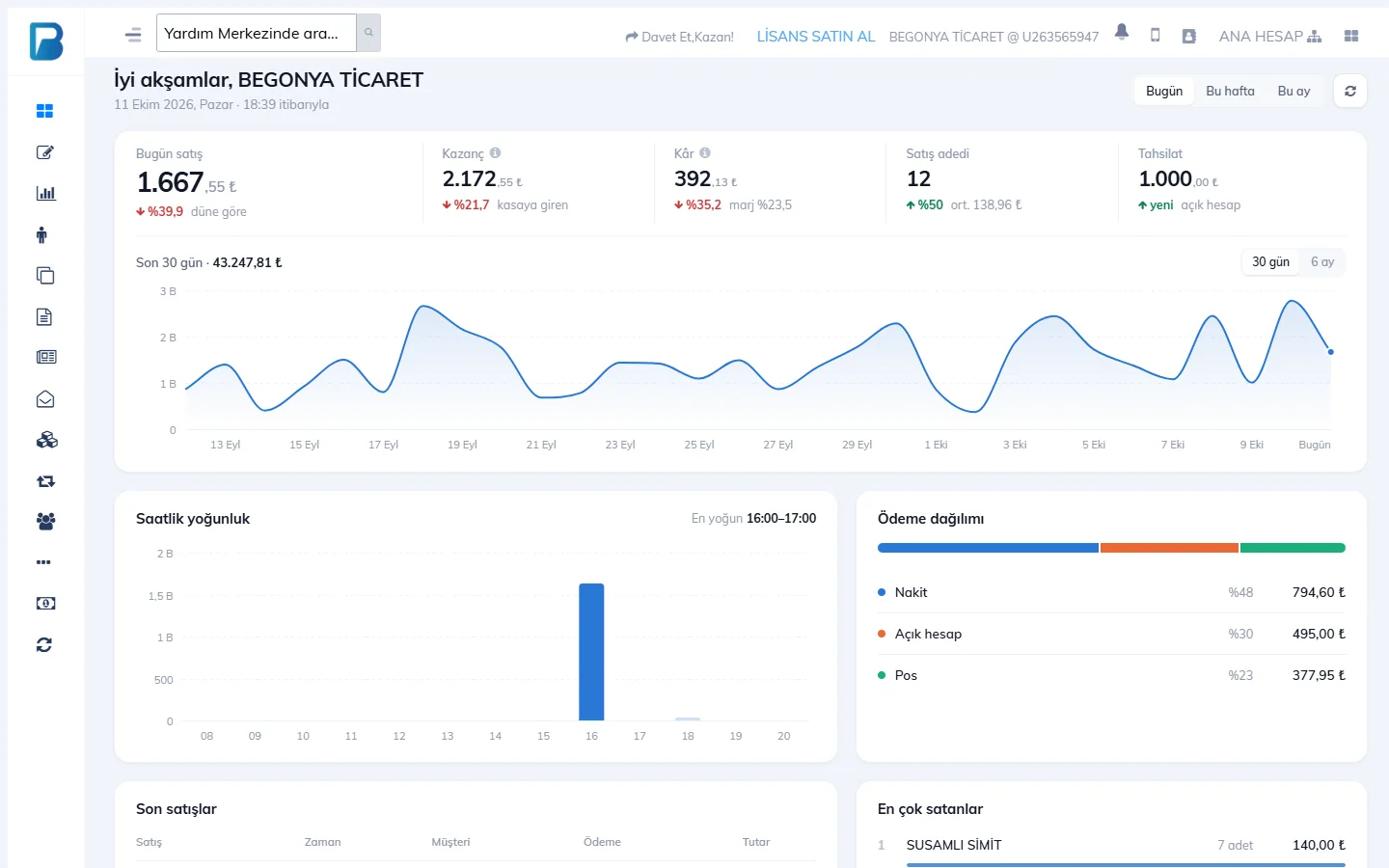
- Switch between Today, This week and This month at the top right. If you have branches, choose the scope (all branches / one branch).
- Today's sales: sales total compared with yesterday. Takings: money taken in. Profit and profit margin. Number of sales and average basket.
- Last 30 days / 6 months chart: daily or monthly sales curve.
- Sales by hour: the busiest hours of the day. Payment breakdown: cash, card and credit sale shares.
- Recent sales, Best sellers and Upcoming due dates (customers with a payment term set).
When logged in as staff, only the cards they have permission for are shown (e.g. without permission to see profit, the profit card is hidden).
Home Page
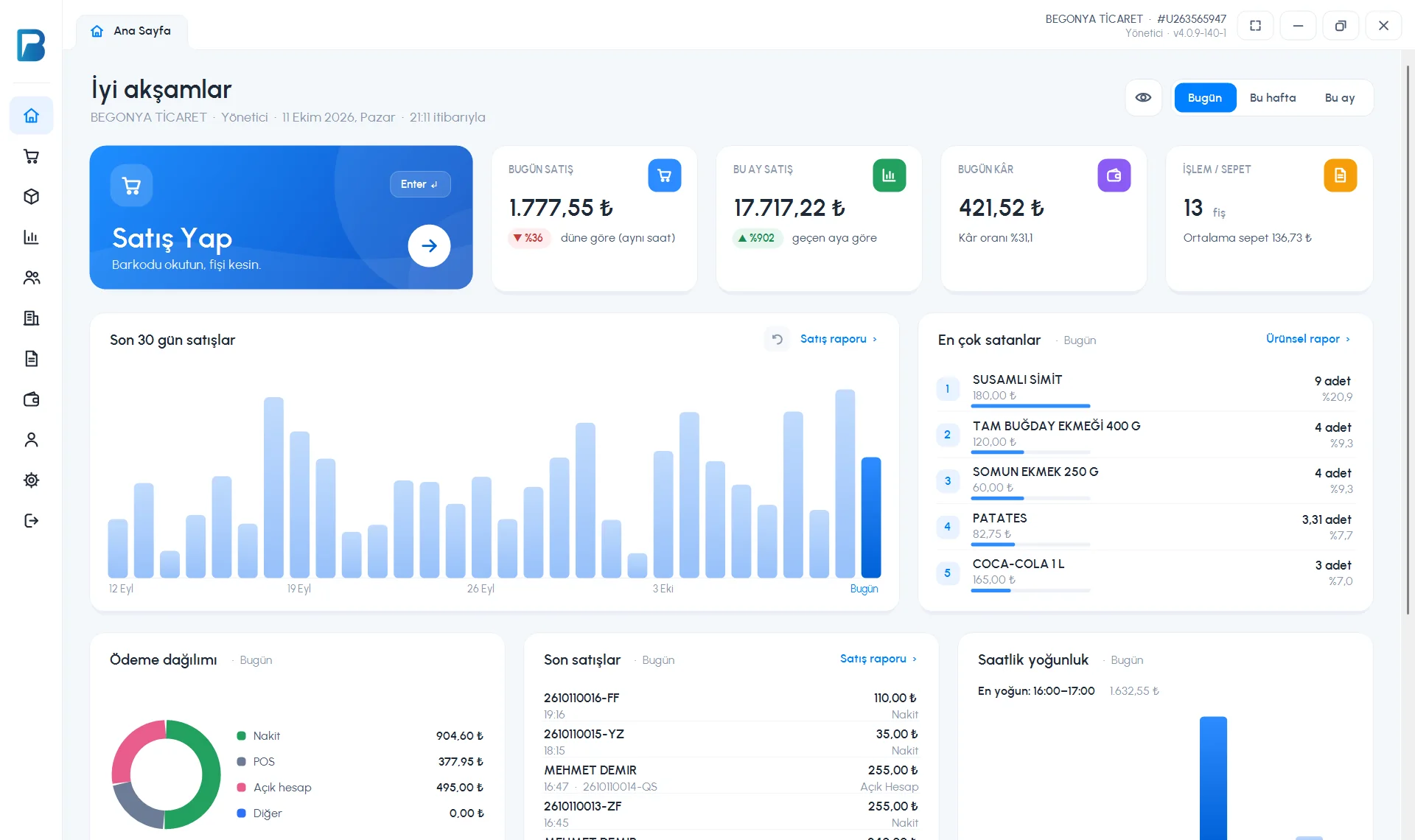
The home page appears when the app opens. At the top you see a greeting, the business name, the login type (Administrator / Staff) and the time.
 1234
1234- The 1 New Sale card (or Enter) opens the sales screen.
- 2 TODAY'S SALES (change since yesterday), THIS MONTH'S SALES (compared with last month), TODAY'S PROFIT (profit margin) and TRANSACTIONS / BASKET (number of receipts, average basket).
- The 3 eye icon hides / shows the amounts; Today / This week / This month changes the period of the cards.
- 4 The Sales in the last 30 days chart, with Best sellers next to it.
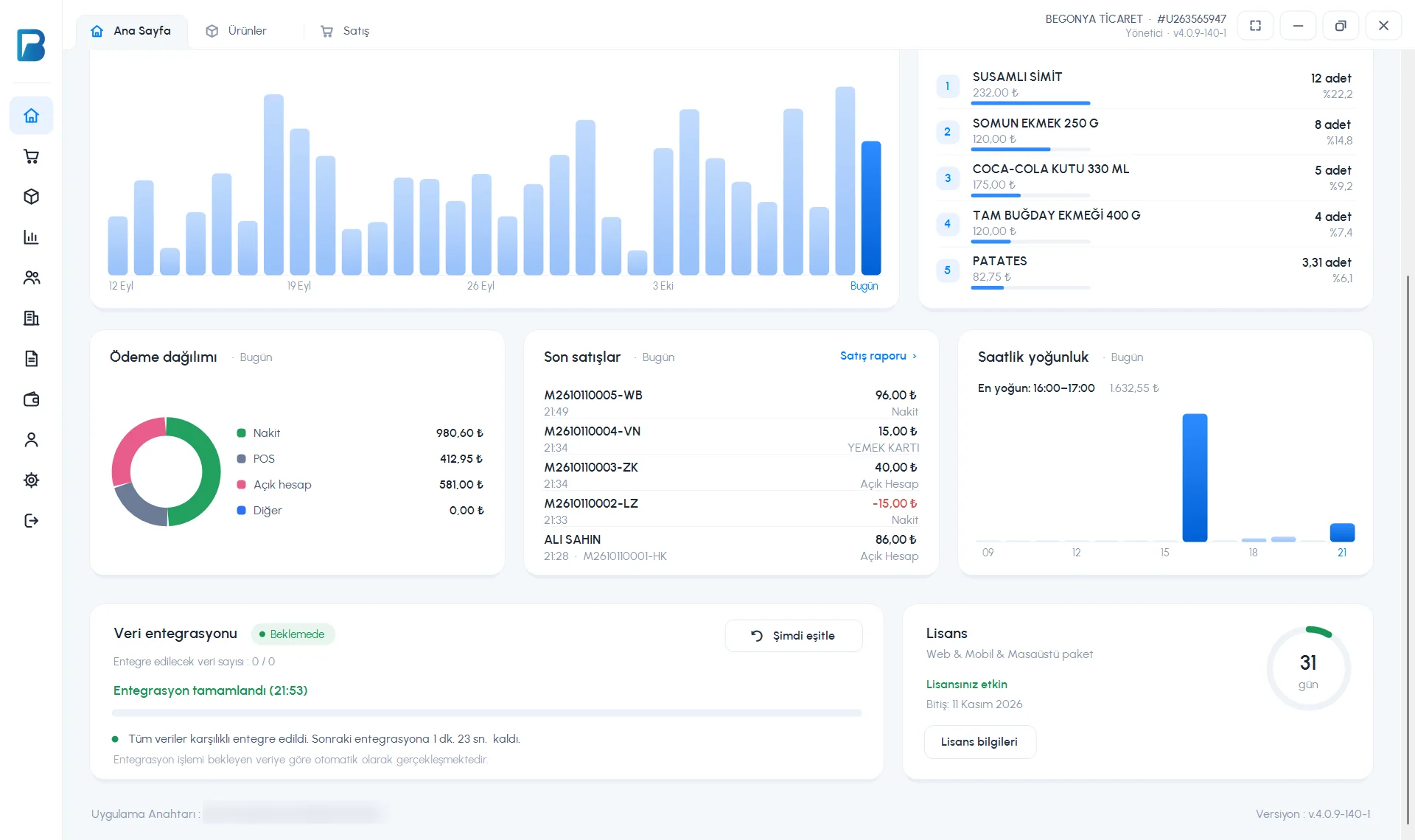
- Below are the Payment breakdown, Recent sales (click for the sale details), Sales by hour, Data integration (sync status, Sync now) and License cards. This computer's App Key is shown at the very bottom.
 1234
1234- 1 Data integration: number of pending records, time of the last sync and time left until the next one. 2 Sync now syncs without waiting.
- 3 License: plan name, end date and days left. 4 License information opens the license page.
For staff without permission, the amount and profit cards are shown hidden (e.g. “Permission to see profit is required.”).
Summary
The Summary tab in the bottom bar: Today's sales (compared with the same time yesterday or last week), number of receipts, average basket and profit; the This month card; the Sales chart (7 days / 30 days / 12 months) and Best sellers. Pull the screen down to refresh; the eye icon hides the amounts.