




Customer points cards page (benimpos.com/rewards) and checkout code
Your customers verify their number by WhatsApp or SMS and see all their points cards, activity and checkout code on the benimpos.com/rewards page.
Your customers see all their points cards on the benimpos.com/rewards page. They don't need to download an app; they only need to verify their number once. You can use the steps below when explaining this page to your customers.
Verify the number
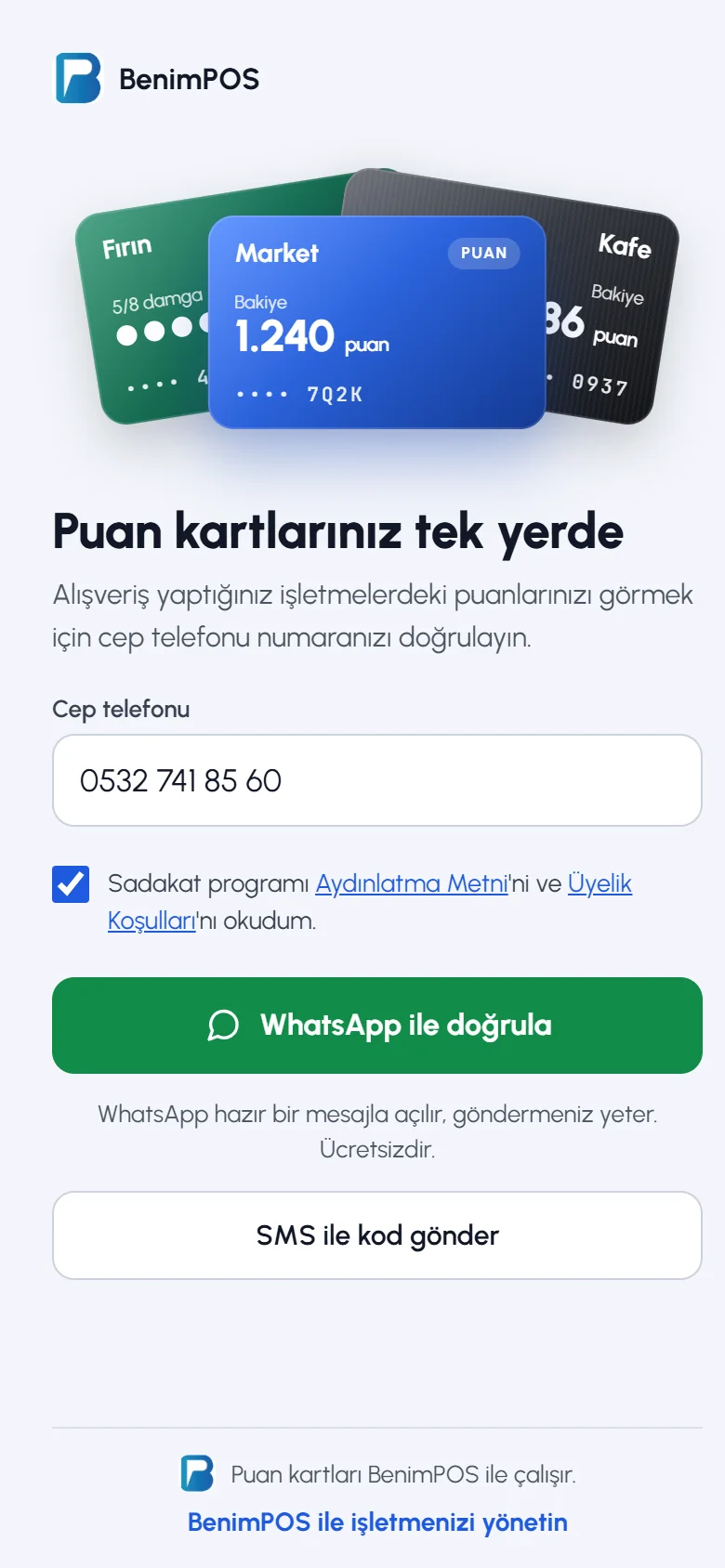
The customer opens benimpos.com/rewards on their phone, 1 enters their mobile number (Turkey is selected by default; for a number from another country, they choose the country from the list on the left) and 2 ticks that they have read the privacy notice and membership terms. When they press 3 Verify with WhatsApp, WhatsApp opens with a ready-made message such as "Loyalty card verification code: 1234"; sending the message verifies the customer (it's free, and they must not change the message). Without WhatsApp, they press 4 Send a code by SMS and enter the code they receive. SMS is only sent to Turkish numbers; numbers from other countries are verified with WhatsApp. The page language is changed with the 5 language button at the top right (Türkçe, English, Azərbaycanca, Русский, العربية); the verification message is also prepared in the selected language.
 12345
12345My cards
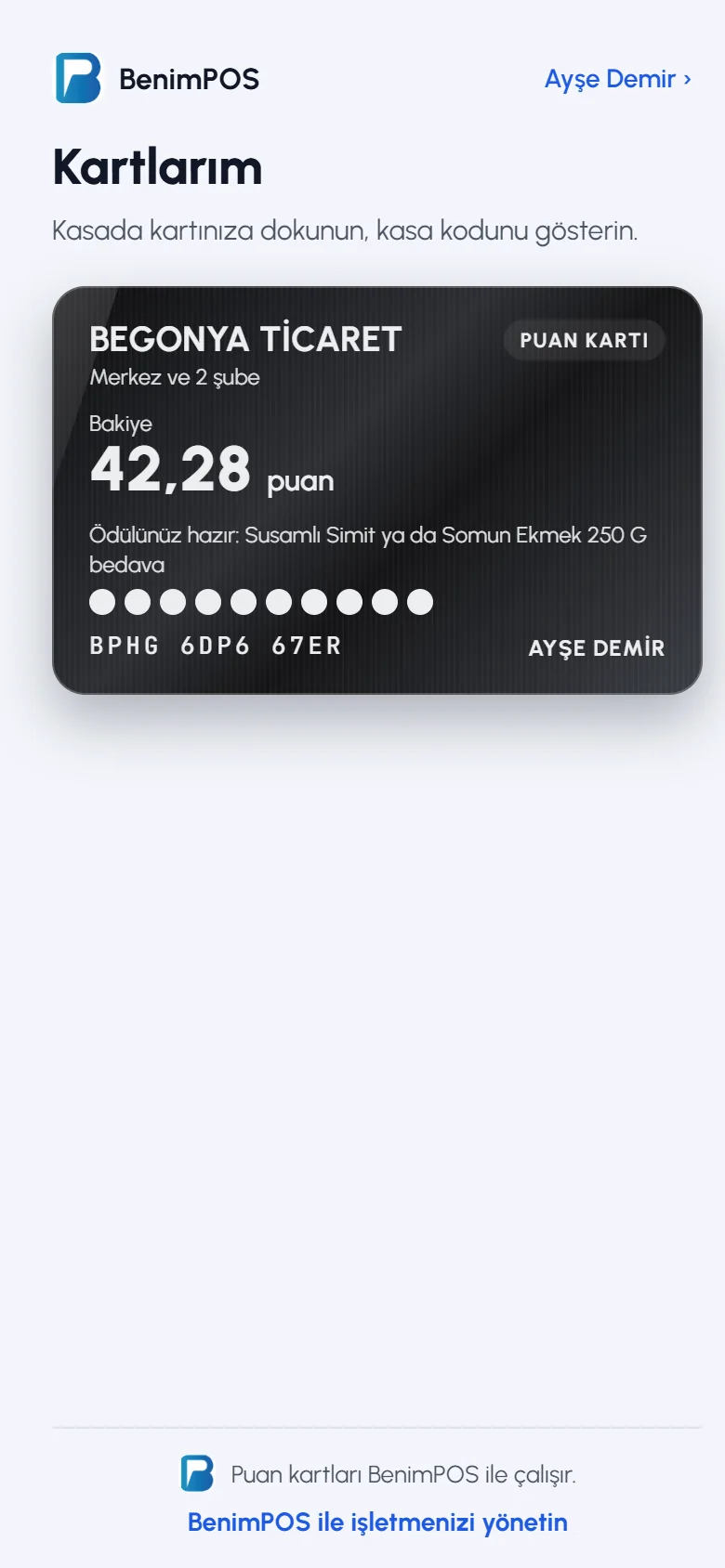
After verifying, the customer sees 1 the card of every business they shop at, with its balance and stamps. 2 They edit their details by pressing their name at the top right, and 3 change the page language with the language button.
 123
123Showing the checkout code at checkout
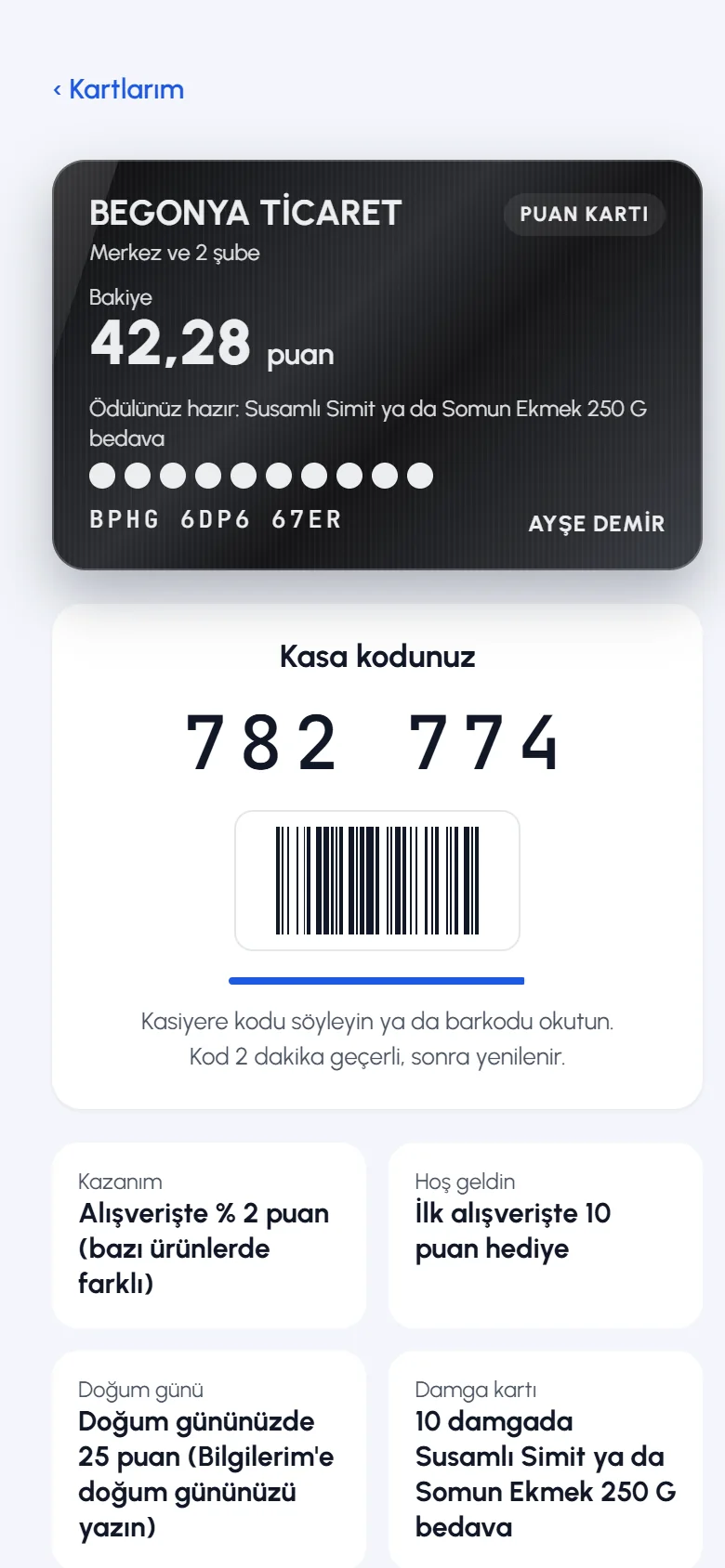
When the customer taps a card, 1 the card details and 2 the checkout code open. They tell the cashier the code or let them scan the barcode. The code is valid for 2 minutes and renews itself. When using points or rewards, the cashier asks for this code; no SMS is sent to the customer's phone.
 12
12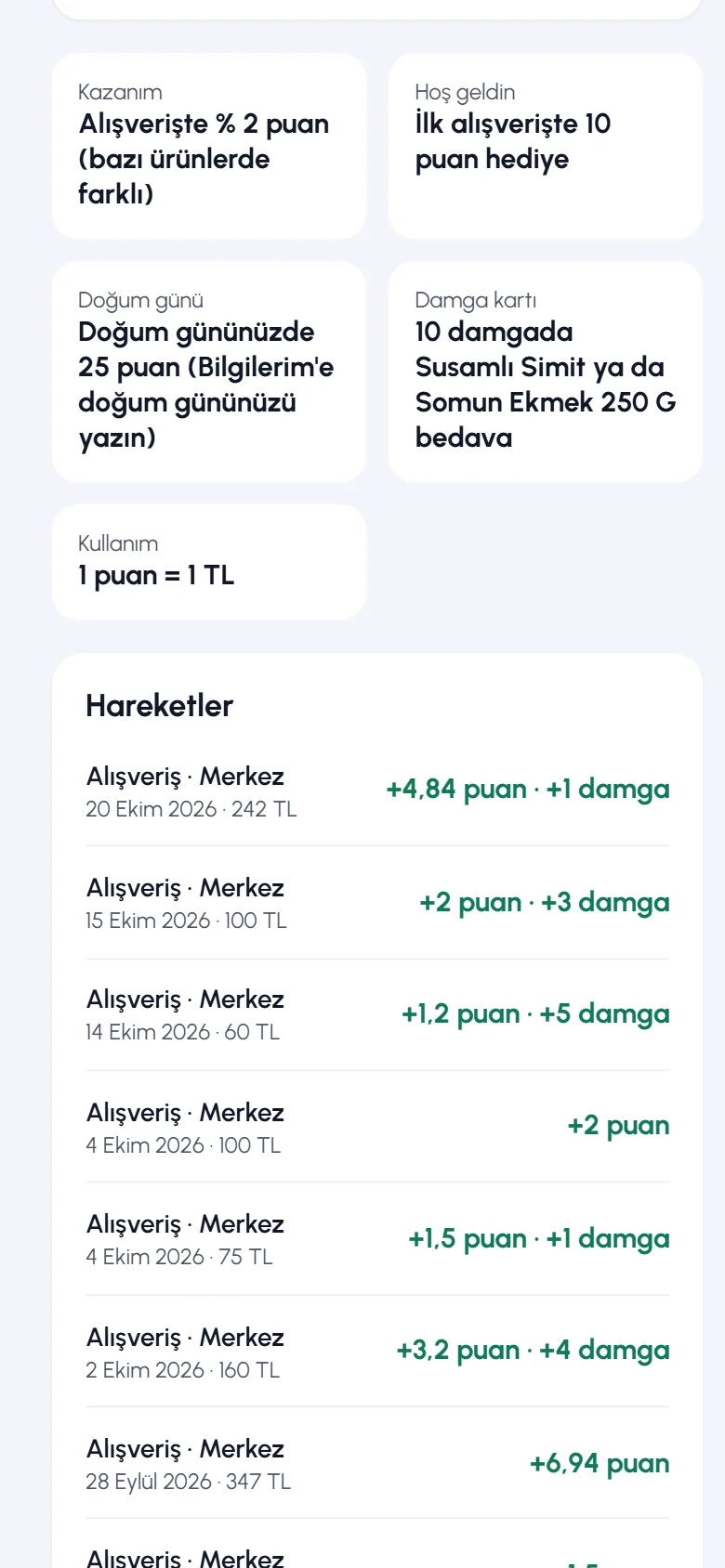 12
12My details
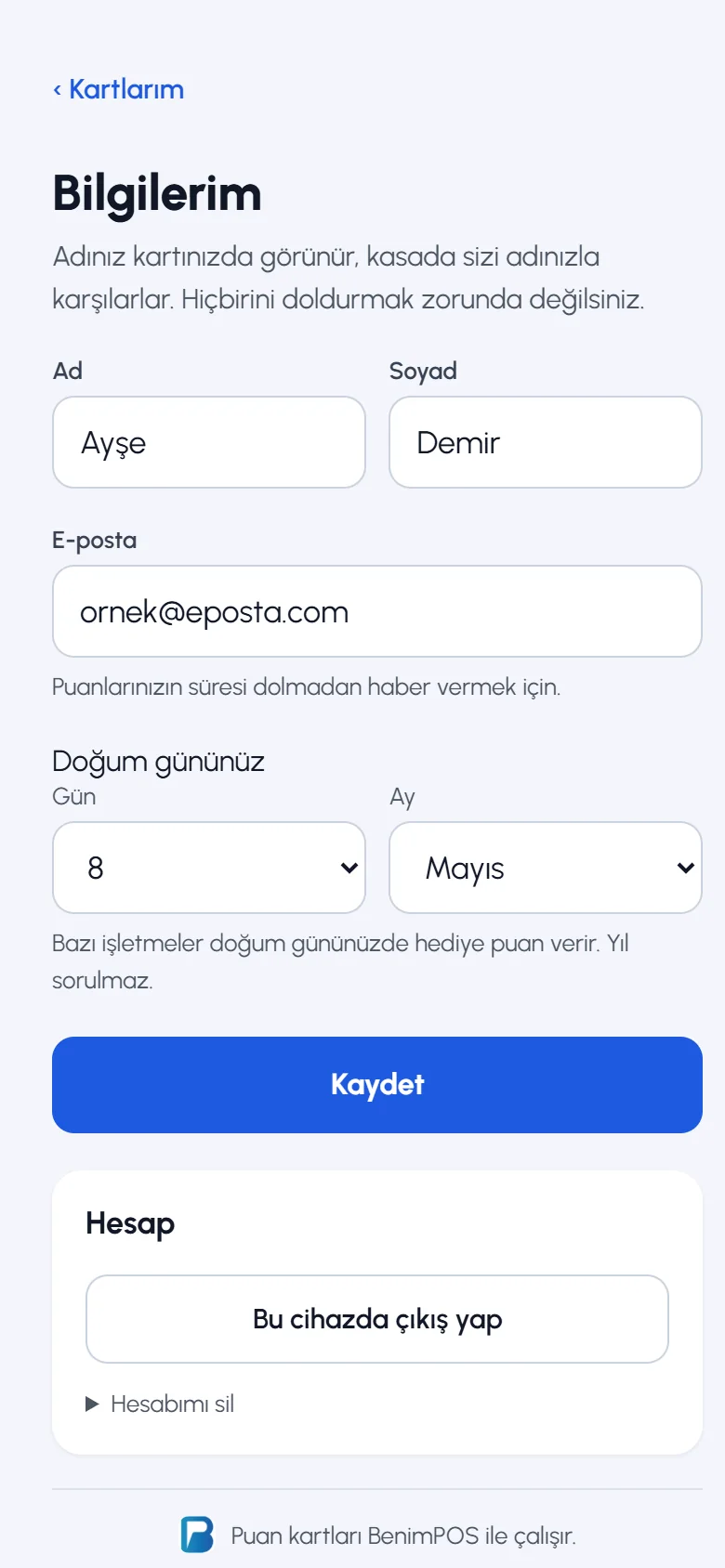
1 The first and last name appear on the card. 2 The email address is used to give notice before points expire. 3 If a birthday is entered (the year isn't asked), birthday points are added that morning if the business gives them. 4 Then they press Save. None of these are required.
 1234
1234
- Below the card, the customer sees how points are earned and the activity (purchases, points used, gifts). Points that expire within 30 days are shown separately.
- By ticking the box below the card, the customer can agree to hear about that business's promotions by SMS and WhatsApp; they can opt out at any time.
- Your business's card appears on the page once the customer earns their first points with their number. A customer who has verified their number but hasn't shopped yet can't see your card.
- Points earned by a customer whose number isn't verified stay pending approval; they become usable once the number is verified.
- With Delete my account, the customer permanently deletes their loyalty record and all their cards.
At the till, you can simply tell the customer: "Give us your number and earn points; you can see your points at benimpos.com/rewards." Verification isn't needed to earn points, but it is needed to use them.