




License term, purchase and renewal
See your license type and end date, buy a license, and find out what changes on web, mobile and desktop when it expires.
On new accounts, all features are free for the first month. After that, you buy a license to keep using them. Your license term, type and end date are shown in every app; purchases are made on the web.
Viewing your license details
Open the My Profile page from the user menu at the top right and go to the My License tab. You'll see your license type (e.g. Web & Mobile & Desktop) and the License end date.
Buying or renewing a license
Open the purchase page
Click the green BUY LICENSE button in the top bar, or Buy License in the user menu.
Choose a package
Choose the package that suits you and your billing details. You can pay online by credit card.
Your invoice
After your purchase, your invoice is issued within 7 days and appears on the My Profile › Your Invoices tab.
On accounts with branches, each branch is licensed separately. To add a branch: Adding a branch.
When the license expires
- Your data isn't deleted; when you renew the license, you carry on where you left off with the same email and password.
- On web and mobile, a license warning appears when you log in; you can renew with Buy a license now in the warning.
- On accounts whose license has expired, the desktop app keeps working as a free limited version (details on the Desktop tab).
License details
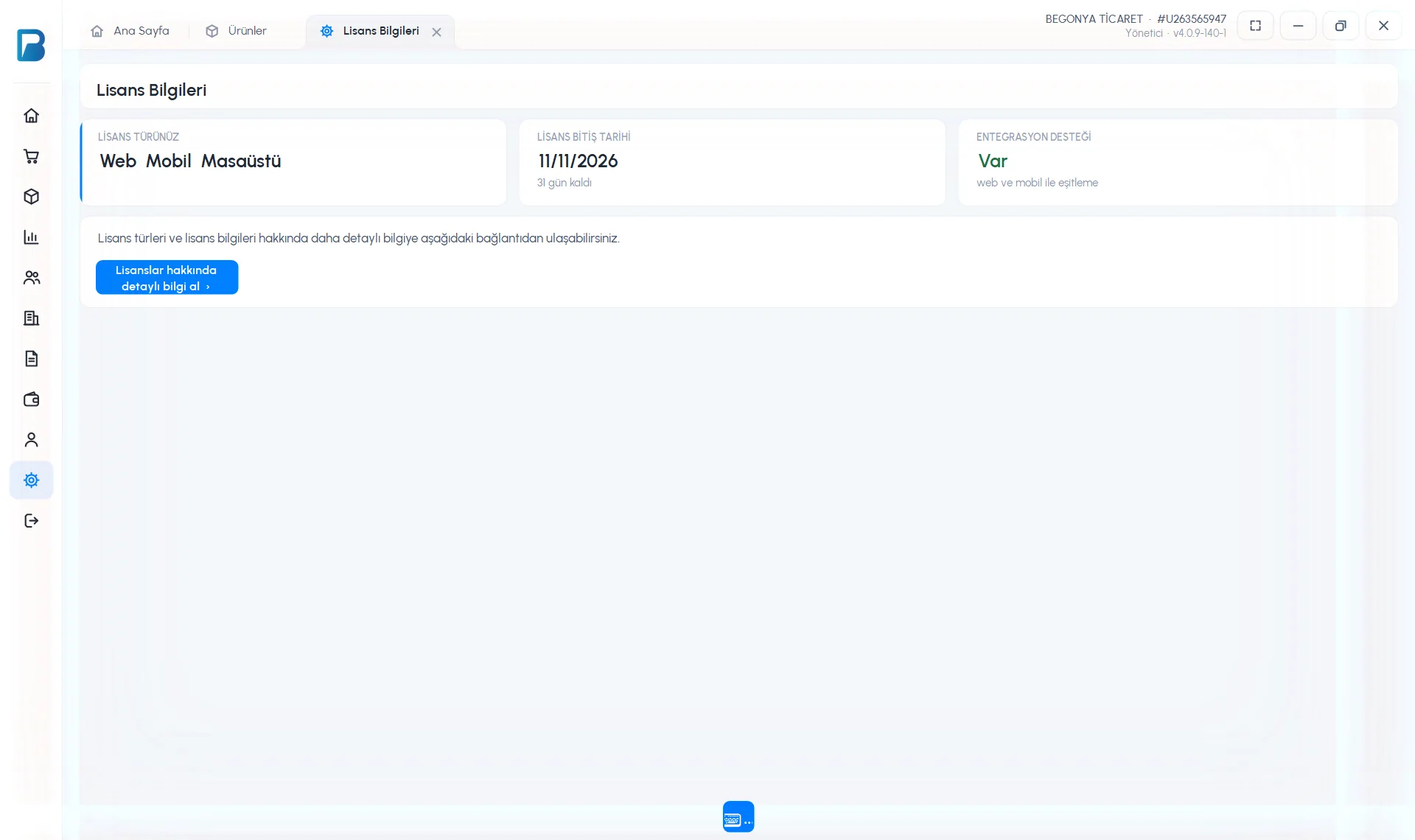
The Settings › Your license details page shows YOUR LICENSE TYPE (e.g. Web Mobile Desktop), LICENSE END DATE (days left) and INTEGRATION SUPPORT (syncing with web and mobile). Get detailed information about licenses opens the license page in the browser.
 123
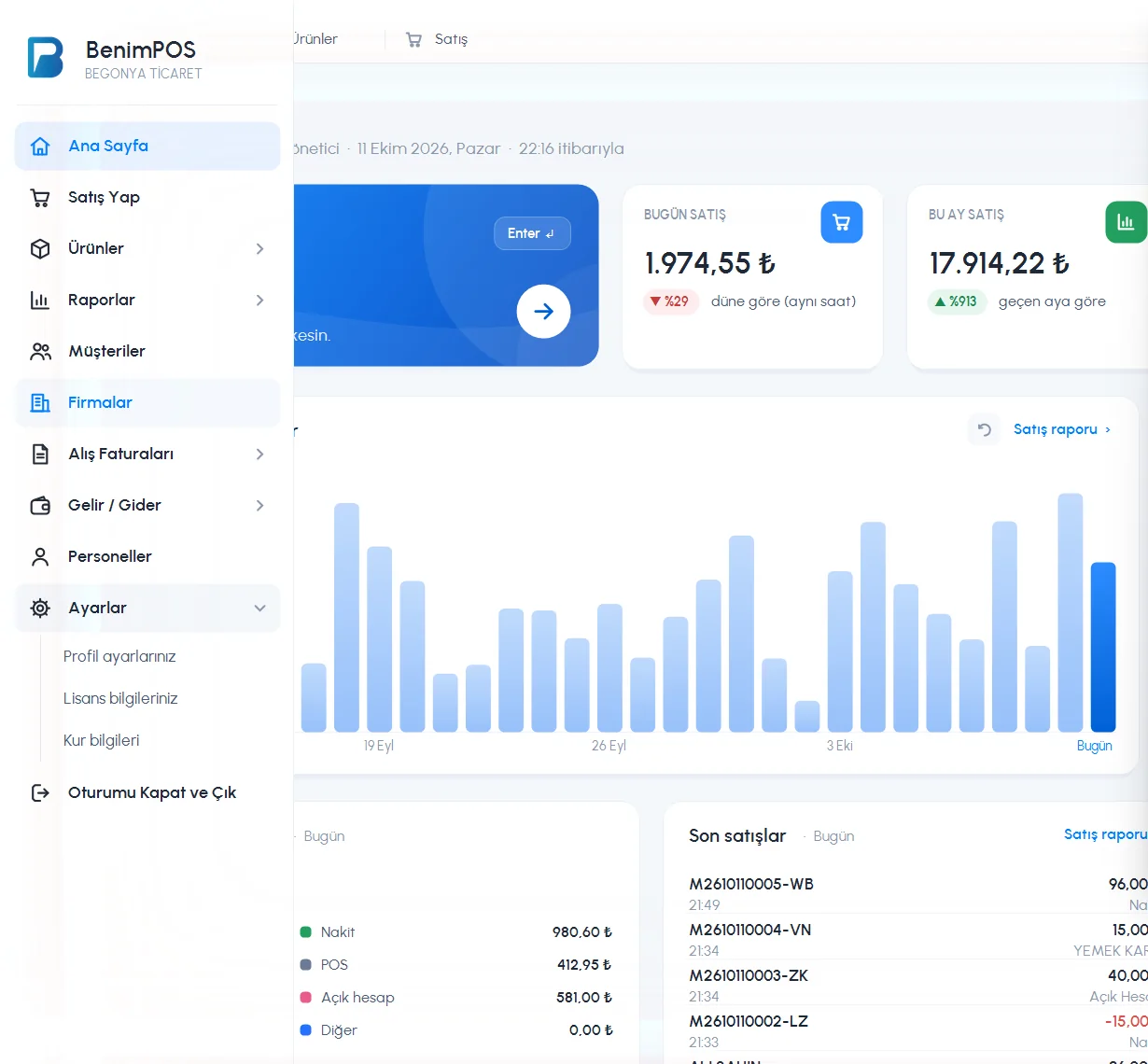
123When you click 1 Settings in the left menu, 2 the subpages open: Profile settings, Your license details, Exchange rates. 3 Sign Out and Exit logs you out of the account.
 1234
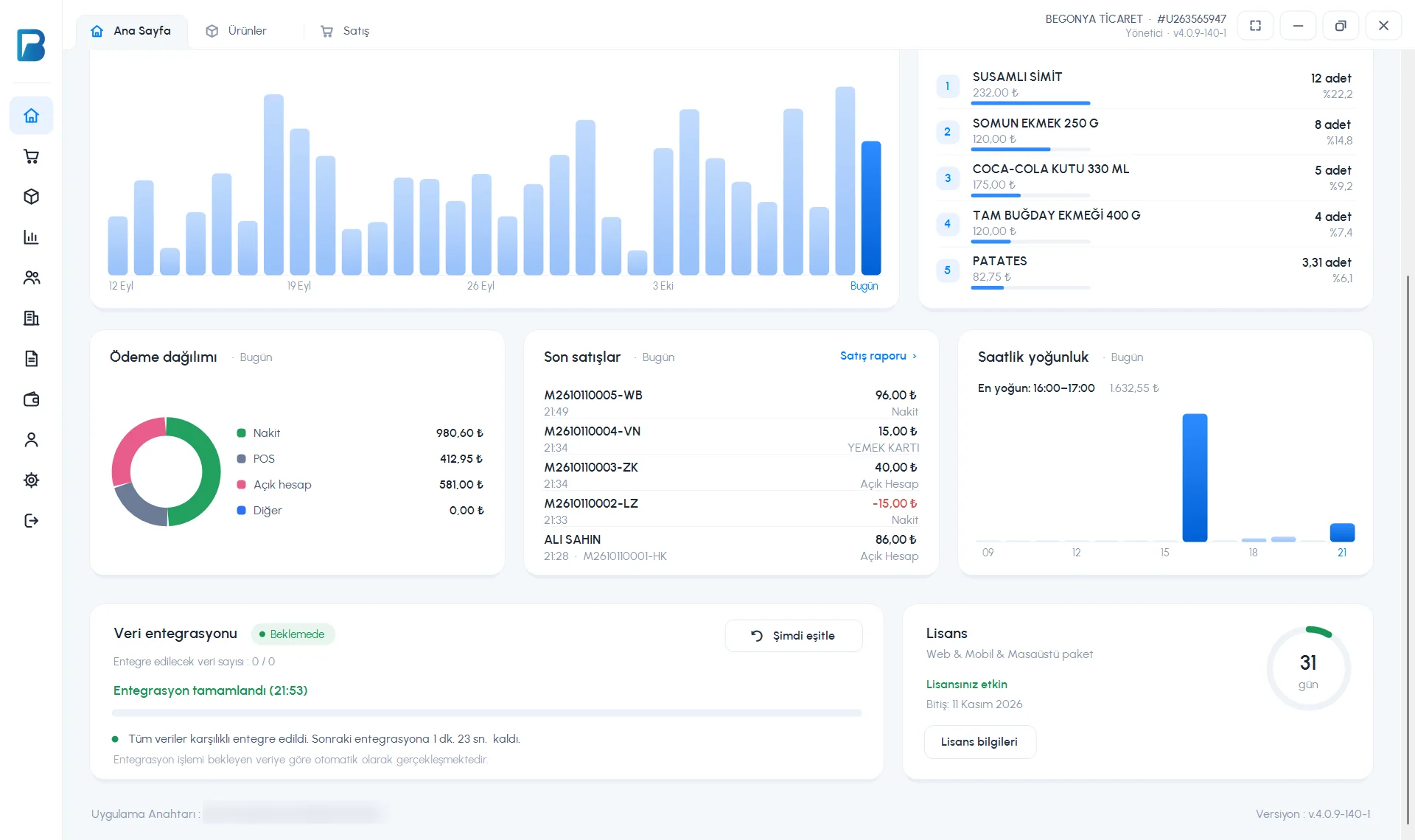
1234- The 3 License card at the bottom of the home page shows the number of days left and has a 4 License information button.
- In the last 10 days, a “Your license expires in N days” warning appears in the top bar.
- The desktop package has no time limit (“Lifetime”).
When the license expires
On an account whose license has expired, the app switches to the free limited version: sales, stock and on-account sales work; the sales report shows only the last 7 days. Product and group reports, staff, product groups, suppliers, purchase invoices, viewing profit, exporting to Excel, sales on a past date and automatic receipt printing are locked with a PRO label. If integration support is “None”, your desktop data doesn't sync with web and mobile; when you renew the license, syncing continues from where it stopped.
License details
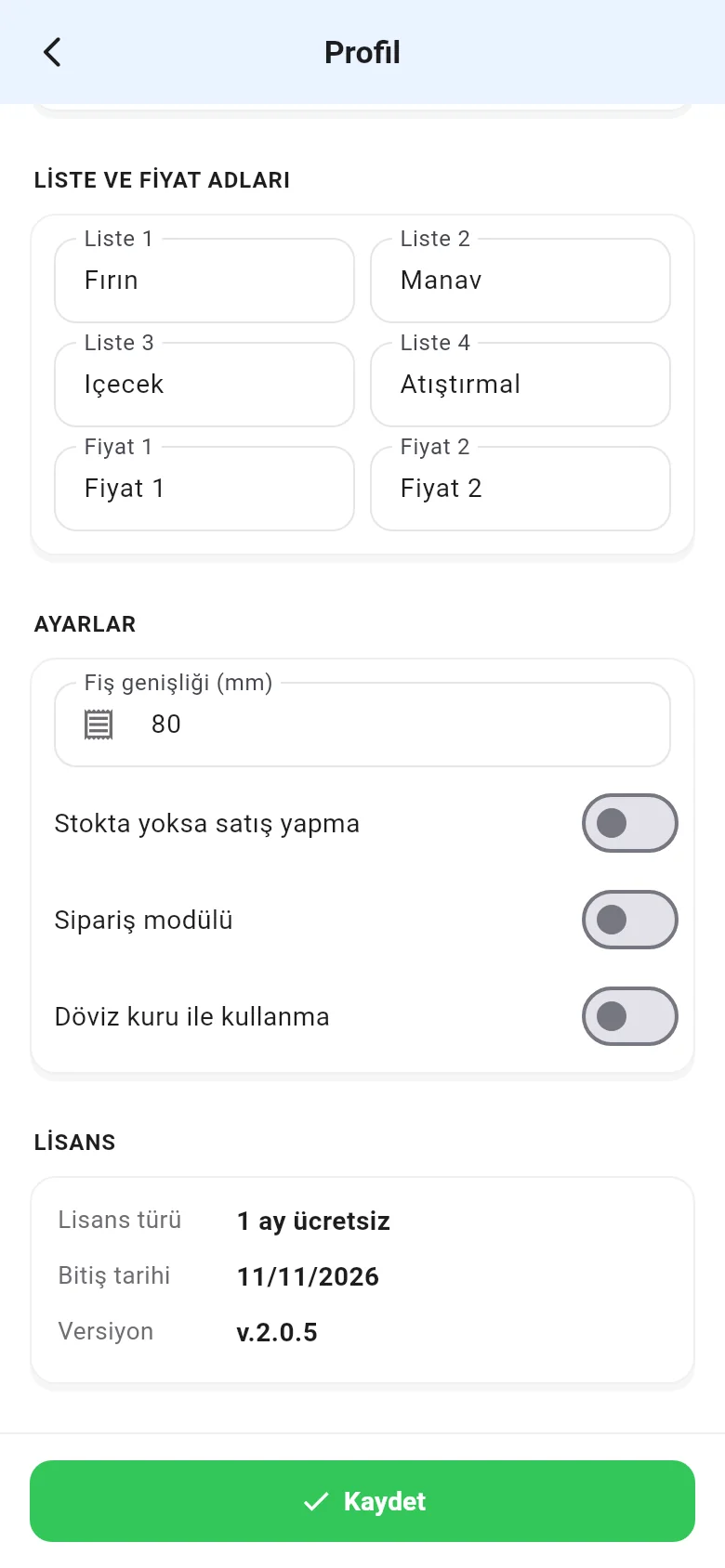
In the LICENSE section at the bottom of the Menu › Profile page, you see the License type, the End date and the app version. The Buy a license now button there takes you to the purchase page.
When you try to log in with an account whose license has expired, the warning window offers Buy a license now.