




Adding supplier payments and debts
Add payments you make to a supplier and debts without an invoice to the supplier card, and see the balance due and statement.
Purchase invoices on account increase what you owe the supplier. As you pay the supplier, you add each payment to the supplier card; you can also enter debts without an invoice by hand.
Adding a payment or debt for a supplier
Open the supplier card
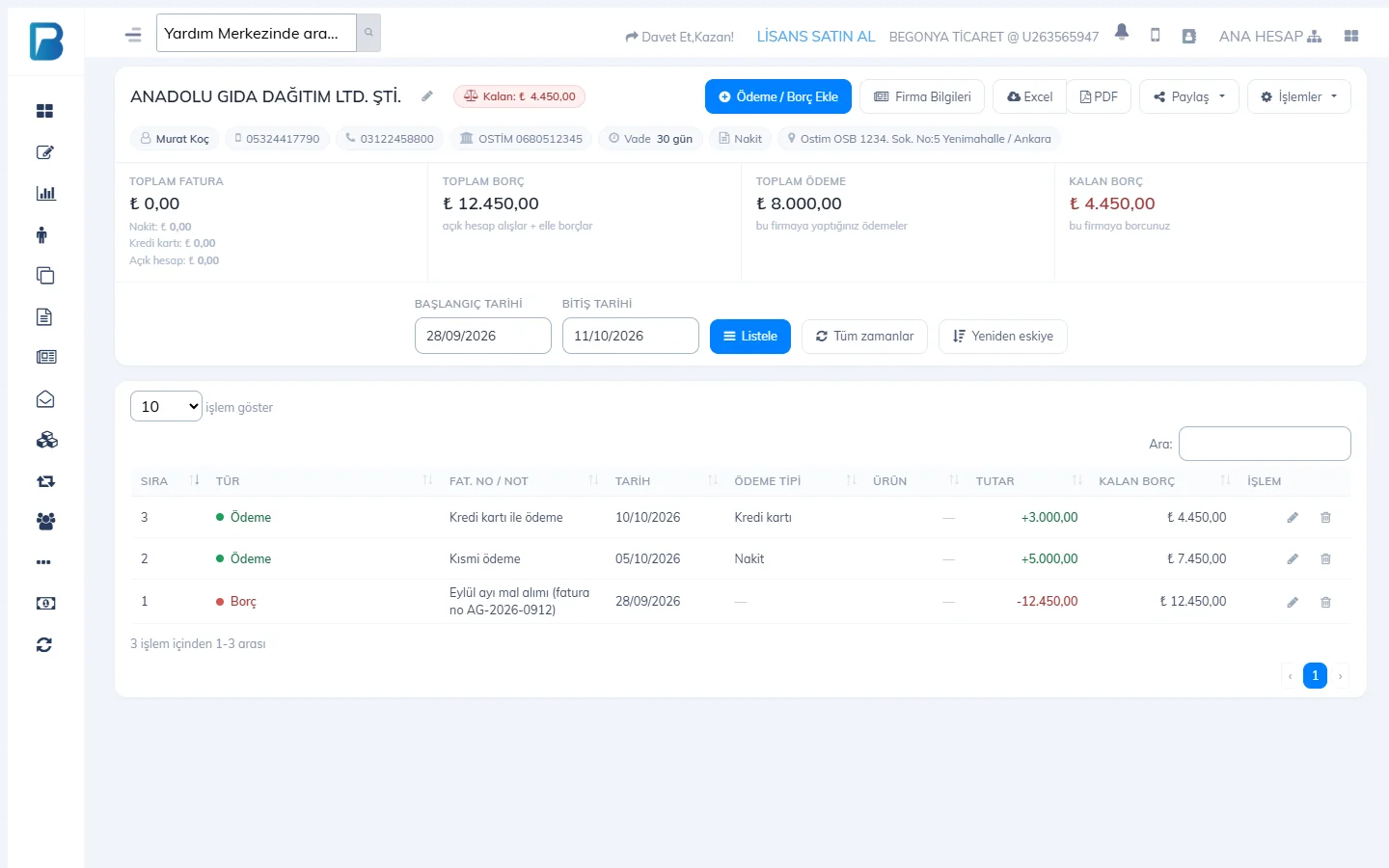
Click the supplier's name in the Suppliers list. TOTAL DEBT, TOTAL PAYMENTS and BALANCE DUE are shown at the top.
 1
1Add Payment / Debt
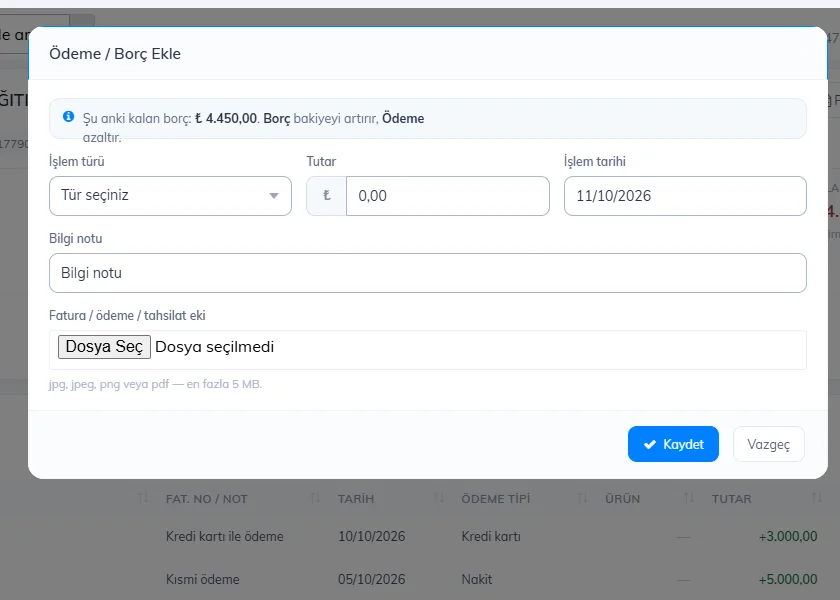
Press 1 Add Payment / Debt. Enter the Transaction type (debt or payment, and the payment method), Amount, Transaction date and Note; if you like, attach an image of the invoice or receipt. Press Save.
- The activity table lists all invoices, debts and payments with the remaining balance; you can filter it by date range.
- You can edit or delete a wrong entry with the ACTIONS buttons on its row.
- Get the supplier statement with Excel, PDF or Share.
Payments to suppliers appear on the Supplier Payments card in the reports and in the Cash Register Report.
Supplier card
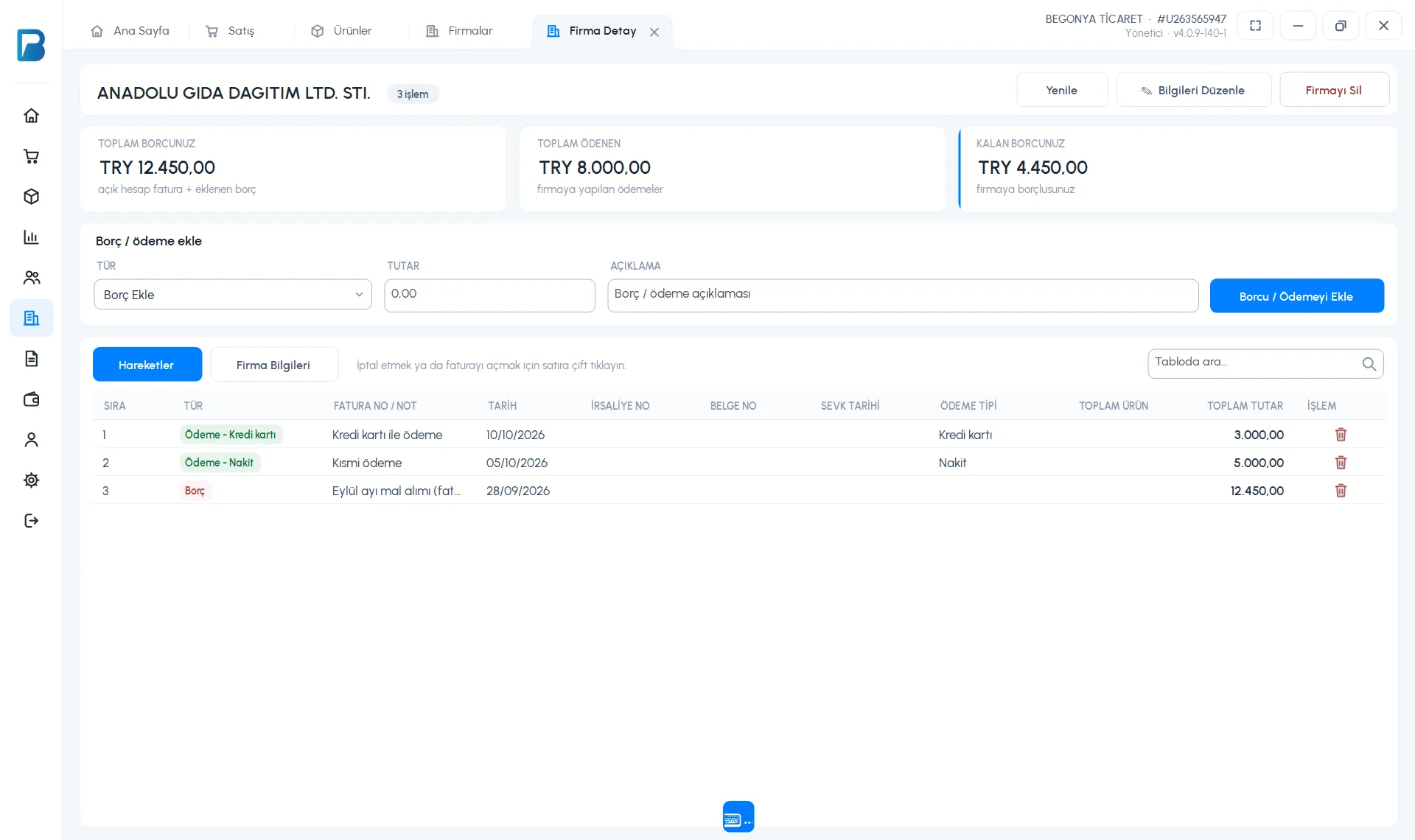
Double-click the supplier in the Suppliers list. YOUR TOTAL DEBT (invoices on account + added debt), TOTAL PAID and YOUR REMAINING DEBT are shown at the top.
 123
123Choose the type
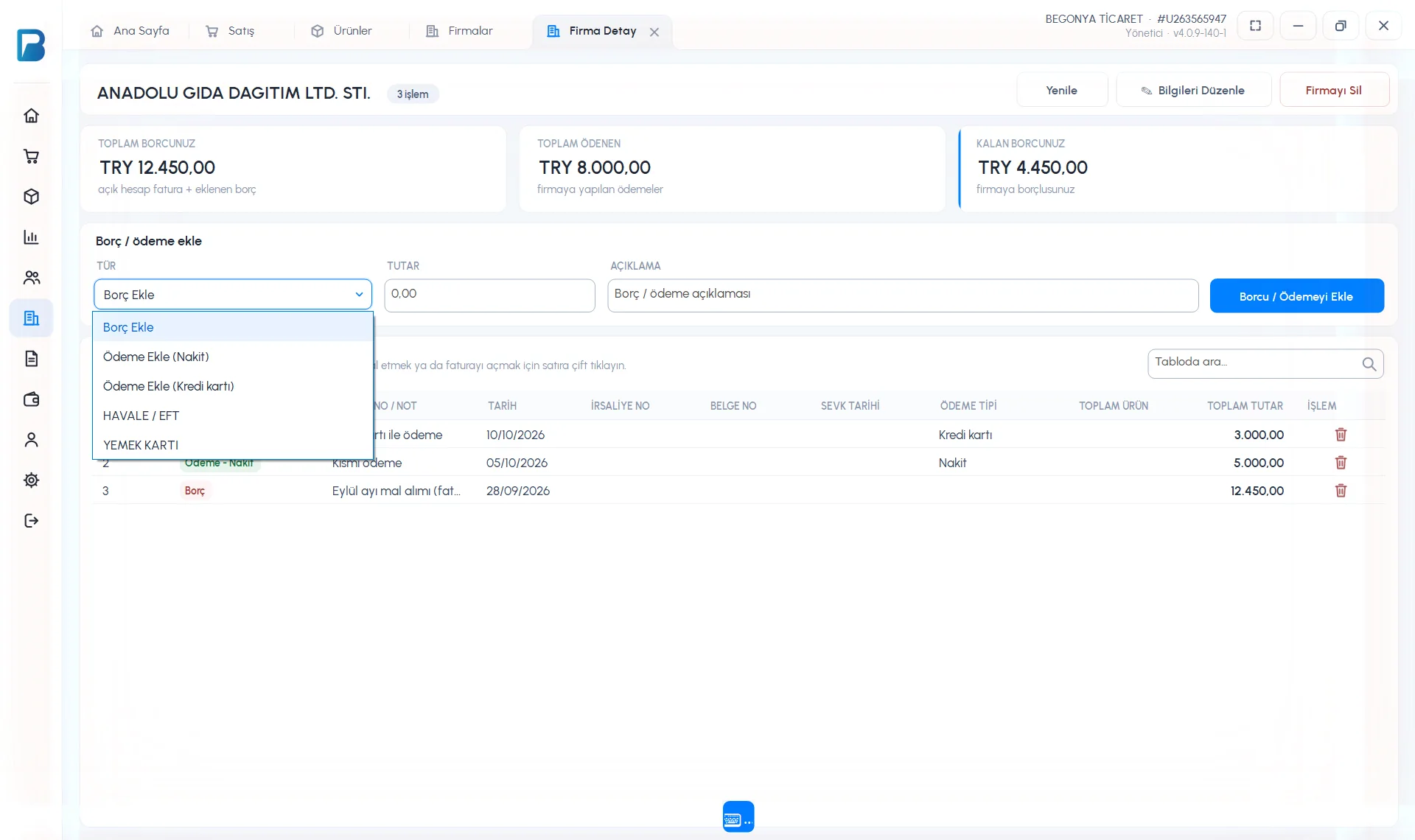
On the Add debt / payment row, choose from the 1 TYPE list: Add Debt, Add payment (Cash), Add payment (Card) or any additional payment types you have set up (Bank transfer / EFT, Meal card…).
Enter the amount and add it
Enter the AMOUNT and DESCRIPTION and press 2 Add Debt / Payment. The entry is added to the 3 Activity Log list.
- To cancel an entry in the activity list, press the trash icon on its row; double-clicking a purchase invoice row opens the invoice.
- Purchase invoices you issue on account for a supplier are added to your debt automatically.
Adding a payment or debt for a supplier
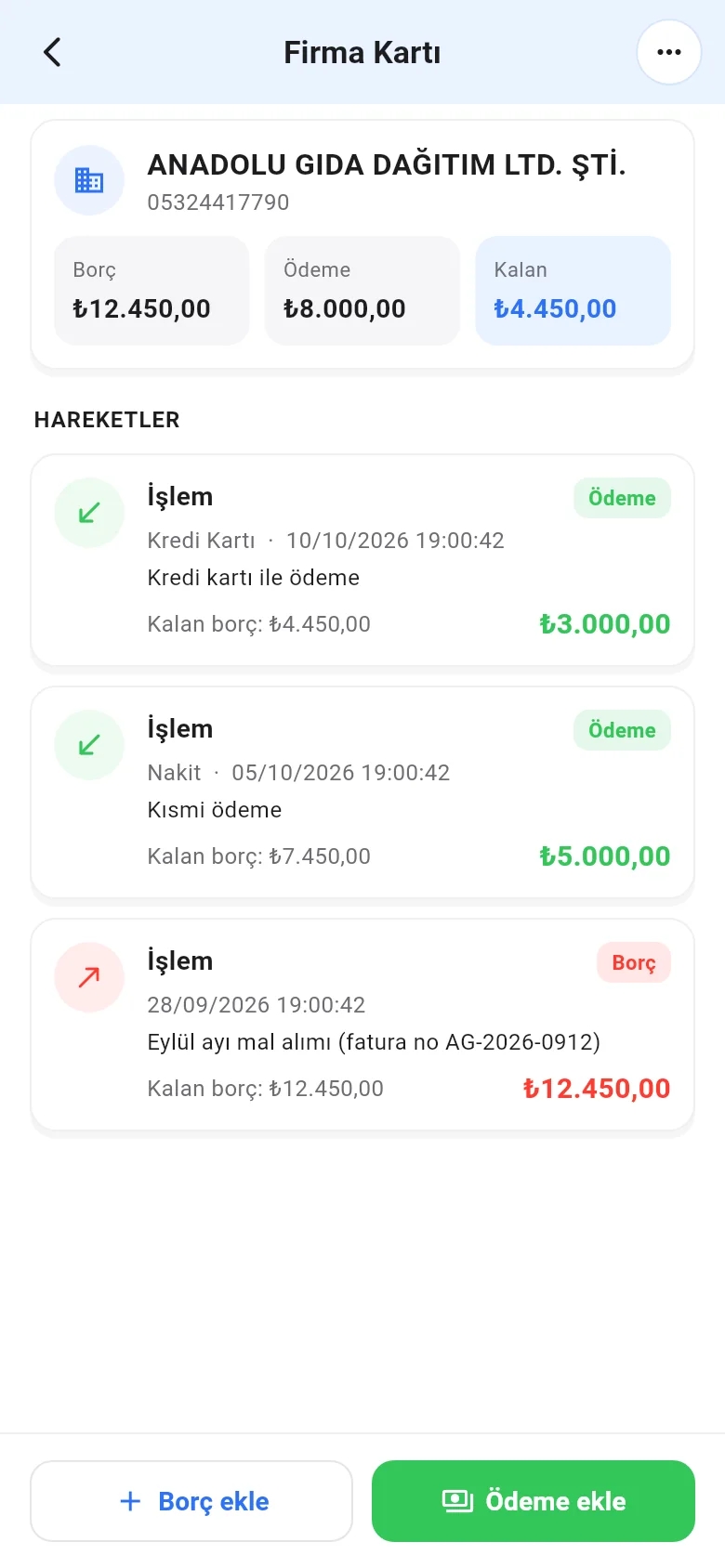
On the supplier card, tap Add payment or Add debt at the bottom. For a payment, enter the Payment amount, a note, the Payment type and the date, then tap Add payment.
 12
12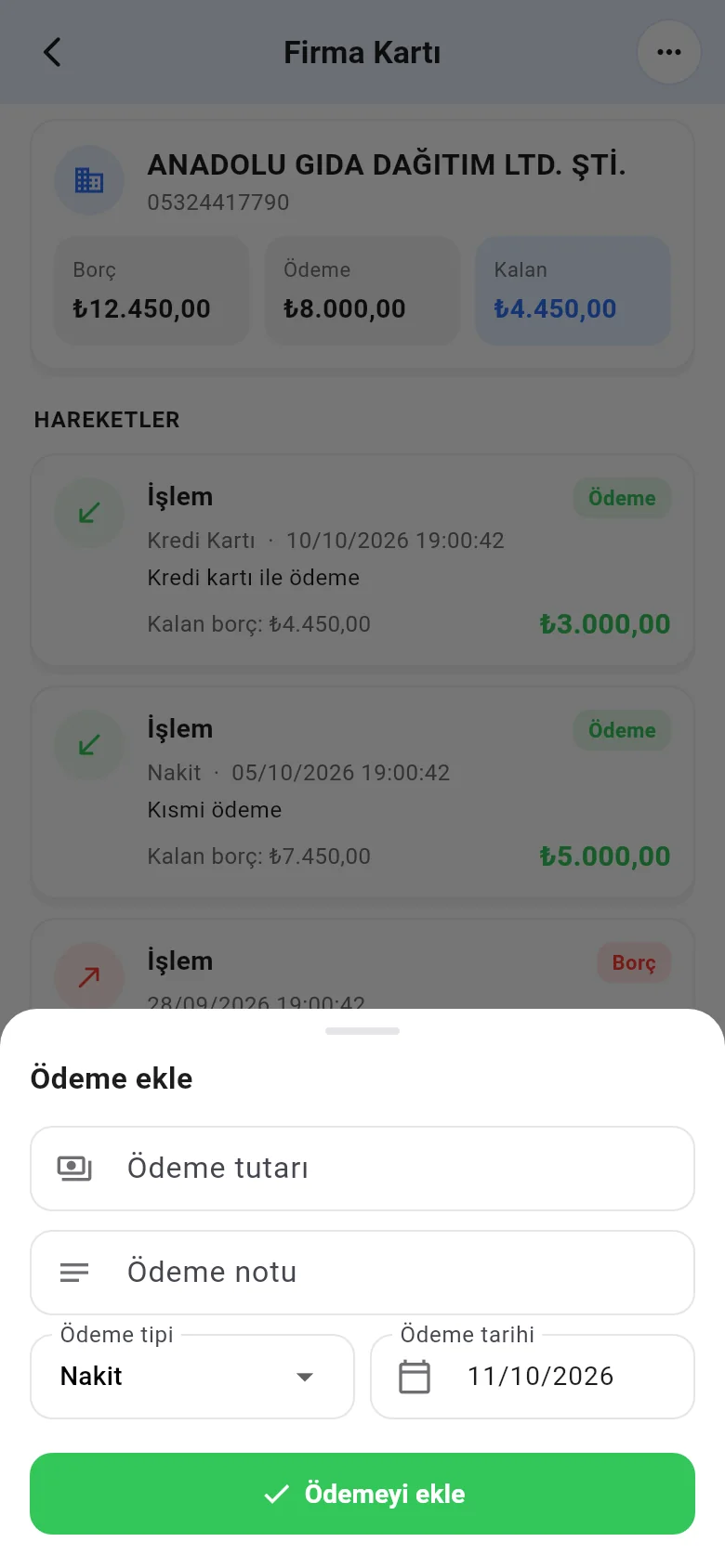
To delete a wrong entry, tap it in ACTIVITY LOG and choose Cancel transaction.