




Staff activity and the action log
See when staff remove items from receipts or leave without a sale, and the log of every change made in your account.
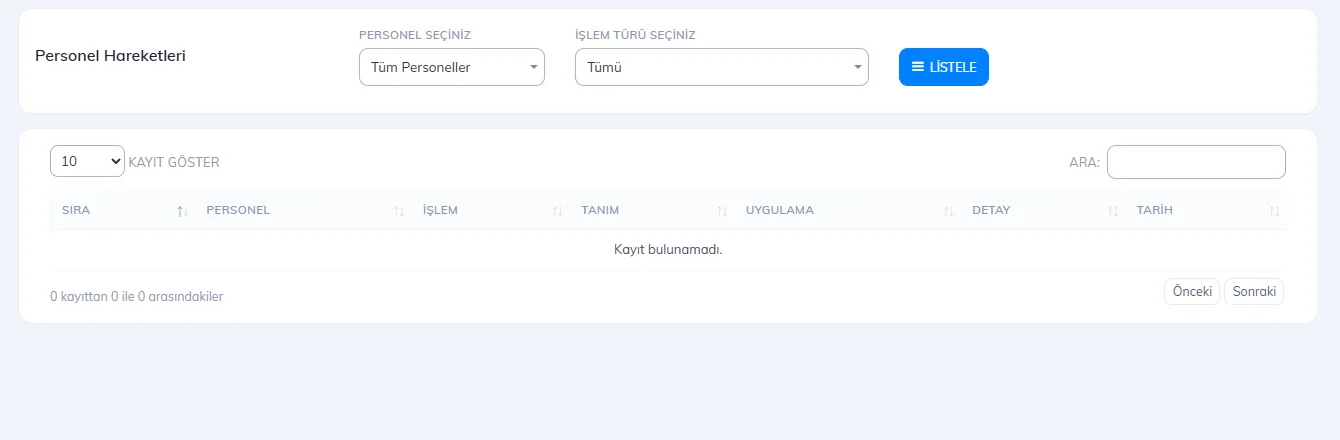
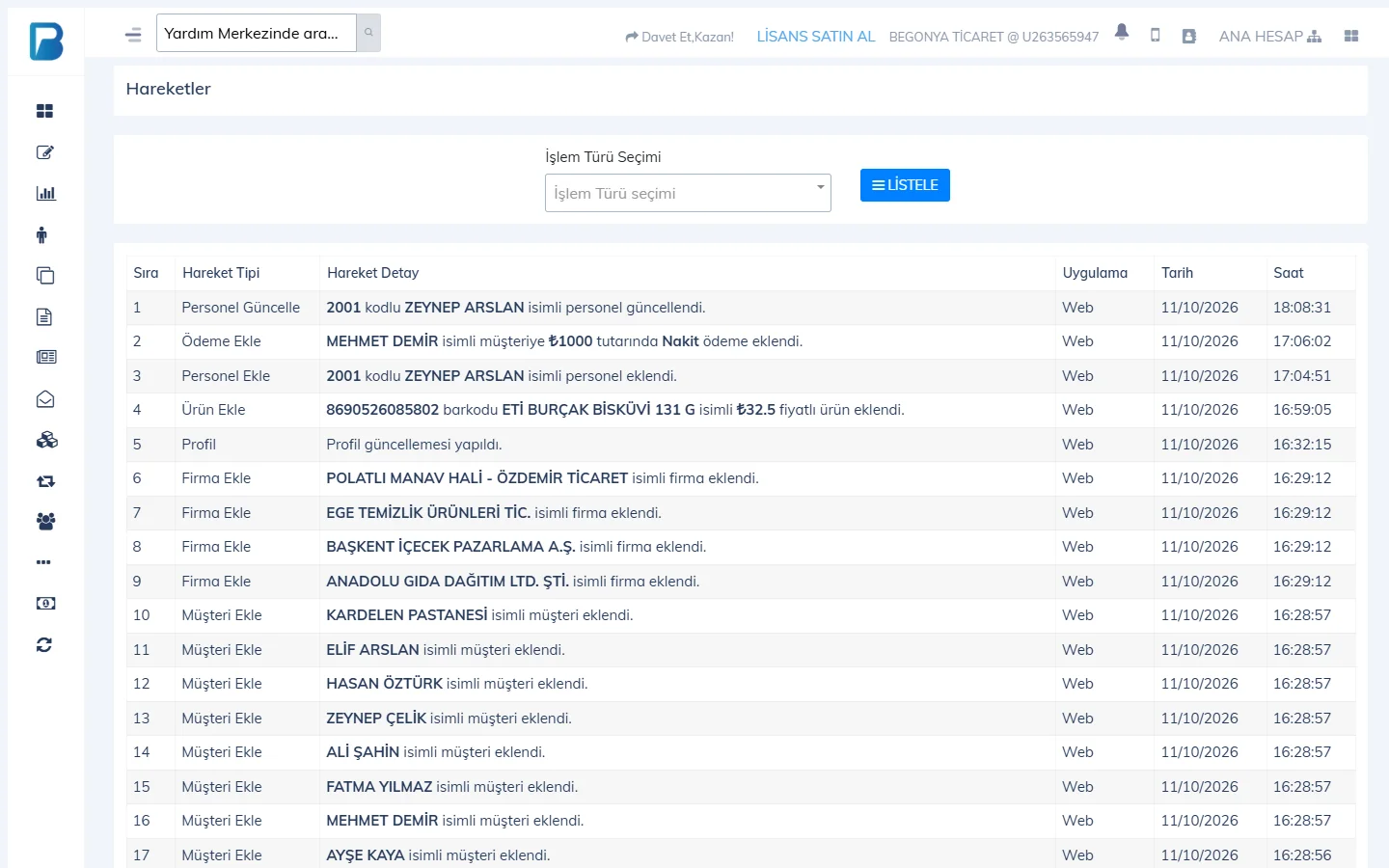
You monitor critical actions at the till in two reports: the Staff Activity Report shows staff removing items from receipts, deleting whole receipts and leaving the sales screen without making a sale; the Activity Log shows every record change made in your account (product updates, customer payments, adding staff, etc.).
Staff activity
In Reports › Staff Activity Report, select 1 STAFF and 2 ACTION TYPE (Remove single item from receipt, Delete whole receipt, Leave page) and press LIST. With DETAILS you see the removed items.
 12
12Activity log
Open Activity Log from the user menu at the top right. Choose the type from Select action type (Sale, Update Product, Add Payment, Customer Details Change, Add Staff, Delete Supplier…) and list it. For each record you see the description, which app it was made from, and the date and time.
If you turned on notifications in the mobile app, you get a notification for suspicious actions (such as removing items from a receipt or leaving without a sale).
This cannot be done in the desktop app. Staff actions in the desktop app are sent to the web; monitor staff activity from the web panel or mobile.
Staff activity
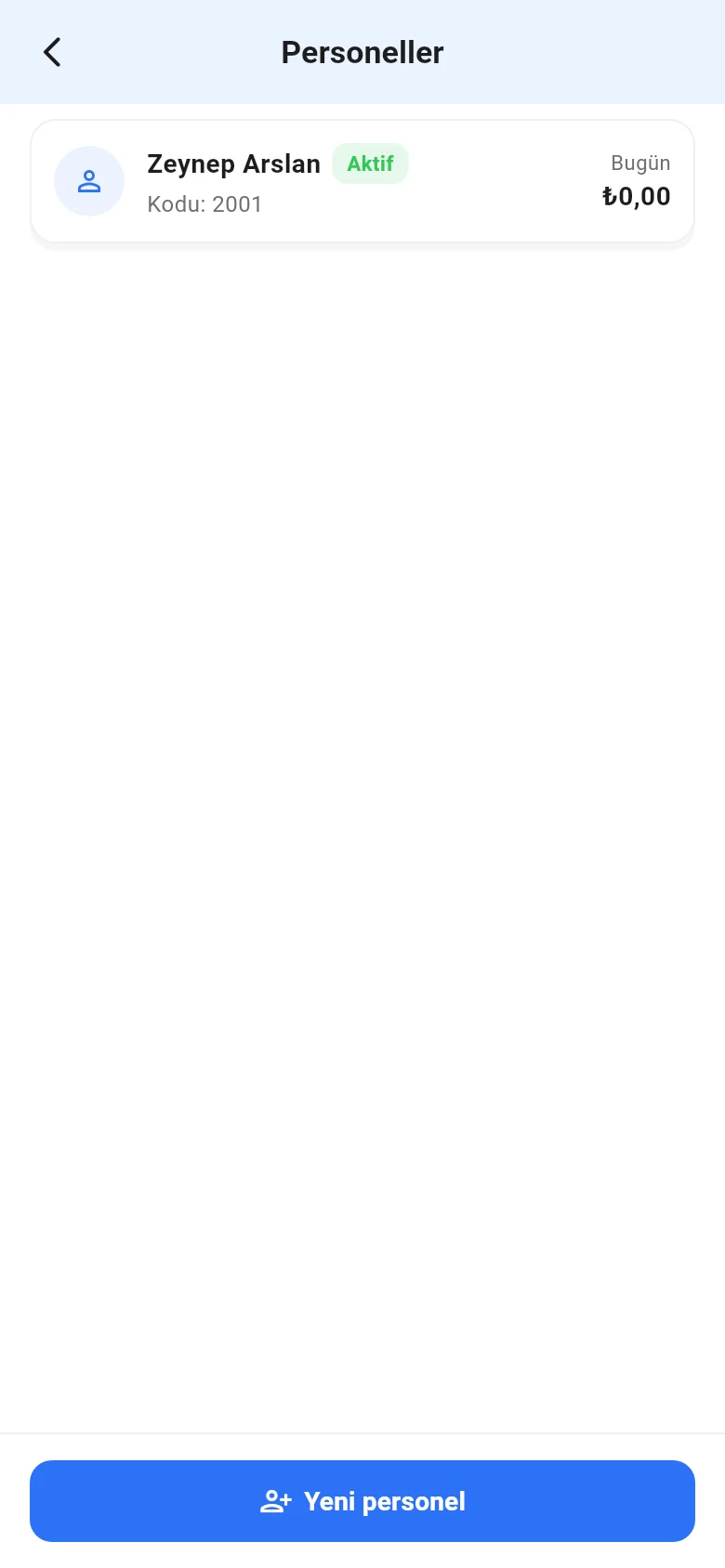
On the Menu › Staff page, tap the Staff activity icon at the top. Select Staff and Transaction type and tap List; tap an entry that includes products to see its details. The staff list also shows each staff member's sales total for today.
 1
1