




Importing suppliers with Excel
Upload your suppliers in bulk from an Excel file, together with their debt and credit balances.
You can upload your suppliers in bulk from an Excel file, together with their debt / credit balances. It is the fastest way to carry over account balances when switching from another program.
Prepare the file
Download the supplier template or prepare your own file without a header row in this layout:
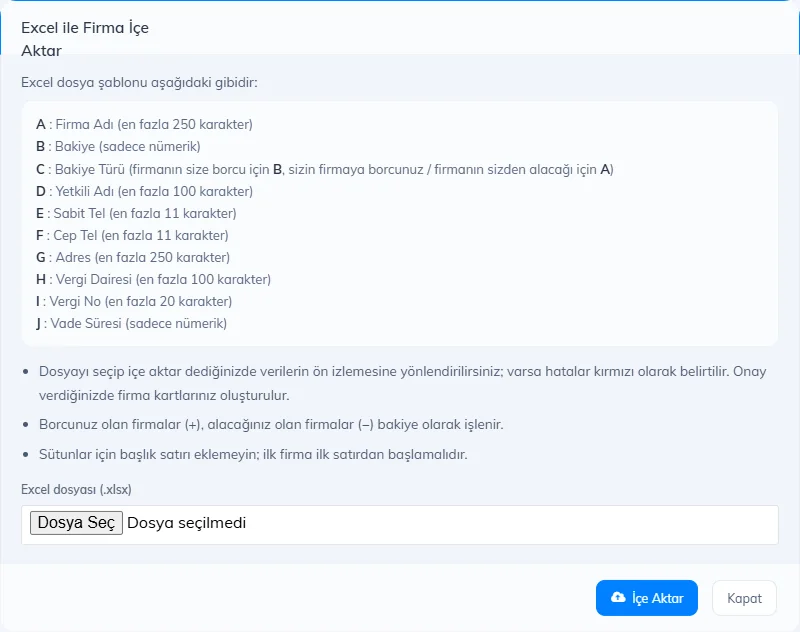
Column Content A Supplier name (required, up to 250 characters) B Balance (numbers only) C Balance type: A if you owe the supplier, B if the supplier owes you D Contact name E Landline F Mobile phone G Address H Tax office I Tax number J Payment term (days) Upload
On the Suppliers page, press Import, 2 choose your .xlsx file and click 3 Import.
 123
123Confirm the preview
Check the details on the preview page and confirm; the supplier cards and opening balances are created.
Enter only A or B as the balance type; with any other value, the balance is not recorded. If you upload the same file twice, the suppliers are created a second time.
This cannot be done in the desktop app. Import suppliers with Excel in the web panel; the suppliers reach the desktop app through sync.
This cannot be done in the mobile app. Import suppliers with Excel in the web panel.