




Changing password, email and phone; forgot password
Change your login password, email address and registered phone number, and reset a password you forgot.
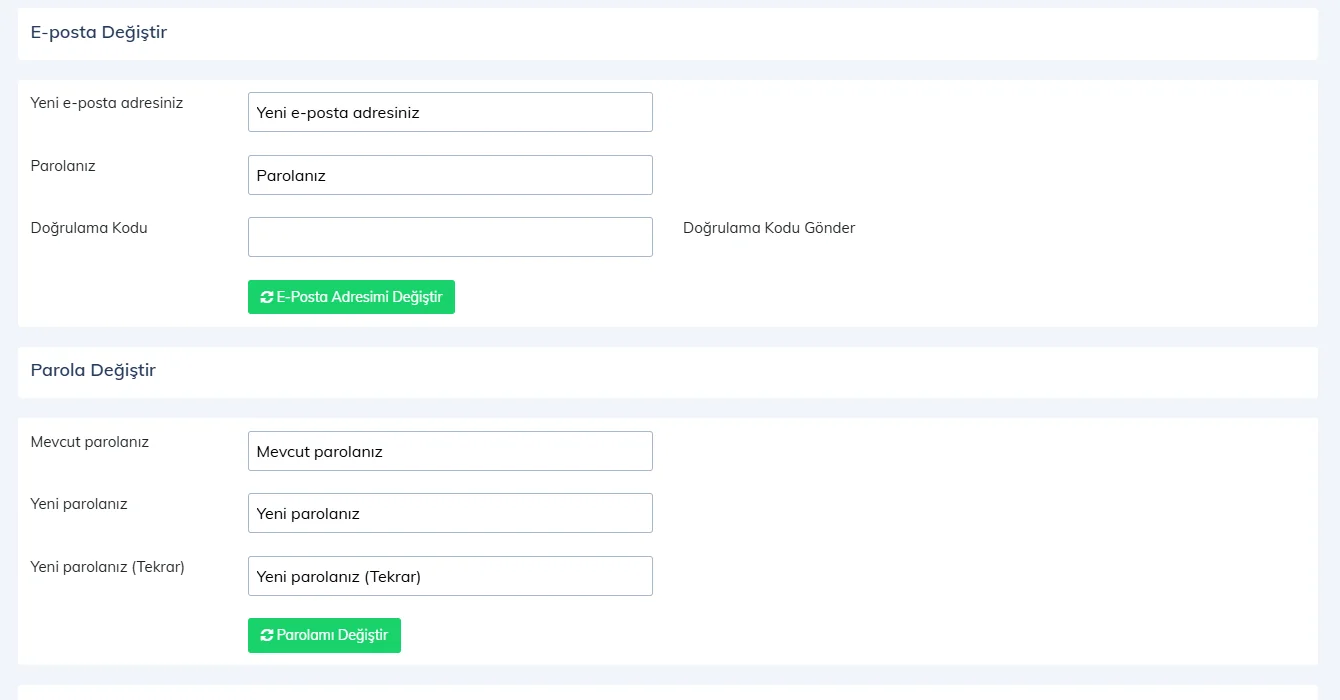
You change your password, login email and registered phone number on the Change Email / Password / Phone page in the web panel. Changing the email or phone requires a verification code.
 1234
1234Changing your password
Open Change Email / Password / Phone from the user menu. In the Change Password section, enter 2 your current password and 3 your new password twice, then press 4 Change My Password.
Changing your email
1 Enter your new email address and your password, press Send Verification Code, enter the code you receive and press Change My Email Address.
Changing your phone
In the Change Phone Number section, press Send Verification Code to send a code to your current number, enter the code and the new number and press Change My Phone Number.
Forgot password
Click the Forgot password link on the login page, enter the email address registered in the system and press Reset my password. Set a new password with the link you receive.
After changing your login email, log in to the desktop app with the new email. Staff passwords are not changed on this page but on the Staff page.
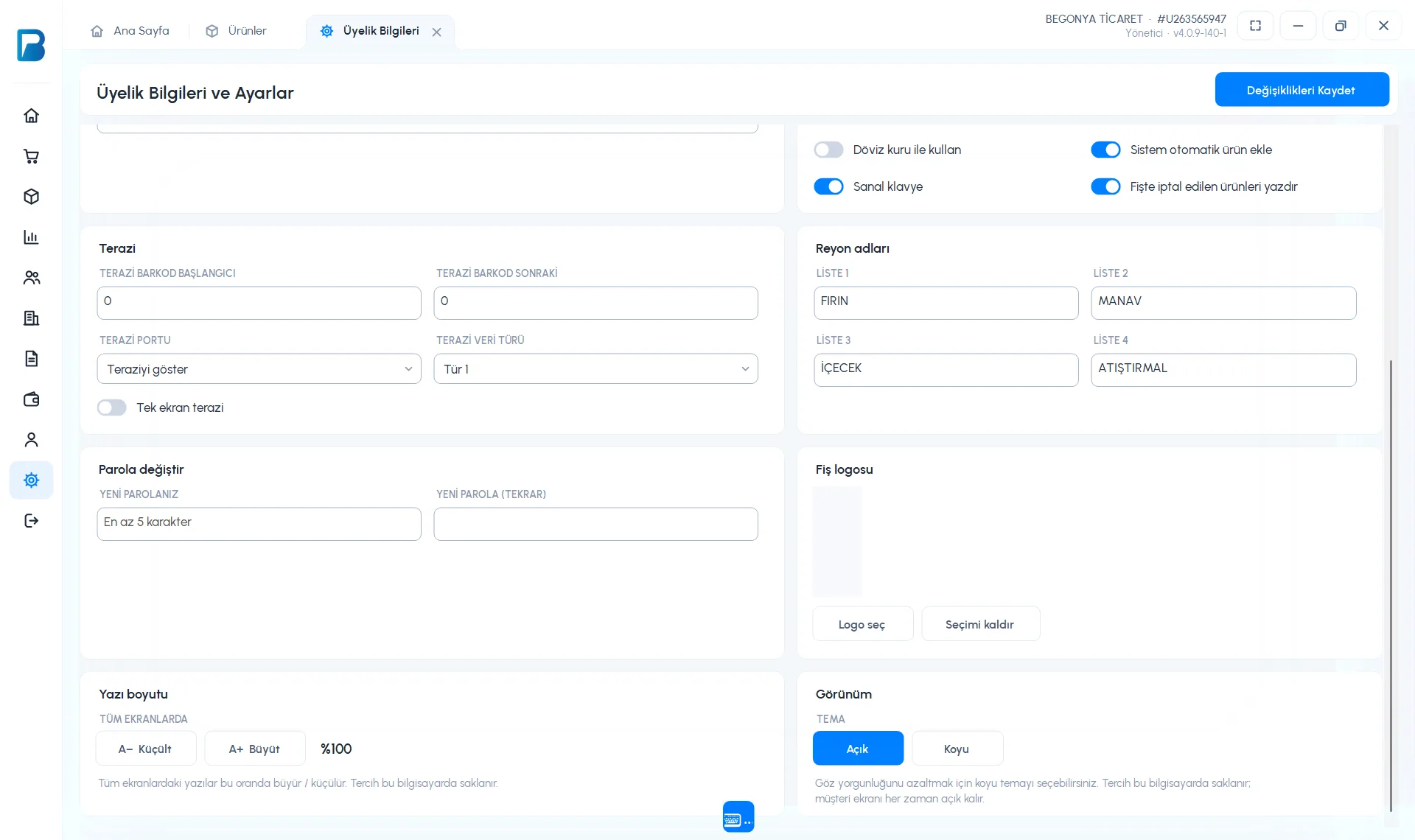
In the desktop app only the password can be changed: in Settings › Profile settings › 3 Change password card, fill in the YOUR NEW PASSWORD and NEW PASSWORD (AGAIN) fields and press Save Changes (at least 5 characters).
 1234
1234Changing the email and phone and "Forgot password" are not available in the desktop app; do them in the web panel. If you forgot your password, use the Forgot password link on the benimpos.com login page; the new password also works in the desktop app.
Changing the password, email and phone is not available in the mobile app; use the web panel. If you forgot your password, tap Forgot password on the login screen; the reset page opens in the browser.