Daily report, end of day and VAT breakdown
List the day's sales; see cash, card and on-account totals, the cash register report and the tax base by VAT rate.
Open the daily report
Open Reports › Daily Report in the left menu. The page opens with today's sales.
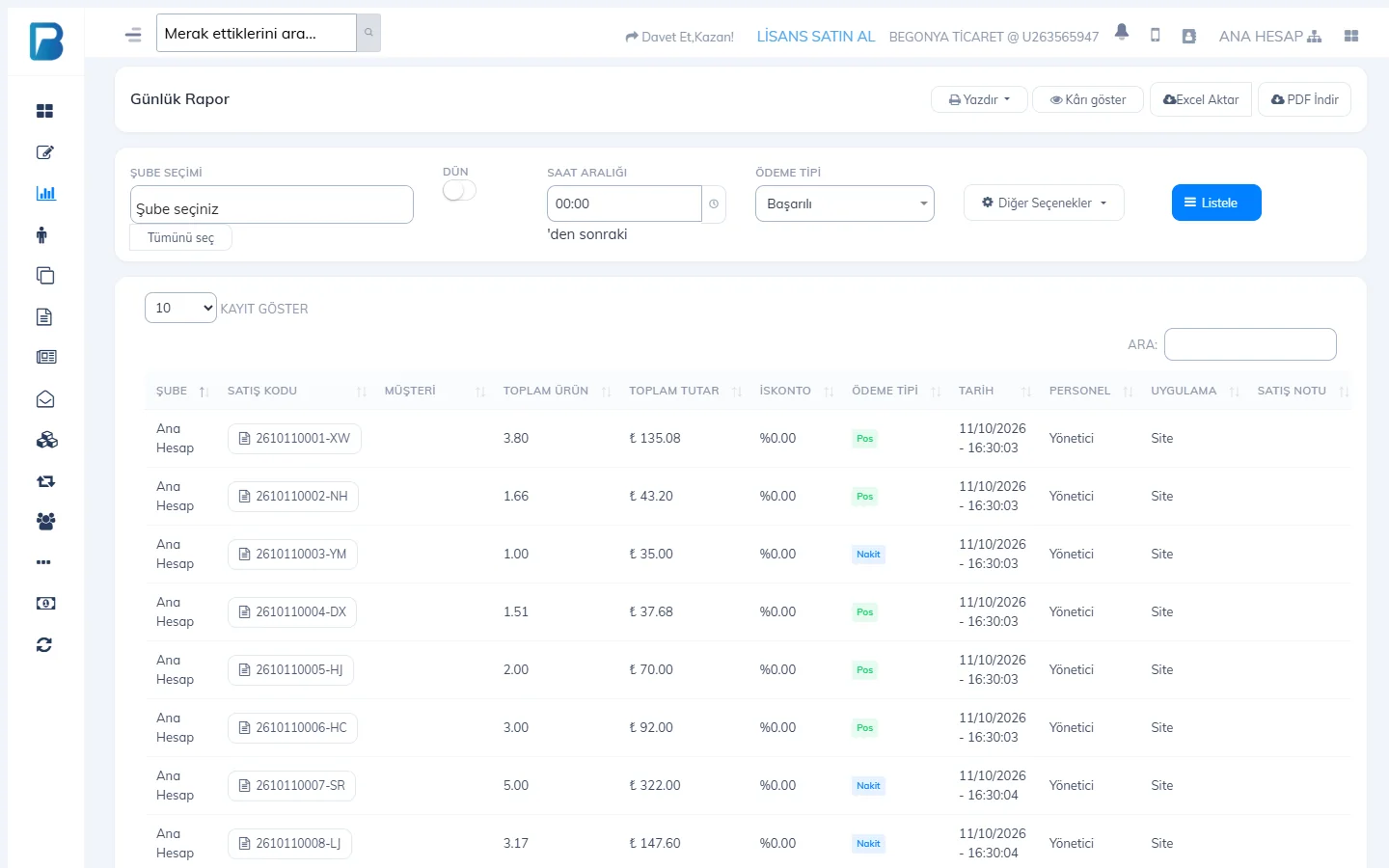
- Yesterday: switches to yesterday's report.
- Time range: shows sales after a certain time (e.g. at a shift change).
- Payment type: Successful (default), Cash, Card, On account, Non-revenue, or all.
- List: applies the filters. Click a sale code in the table to open the receipt details.
With the buttons at the top right you can Print the report, turn on profit with Show profit, or download it as Excel or PDF.
End-of-day amounts and VAT breakdown
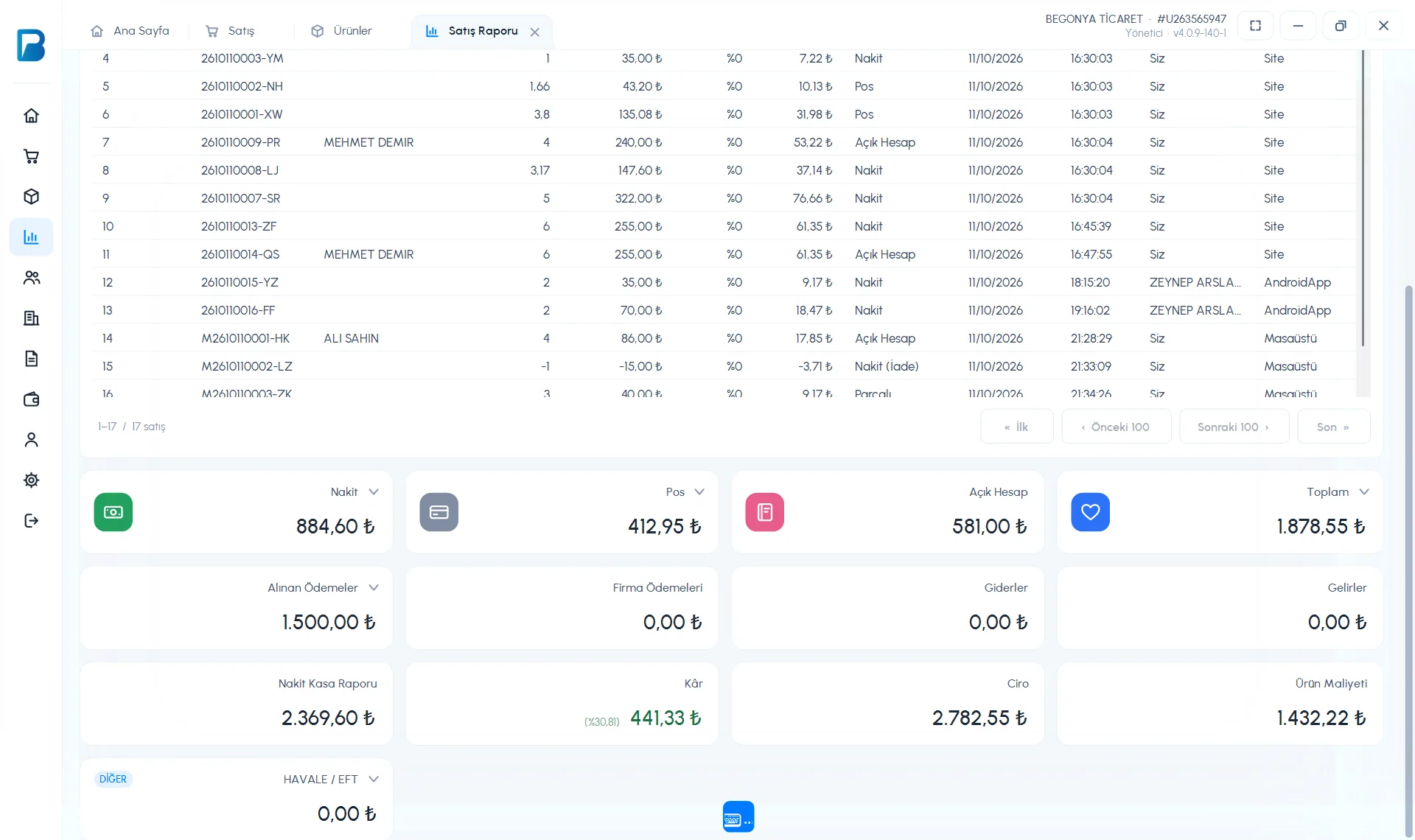
The cards below the table are the day's summary: Cash, Card, On account and Total. Clicking the arrow in the title of the Total card opens the breakdown by payment type and the sales, tax base and VAT by VAT rate.
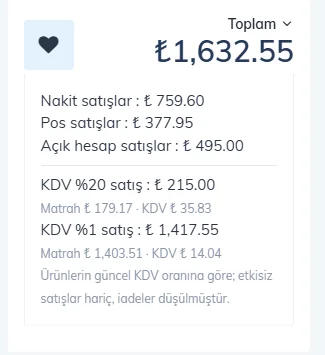
The VAT breakdown is calculated using the products' current VAT rate; non-revenue sales are excluded and returns are deducted. Before giving it to your accountant, make sure your products' VAT rates are correct.
Other cards:
- Payments Received: payments added to customers during the day.
- Supplier Payments, Expenses, Income: other till movements during the day.
- Cash Register Report: the cash that should be in the till. Compare it with the money in the drawer at the end of the day.
- Profit, Revenue, Product Cost: calculated from products that have a purchase price entered.
If you open the till at a certain time, set Register Opening Balance at the bottom of the page. For a report covering more than one day, use Reports › Date Range Report; the VAT breakdown is also on the Total card there.
End-of-day report
Open the sales report
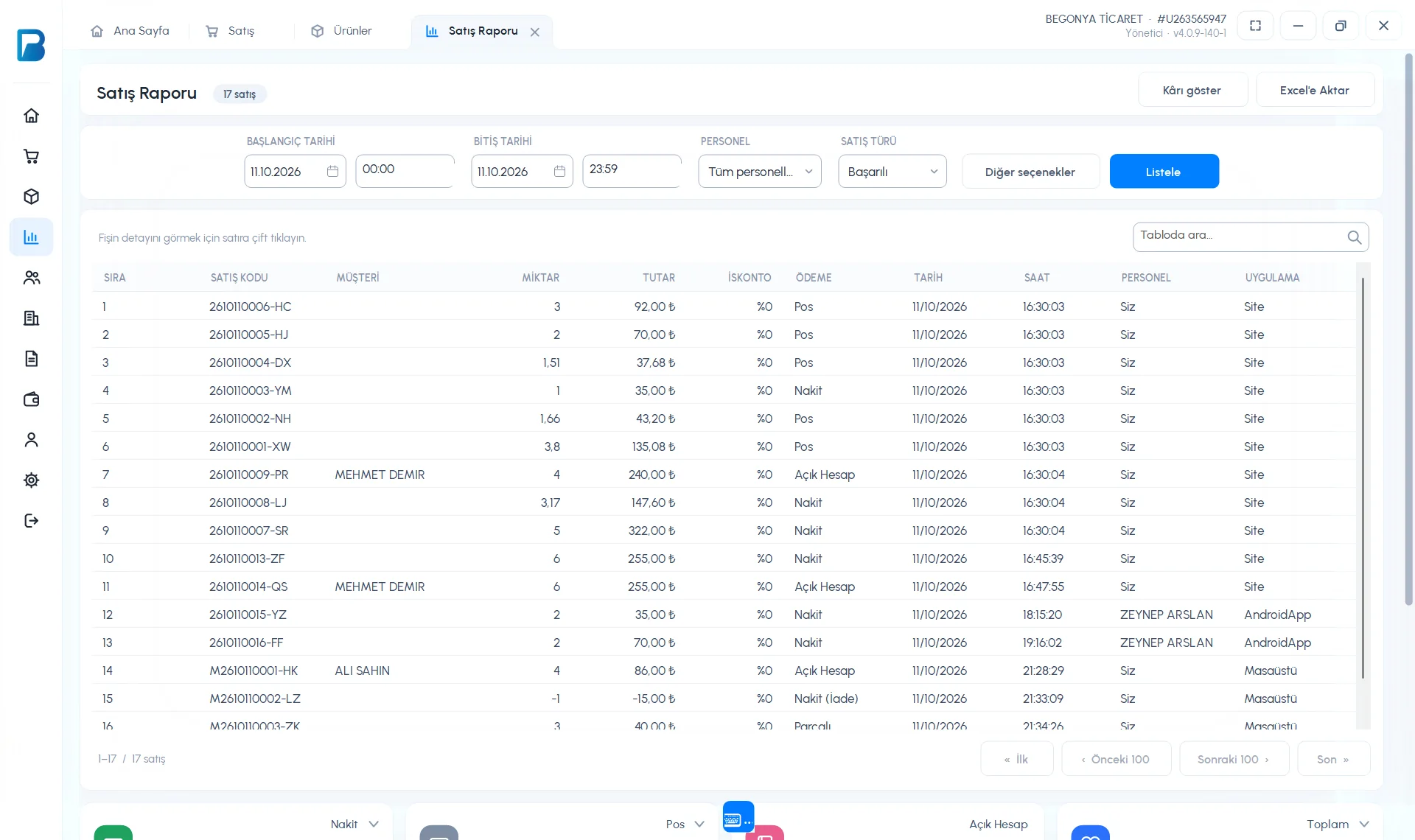
Open Reports › Sales Report. The report opens with today's date (00:00–23:59).
Filter if needed
1 Select the date / time range, STAFF and SALE TYPE (Successful, returns, etc.) and press 3 List.
 12345
12345Read the summary
Scroll to the bottom of the page. You see the cards 1 Cash, Card, On account and Total; 2 Payments Received, Supplier Payments, Expenses, Income; 3 Cash Register Report (the cash that should be in the till), Profit, Revenue and Product Cost. Additional payment types (bank transfer / EFT, etc.) are listed on separate cards at the bottom.
 123
123
VAT breakdown
The arrow (⌄) next to the Total card opens the breakdown of sales by VAT rate. The arrow on each payment card also shows the details for that payment type.
The desktop report is prepared from the data on the computer. For sales made on web and mobile to appear too, sync must be complete. For an end-of-day printout on the receipt printer and a PDF, use the Daily Report in the web panel.
End of day on mobile
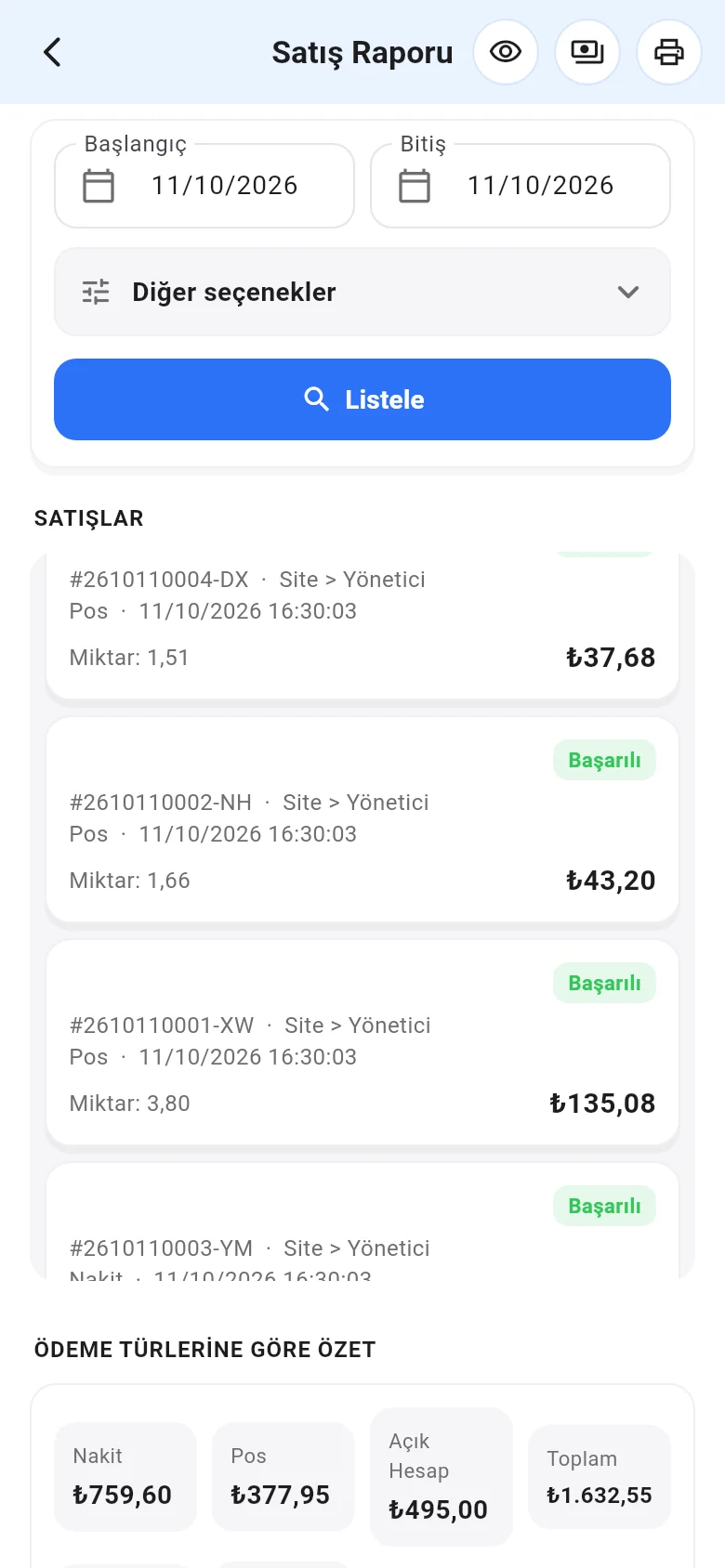
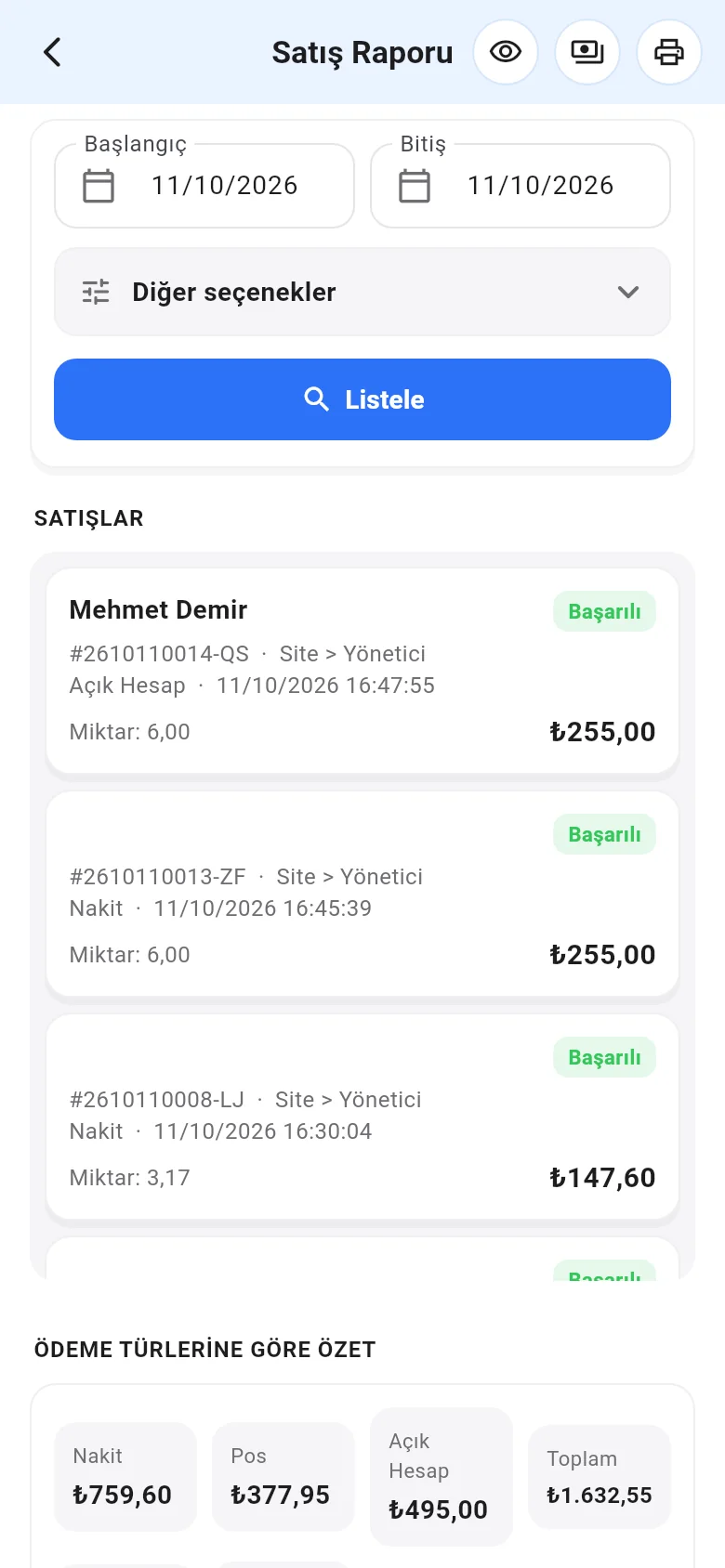
In Menu › Sales Report, today's date is selected; tap List. At the bottom, SUMMARY BY PAYMENT TYPE shows the cash, card and on-account totals. With the printer icon at the top you can print the summary as a PDF or share it.
 12
12